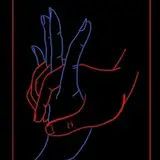
I tried thinking of certain tools I use regularly, and liquify was the first thing that I thought of!
This tool has saved my projects tons of times. As you can see in the example, I am able to quickly edit features without damaging the image itself. If you have a chance to use the liquify tool, I highly suggest it!
The best tool in liquify is the forward warp. It's basically a brush that pushes things in the direction you move. You can adjust the size accordingly to move larger features, or smaller to move tiny details. Pucker and bloat work similarly, but instead they can make features smaller or bigger. I use this sparingly, but it is useful in moderation.
While this is a Photoshop-exclusive tool, there may be alternatives in other programs. I did some research, and it looks like there's a forum post that shows how to do something like this in CSP. (Don't take my word for it, though, I'm not familiar with CSP!)
Tools 2: Gradient Maps will be available shortly for $5+ patrons!