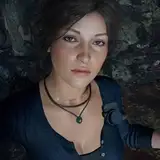
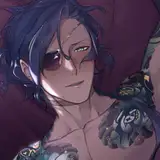
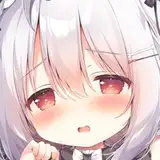
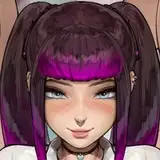
![[Free] Salem [PC+QUEST]](https://img5.nokimo.com/storage/12/vn/cm/fb3178-019e86e6-7bf5-7d4c-85e2-ba2ed9b27993.png)
//✩──────────────────────⋆ ˚✮⁺₊⋆★ ⁺₊⋆ ˚✮⋆──────────────────────✩\\
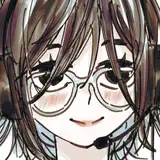
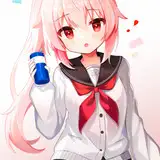
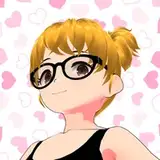
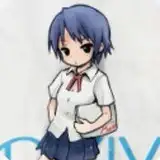
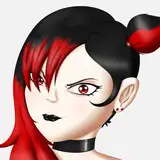
Salem
10/31/2023
I do not upload free avatars. This avatar and all of my free avatars are in my public avatar world.
This avatar is editable
//★ Features
3.0 Physbones
Creator companion
PC and QUEST included
SFW
Editable package
Bones where expected
Toggles for accessories
Outfit swap
Multiple hair colors
Separate hueshift for eyes, hair (PC)
Separate swaps to white for everything black
Glittery and shiny materials
Spider (turned off by default)
Skin tone radial
GoGo Locomotion by franada
//★ Stats
PC
249k polys
28 MB in game
65 MB texture memory
//★ Terms
Do not resell, share files or uploads, or post publicly on VRChat or other websites
Do not resell or claim as your own
No refunds
Do not take any assets off this avatar. Must buy or download from original source.
Always direct to this page
I am not responsible if future VRChat updates break the file
//★ Credits
Head: Sivka
Body: Sugs#9795 (cut mesh)
Hairs: Nessy
Shirt: BubbleBunny
Dress: .yuena.
Outfit 2: KingShai69
Shoes: teacakezz
Lace accessories: KingShai69
Hat: Zenifyy
Spider: tadeus
Nails: Deimos
//★ How to upload
Upload with the creator companion
- Import included poiyomi
- Import avatar package
- Click 'OPEN ME'
- Upload!
If uploading pc and quest make a new project, import quest package, switch build target to android, copy blueprint ID of pc upload, paste into pipeline manager, upload!
Please do not hesitate to contact me if something's wrong - my DMs are always open
@skulli on discord
//✩──────────────────────⋆ ˚✮⁺₊⋆★ ⁺₊⋆ ˚✮⋆──────────────────────✩\\
How to upload
Unity 2022
Upload with the creator companion, Poiyomi, and VRCFury
Import avatar package
Click 'OPEN ME'
Upload!
If uploading pc and quest make a new project, import quest package, switch build target to android, copy blueprint ID of pc upload, paste into pipeline manager, upload!I do not upload free avatarsMake sure to set the version to 3.8.1 or higher - VRChat currently automatically sets to 3.7.6
If you don't do this then quest materials will not work
See the 'How to upload and upload troubleshooting' page on the top left for more help
This is a really good tutorial if you're new to uploading!
How to Upload a VRChat Avatar [PC & QUEST]Troubleshooting tips for uploading an avatar
If you get an error saying something along the lines of 'not able to upload for an avatar that we do not own' that means you didn't import VRCFury which is needed for upload
If your materials are pink error that means you didn't import Poiyomi or are using an old version of it
If the quest version is being uploaded to the pc side that means you didn't switch the build target to android
If you're getting a missing script error make sure any extras are imported or make sure you're uploading the avatar without the needed dependencies (this is usually related to wholesome, unimported lindy assets, etc)
If wholesome is not working in game you need to import the wholesome repository into the project before upload
If face tracking is not uploading/not working in game you need to import Jerry's FT templates repository
If toggles are flashing in game that means the parameters are unsynced. This is usually because quest was attached to the incorrect pc version
For any other issues please open a ticket in my server
@Skulli