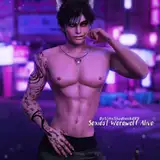
WHAT "HIGH SIZE" MEANS
Added 2023-06-05 00:52:14 +0000 UTCSo please always remember to set your Sim back to normal size in the Game or in Blender in order to use my Poses or Animation correctly. In Blender, simply copy a T-pose from a regular sized Rig and transfer it to your Model. So you can use it.

 I always do my Animation and Poses with;
"HIGH SIZE POSES - DO NOT USE THE SLIDER"
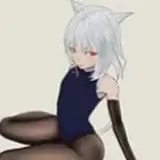
And for everyone to understand why this is so, I'll show you my rigs and how they should actually be, and how I use mine. Means my Poses and Animation make your Sims higher, you don't need a Silder for that, only for people who want to have the EA size for their men will not be able to do anything with my Poses and Animation. Better said, very old Poses and Animation still have normal size, everything new has been in high size for a year.

My old Pose Packs and Animations are still normal size, all new Pose Packs and Animations since the end of 2023 are "High Size Pose"
Comments
Hmm, I don't know what you mean. I've never had "unnatural" faces. But apart from the body size, I haven't changed anything on the dummy. The face is still EA original. So I can't tell you what it is. I've never had this bug. 🤔
KD89
2025-02-12 20:19:03 +0000 UTCHi i understand this post but my comment is separate, so i really like your poses they are very cool, but sometimes they warp my sims faces very unnaturally is it possible you could please use default dummies when you are creating poses rather than your altered sims? <3
Bickie
2025-02-12 14:01:19 +0000 UTCYeah the pack's name is "Nothing Compares to you - Pose Pack"
KD89
2025-01-12 20:04:00 +0000 UTCthe pose u used as an example, is that something we can download and use?:) It's really cute
Cheetah
2025-01-12 19:15:36 +0000 UTC