Devlog: Building a Godbuster Map Icon
Added 2024-11-04 21:33:55 +0000 UTCRigman here, I had the job of figuring out how to make an animated icon for our map screen, here's a little behind the scenes.
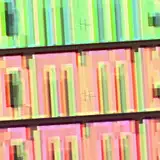
Given the scale of what the icon would be on screen at 1440p, I figured that an 800x500px resolution would be a solid enough of a jumping off point. A 5x6 sprite sheet layout would come out to 4000x3000 pixels and give me 30 frames to play with. It’s a bit big, but I think it'll work—or at least, I hope so. That's a problem for future me to solve.
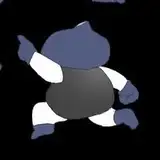
First things first, I cleaned up the base image and added some contact shadows to match the character's movement. I had already done a rough block out on the positioning of the Godbuster in frame, so I knew where certain elements would fall.


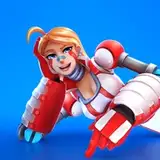
Once everything looked right with the animation, I enabled the textures and threw in some lights to ground him against the background. Here’s how it looks with everything moving. Our goal was to create the feeling of those 'pre-rendered' sprites you'd find in the fifth generation of games.

In the future we'll likely add other animations to make the map screen feel even more alive.

For the final render, we’ll drop out the background plate, this would leave us with the negative that we'd overlay back on top of the map in engine recreating the effect. Overall, I'm pretty happy with the results.

Next up, I'll turn this into a sprite sheet so I can have something to test in-engine.

From here it's time we take this into the engine to convert into a sprite and allow us to test on the map screen, but I'll save that for a part two. I'm sure they'll be plenty of adjustments to make!
If you enjoyed this more focused, technical breakdown or have any other questions regarding the process, please reach out on Discord and let me know!
- Rigman