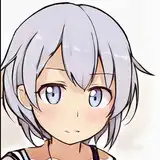
I figured I would show what it looks like at the beginning and the end of my edits and what I do to them.
First I needed a base image so I spent a good hour or so generating images to make sure I have good choices. I ended up getting lucky and having this girl look like she's trying to hold something heavy or pick something up.
I then photo edited the water fountain to be a normal height and left the bottom bowl for the doggy fountain. Edges were cleaned up because if they aren't the Ai gets goofy. I also edited out the fountain behind her and the water coming from it, and put the stone circle under the fountain.
I ran the drinking fountain through inpaint to fix the texture, make the handle on the side, and improve the water quality. I then used Gimp(photoshop rip off) to add half of the belly with the dress from the previous picture in the album. that only was half a belly so I took a belly from another picture and put it under that one. I then used the stamp tool to fix the skin tone of the belly to the shade of her leg, and smoothed it out with blur.
The image got run back through inpaint to fix the dress texture and the first pass of the skin. at this point I used the stamp tool to fix the leg and make it look like it was over the belly and not merged into it.
Next I fixed the hair in inpaint.
After the hair was fixed I made the water into a rough arc and turned down the opacity to make it slightly see through.
I then ran it through inpaint and fixed the water texture and the old fountain behind her.
I then fixed the face in inpaint once, removed the earing left over and ran the face through a second time. I also fixed up the skin on the arm.
I ran the photo back through inpaint to fix the sandals, legs, and belly skin texture.
Then there was a last photo edit touch up to remove a belly button on the very bottom of the belly, and there was a small gap between the leg and the belly under her skirt that was fixed. Neither of these were shown.
This is about what each photo takes to become finished. If I didn't have to wait for about 10 minutes per AI edit it wouldn't take as long. unfortunately with this one there were a lot of problems with the face and knee texture which took a ton of time up.
I hope you enjoyed seeing the process and I hope you enjoyed the album.