NokiMo
Otis_Inf
Otis_Inf

patreon


IGCS Depth of Field

I've released a new Depth of Field system, which works with most newer cameras I've released. It is implemented in the IGCS Connector Reshade addon and a shader, and works similar to how MSADOF works or how the DoF in e.g. Forza works; it'll produce clean, realistic bokeh effects without artifacts. The technical term is 'Accumulation-buffer based Depth of Field'.

Release: https://github.com/FransBouma/IgcsConnector/releases
Sourcecode: https://github.com/FransBouma/IgcsConnector
Guide: https://opm.fransbouma.com/igcsdof.htm

Be sure to read the guide for how to setup reshade, the addon and the shader and how to use it!

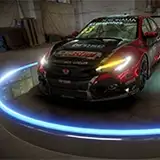
Here's a couple of examples what it looks like:

It's an effect which takes some time to render so you can't use it in real-time.

NOTE: if you update to a newer version, always update the shader and the addon. If for some reason it doesn't work even if you have updated the shader, be sure to click 'Clear effects cache' on the Reshade's Configuration tab.

Enjoy!

Changelog:
v2.5.3:
 - Changed: (Addon) (Otis_Inf) Upgraded the ImGui and Reshade API versions to Reshade 6.4's, as the IGCSConnector v2.5.2 and earlier have a performance issue with Reshade 6.4 due to outdated ImGui code.

v2.5.2:
 - Fixed: (Shader) (MartyMcFly) In some low-light situations banding could occur in large out-of-focus areas even though dithering was implemented to mitigate that. This has been corrected, banding should now no longer occur.

v2.5.1:
 - Fixed: (Shader) (MartyMcFly) When there were no tools injected the shader could show unwanted behavior
 - Fixed: (Shader) (MartyMcFly) The magnifier was showing only per pixel movement
 - Fixed: (Shader) (MartyMcFly) The magnifier is now also covered by the compute shader, avoiding a separate pass.

v2.5.0:
- Fixed: (Shader) (MartyMcFly) The first frame 'flash' is now no longer present, which likely could lead to less blurry images on lower framewait values
- Fixed: (Shader) (MartyMcFly) The edges of the result image no longer contain darker fades
- Fixed: (Shader) (MartyMcFly) The dithering to avoid banding is now using a better algorithm
- Changed: (Shader) (MartyMcFly) The igcsdof.fx shader is now using a compute shader setup and is much faster
- Added: (Addon/Shader) (MartyMcFly) Cateye bokeh effect, which results in Helios 40-2 like swirly bokehs further away from the center of the frame

v2.4.0:
- Fixed: (Addon) (Otis_Inf) Way faster rendering, up to full framerate
- Fixed: (Addon) (Otis_Inf) Fringe/Chromatic aberration for circular bokehs is now alighed at the top instead of on the right, so two-color CA is properly divided between left/right.
- Fixed: (Shader) (Otis_Inf) Vignetting in some occasions (Inner to Outer rendering type mostly).
- Added: (Addon) (Otis_Inf) Camera data is now exported to various IGCS_ prefixed uniforms so shaders can obtain that data at runtime. See repo readme which uniforms have been added.
- Added: (Addon) (Otis_Inf) Added buttons next to some value controls so they're easier to choose as dragging them was a bit cumbersome. 

v2.3.2:
- Fixed: (Shader) (Otis_Inf) On edges it could be there was a brighter border due to lack of blending from discarded samples outside the view port.
- Changed: (Addon) (Otis_Inf) Unchecking the 'Record ReShade state with camera nodes' checkbox will now be preserved across sessions.

v2.3.0:
- Fixed: (Shader) (MartyMcFly) First frame is now no longer blended twice
- Added: (Shader) (MartyMcFly) Sharper in-focus areas and less moire in highlights due to different blending of HDR samples
- Fixed: (Addon) (Otis_Inf) Angles for aperture shaped shapes didn't start at 0.
- Fixed: (Addon) (Otis_Inf) Changing the render order didn't take effect till you also changed another value which re-triggered calculating the shape steps.
- Changed: (Addon) (MartyMcFly) Reimplementation of spherical aberration so it preserves the light across the entire highlight and no longer leads to dimmed shots in some cases
- Changed: (Addon) (Otis_Inf) Maximum of vertices in aperture shaped shapes is now 10 to make the number of vertices slider be more controllable
- Added: (Addon) (MartyMcFly) Added separate fringe functionality for tiny outlines of highlights
- Added: (Addon) (Otis_Inf) Added separate chromatic aberration functionality (4 types) to displace red/green/blue on the edges of highlights for artistic purposes.
NOTE: be sure to update shader and addon!

v2.2.2:
- Fixed: (Addon) The preview of the shape in the Reshade overlay was drawn mirrored vertically, so basically upside down. The preview now represents how the bokehs will look in the final result (in the far plane. Shapes in the near plane will be upside down due to how the dof works).
- Fixed: (Addon) The ring angle offset value is now rotating the inner rings more related to the outer rings so it keeps the outer ring in place (and thus the whole shape in place) which makes it easier to define the right shape rotation.

v2.2.1:
- Fixed: (Addon) A bug in the addon could cause the game to crash when you enabled a shader in reshade during setup, and you didn't have this shader enabled when the game was started
- Added: (Addon) A check has been added to inform the user that if the IgcsDOF shader is disabled in reshade, they first have to enable it and place it at the bottom of the list.

v2.2.0:
- Changed: (Shader) Marty McFly contributed an optimized shader which uses less memory and is a bit faster
- Changed: (Addon) SirCobra contributed a way to focus with just one slider, so focusing is now a matter of just sliding one slider and you're set!
- Fixed: (Shader) Marty McFly contributed Cone Overlap support for avoiding extrapolated bright color fragments when using a highlight boost nearing 1.0
- Fixed: (Addon) When changing max bokeh size, it will automatically recalculate the focus delta so you don't have to re-focus afterwards. This also fixes the issue when changing aspect ratios while you had setup the focus delta: the image stays focused.
- Added: (Addon) Added an option which makes the progress bar show up in the reshade overlay instead of an overlay in the top left corner.
- Added: (Addon) Added an option to create anamorphic bokehs (Vertical ellipses)
- Added: (Addon) Added an option to specify an optional angle per ring in the bokeh shape to avoid having a grid-like pattern.
- Added: (Addon) Added aperture shaped bokeh shapes using vertices and optional rounding options for hexagon etc. shaped bokehs.
- Added: (Addon) Added spherical aberration support so you can dim center areas of bokeh highlights.

v2.1.1:
- Added: (Addon) up to 60% speed increase in the rendering phase by rearranging code in the render state machine so more work is now done at the same time. This might result in you having to choose a value for 'Number of frames to wait per frame' that's 1 higher than what you're previously using, but it depends on the game.
- Added: (Addon) Several values are now written to an ini file in the folder where the addon is located, so it will make it easier to use the addon next time.
- Fixed: (Shader) If the in-focus element/subject was too close to an edge of the image, it could be the blurred edges would stretch towards the edge of the image.

v2.1.0:
- First release with IGCS Depth of Field

IGCS Depth of Field IGCS Depth of Field IGCS Depth of Field

Comments

The tools have to support IGCSConnector 2.0 or higher. If the tools don't support that (and the detroit tools don't) then igcsdof doesn't work, I'm sorry and you have to use a normal reshade dof like cinematic dof

FransBouma

Hi there, I'm a little late to the party, I admit. I spent the day trying this one out in different games. When trying to make it work in Detroit, it didn't. I checked every folder, every step of the guide, every comment here in vain. Could you tell me if it's because of Vulkan ? I noticed you talked about a different folder but I don't see one and everything was set up through Reshade addon. Everything is right in place but when I open the game, activate the tool and enable the camera, hide HUD, freeze the frames, open reshade, the depth of field tab in the addons is just totally empty. Is it normal or am I missing a step ? I noticed you mentioned a d3d11 folder as well but I didn't catch what to do about this, exactly. Thank you always for all your hard work every day.

Heda

You mean, you click 'start depth of field session' and you get a black screen? Could you delete the igcsconnector.ini file from the game folder (this will reset the settings of the addon) and see if that works?

FransBouma

Hey there - everything had been working fine up until today, but trying to use the DoF tool in Elden Ring leads to an immediate black screen - I've made sure my Reshade is updated to the newest version with add on support. I've never had this issue before, and have been using the IgcsDOF in that game for years without a problem :( I hope to get your advice on this, as ER is my favourite game to do photography for :( Thank you!

Miss Mensis

Not with this addon, but you might find this useful (using camera paths and real long exposure shader) https://framedsc.com/GeneralGuides/uuu_motionblur.htm

FransBouma

Thanks for all your hard work on these 🙏🏻 do you think it would be feasible to replicate the panned/tracked motion blur effect from Forza via this sort of method? Or would there not be enough information available to Reshade to calc that? No other games seem to calculate motion blur based on shutter speed and speed of the tracked object :/ I end up having to fake it in Photoshop.

Peter

Glad it fixed it! :) Thanks!

FransBouma

Good day, thank you for your reply! I installed the latest versions of the connector and shader (igcsDOF.fx) from the github link and the latest version of Reshade with all-addon support, so I could not understand what was wrong. And,yeah, I read in the patch log that it was fixed in the latest version. But you helped me a lot! Indeed I had a small cateye bokeh value enabled and when it turned on I don't remember, ahah 😅. So, I turned it off as you advised and took screenshots in the same location for a clean experiment and there was no frame on the image, yay! Ohh, thank you so much for your help, you are a true master and genius and have given us these great tools ❤️❤️❤️

Casu

Be sure to disable cateye bokeh and be sure to update the *shader* igcsdof.fx to the latest as well. What you see is an issue with older igcsdof.fx versions. It's not something to do with the game nor with depth buffers (igcsdof doesn't use the depth buffer)

FransBouma

Hello, I am using the Photomode for Baldur's Gate 3 version v1.0.19, because I am still saving the game on the previous Patch 6. And I am using IGCS Connector v2.5.2. I notice that when using the latest version of the connector and previous versions, stripes appear along the edge of the image (along the perimeter of the image), this is not a vignette, but a frame that is almost at the edge. It drives me crazy, what could it be, can you please tell me, maybe you can help me 🙏 This is how the image looks without the connector https://imgur.com/w1uSWfK and this is with the connector https://imgur.com/bouw2sM Could this be due to an old version of the game and camera? I plan to update the game soon and download version of Photomode for BG3 Patch 7, but I had this with older versions of the game and Photomod with Connector. I use Nvidia videocard, all DOF shaders work correctly, depth of field buffer is configured and I can't figure out what I'm doing wrong 😔

Casu

THANK YOU ❤️

Darya Timofeeva

Run the game as windowed as described in the documentation. (so in a window) then click 'Fake fullscreen' to get a fullscreen window. To get a high-res shot, hotsample to a higher resolution/aspect ratio and *then* render your igcsdof. Take your screenshot with reshade.

FransBouma

Yes, when I change the Hostmapling, for some reason when I take a screenshot, the image is still saved at 1920x1080. Can you tell me what I'm doing wrong?

Darya Timofeeva

BG3. When rendering fast, my photo is very blurry even though I set the value to 1, oh(

Darya Timofeeva

Sorry, one more question, when I change Hostmapling, should my image quality when rendering get better? For example, if I'm using 1080 and change to 2k or 4k? I don't seem to see any change when I change these settings when I take a screenshot.

Darya Timofeeva

what game tho? I usually start with Fast and 1-2 and see if I can make it work with Fast. If there's no value with Fast that works, I go with Classic and 2-3. I think only Cyberpunk requires 4 or higher

FransBouma

Changed the setting from ss 7 to 1 and it's clearer, it seems)

Darya Timofeeva

i use slower framewait

Darya Timofeeva

Check the framewait setting, as described in the documentation linked in the post above.

FransBouma

Can you tell me what settings I can tweak to get sharp textures?

Darya Timofeeva

Oh, for some reason I still can't get a very clear face. After rendering it still looks fuzzy and a bit blurry(((

Darya Timofeeva

please more games sekiro +gta v

Mashoddev

Yeah 6.3.2 contained a massive bug wrt addons... glad it's fixed!

FransBouma

I'm unable to use this in cyberpunk photo mode. it just completely bugs out and flickers after clicking start depth of field session making me have to force close the game through steam. yes, I have performance mode off and tried detatching the reshade window, but the depth of field controls still flicker extremely rapidly edit: I fixed it by updating reshade from 6.3.2 to 6.3.3

lLorion

DO you have performance mode enabled in reshade? (bottom right corner of the main window of reshade) Also, could you drag the reshade window away from the corner it's initially at (top left corner you see a small arrow, click and drag it so the window isn't docked on the side). I think that'll fix it (otherwise, I don't know what is causing the flashing)

FransBouma

Hi, thanks for your great works! I successfully downloaded and installed both ReShade and IGCS Connector, but when I tried to use it in BG3, when I enabled the IgcsDoF.fx and then click Start depth-of-field session and unfold the "Depth of Field Control", the whole reshade started to flash very quickly. It stopped flashing when the "Depth of Field Control" was folded. Then I tried to disabled the fx file and the "Depth of Field Control" could be normally unfold and the numbers could be adjusted. However the connector could not work without the fx file, so I would like to know why this error happened and if there is a way to fix that. Thanks again for you!

14yinya

Brilliant, thank you! I found what you meant and switching from "fast" to "classic" solved the problem! I appreciate you taking the time to give me a reply. You're lovely!!

Tessa Mohundro

THe framewait setting (right below 'fast/classic') should be 2 or so, not higher. If you can't get a sharp image with Fast and framewait 2 (likely, they need 2 frames to get a sharp image) switch to classic and set framewait to 2. This is slower, but there's no other way

FransBouma

Hi there! I've done a full fresh install of everything for patch 7 including the game itself, but when I get my subject in focus for photo mode and hit process, it blurs the entire screen and keeps nothing in focus! I dont know if it's something obvious I forgot to do or what! Thanks for a brilliant mod and all your hard work put into it.

Tessa Mohundro

That friend should have access to patreon and the discord and ask themselves.

FransBouma

Hello! 😊 I have a friend who's currently encountering a problem, she adjusted Bokeh Size and Delta X, set the frame to above 5, but the images aren’t separating, focusing on a subject to separate it from the background isn’t working. Do you know where this problem might be coming from?

justofpicture_

Ok oof, i got it to the point of where it shows in the addon tab (reinstalled reshade), but it says camera isnt active even when it is, so the same issue as the user above me, but i cant find this "insert" you mentioned in the reply edit: nevermind, it was literally just the insert key on the keyboard, so sorry!

Shiv

Hey hey, im sorry for coming here and asking what's probably a really dumb question... i downloaded igcsdof for cyberpunk, placed the .fx in the shaders folder, and the igcsconnector.addon64 in the root folder (bin > x64) where the reshade's dxgi.dll is im seeing the igcsdof in my list of shaders in reshade, but cant see it in the addon tab, nor seem to be able to add it

Shiv

Oh my goodness, no wonder it didn't seem to work, I tried checking for the DOF on the starting screen just to see if it was working, which is why the simple answer flew over my head lol! Now the add on is working! Thank you very much, I really appreciate it! :)

Hiyoko

You have to enable the camera to use it, so press Insert to activate the camera, then you can use the IGCSDOF addon. :)

FransBouma

Hello! I thank you for creating these add-ons, as I've been spending every opportunity on BG3 to get some nice pictures! Lately with the Patch 7 update, I've been doing a fresh reinstall with everything, but as soon as I try to activate the DOF, it states "the camera is currently disabled so no depth-of-field session can be started," despite having the Otis cam activated upon starting the game (the same applies to the Screenshot features, so I presume it's not somehow detecting the Otis Cam overall?). I followed every step to the installation (Connector.addon64 is in the bin w/ the game, .fx file is in the Shaders folder, the IgcsDOF feature is enabled and set to the bottom of the Shader list, Performance mod toggled off), and even did another reinstall of ReShader w/ Add-Ons, but nothing has worked. I've been wondering if this has to do with the Anti-Aliasing issue where the Camera can only activate under TAA (which I do hope there's a way to revert it to bring back the sharper quality with DOF), or if there's something in the installation/features that I'm missing, as nothing seems to budge with my attempts so far. I hope to get your advise on this matter, thank you!

Hiyoko

Try to change the framewait value. I think it should be 4 or 5 at least for this game

FransBouma

When I use the depth of field reshade plugin when playing Wukong, the whole picture is blurry instead of focusing on something with a sense of hierarchy

Deuce

It works fine in Wukong here. What exactly doesn't work for you?

FransBouma

IGCSDOF

Deuce

It works ok on Black Myth Wukong, but are you referring to IGCSDOF or camera tools?

FransBouma

hi, it doesn't work on BlackMyth Wukong. Can u update it?

Deuce

Depends on the game tho, I use fast in a lot of cases (e.g. in BG3)

FransBouma

It's not used anymore indeed :) (wasn't for a while but I forgot to remove the texture from the zip)

FransBouma

I have same issues in all the games in DOF session make sure you select render type as slow (classic) not fast.. than it works

Maja Misak

Hey I only now updated to newest version, just wanted to check smth.. I noticed v2.5.2 doesn't have subfolder "textures" and the file monochrome_gaussnoise.png. is that ok, is it not needed anymore? thanx :)

Maja Misak

Ah, I tried both methods but it's still giving me the same thing. It's very strange seeing as though it worked only one time and started weirding out afterwards..

outrefiy

Weird! maybe the shader settings are messed up, could you remove igcsconnector.ini from the game folder (where dxgi.dll and igcsconnector.addon64 is located) and try again? This will reset the settings so please see if this helps. Also make sure you have at least a value > 0 for focus delta

FransBouma

Also my screen is continuously turning black every time I render the dof, I don't know what may be the cause.

outrefiy

Thank you for the reply, I tried that but I'm not seeing much of a change. My game crashed about two times as well since re-attempting the dof. Do you by chance have a setting preset of some sort you could recommend to me and I could adjust it to my liking?

outrefiy

performance mode has to be disabled otherwise no shader parameters can be controlled by an addon. try to make sure you have the proper element in focus when you set things up as described in the guide linked above. For cp, you have to increase the frame wait quite a bit, e.g. 4 or 5 and likely use classic

FransBouma

I fixed it by disabling performance mode in the reshade menu, but I'm experiencing an issue with the blur now, for some reason I can't get the background only to blur, it blurs my character instead.

outrefiy

Hey! I'm having this same issue in cyberpunk.

outrefiy

Yo! I'm super hyped to try this mod, it's my first time downloading it. My goal is to utilize it to step up my cyberpunk photo game, however.. while the instillation was successful and I took my time reading everything. I can't get the dof to register on cyberpunk, what I mean by that is, the tab and all its settings are there, but when I hit render, I notice little to no changes. I've spent a while reading other comments under this release and trying workarounds but I fear I am not making any progress. Could you help me out?

outrefiy

Thank you. Got it to work.

Lorena Schubert

Please check the addon path in the addons tab of reshade, it might be you're using a vulkan based game and the addons have to be in a different folder.

FransBouma

Hi there! I’m not very tech savvy but I just downloaded ICGS 2.5.2 to update and put all the folders where they are supposed to go but when opening reshade it still shows me the 2.5.1 version. Also, I can’t seem to get the magnifier to appear any more. This has been happening for a while, I thought because I needed to update. I did try Clear effect cache, but nothing. Am I doing something wrong?

Lorena Schubert

Thank you so much! I'm not very tech savvy so I thought I was doing something wrong lol. Thank you for your help.

Cherisse Hurley-Catlin

Oh that's on me. I should have notified crosire. Will do so asap. You can download it from its releases page on github https://github.com/FransBouma/IgcsConnector/releases

FransBouma

I just updated to the latest version of reshade. When updating everything I get an error from reshade saying the ICGS connector page on github cannot be found. It's trying to pull from the ICGS 2.5.1 version instead of your latest 2.5.2. The camera and shaders work fine in game but I can't get the ICGS rendering to work. It gives either blurry screen once its rendered or goes black. Is there a work around or step I'm missing? Thank you for any help, its much appreciated! Thank you for your amazing work!

Cherisse Hurley-Catlin

This works with the latest BAK tools :) (Marty even uses BAK to test his changes on the shader :) )

FransBouma

Thank you Frans. Anything like this for Batman Arkham Knight?

Voyagers Revenge

Super strange! :( Works here every time. I'm sorry, I don't know what the cause is... Classic at least produces a workaround but of course is slower...

FransBouma

I use dx11 as well. Never used vulkan. Did some testing. I did use virtual resolution upscaling from AMD but I turned it off and tried without it, again whole screen blurs on "fast". I do use your hotsampling sometimes but I tried with and without it, same result. my vsync was of by default but I did try turning it on and setting triple buff, again same result. no matter what I do I can't get fast option to work.

Maja Misak

Hmm. You use DLSS or another upscaling (I don't) ? Do you have vsync on (I do), and do you use triple buffering (it's in the gfx settings menu in the game)? I use d3d11 btw, not vulkan. If you use vulkan, could you try d3d11? It should save the settings in an ini file, igcsconnector.ini in the same folder as the executable.

FransBouma

BG3 specifically. I tried many options today. I set it to "fast" and tried frame counts to 1, to 3, to 5 and even to 7... in all four cases the whole screen blurred with no focus regardless of frame count. the second I switch to classic slow mode, the focused parts render fine, even if frame count is set to 1. and I noticed this many times already because when you open session by default setting is set to fast so I have to remember to change it every time. like I said it doesn't bother me too much but I wonder why it is

Maja Misak

It depends on the game. I can use Fast with e.g. BG 3 with framewait 1, when using it with HFW I have to use either 2 or 3 depending on the framerate. Some games it won't work that well tho, because they need multiple frames to create a stable sharp image, e.g. CP or RDR2 have this, so you need classic with 4-5 to get nice sharp images. Which game are you using it with?

FransBouma

this might just be a bug on my end but I noticed when I am rendering blur, in depth of field control settings if "frame wait type" is set to "fast" the focus doesn't work. meaning the second I press render the whole image blurs equally without any focused parts. this happens even if I set number of frames to wait to higher numbers. if I use "classic (slower type)" it works fine so it's no biggie I can still use it. just reporting :)

Maja Misak

Thanks, yes I do :) https://fransbouma.com/in-game :)

FransBouma

Hello, do you somewhere have an account for all your screenhots? I would love to see more of your amazing pics, if you do <3

Veronika Policerová

Apologies for the late reply. I've been having issues with ReShade just deciding it doesn't want to show up in game haha. But I've turned off DOF in-game and it might be ok? I'll have to have another look to see if I can get your plugin and reShade to work haha

nanakuro35

My cinematic dof shader for reshade is good for realtime work :) With the connector you can also control it over camera paths :) See this video I made with a camera path and cinematic dof in reshade, with its settings changing per camera path node using IGCSConnector. : https://www.youtube.com/watch?v=fN2f6Hkt2iE Removing dof in bg3 is done by disabling it in the game settings (uncheck depth of field in video settings). it's not a good dof anyway so you don't lose much. Then you can add the dof you want in your own shots/videos.

FransBouma

Ah, it's a shame that it doesn't work so well with videos/clips but I think there's a small sweet spot so I'll manage XD Just to confirm, should I use this and the ReShade to remove DOF or can we do that in game without :) Thankies btw

nanakuro35

This replaces depth of field in shots, so disable the in-game dof indeed :) It's not real time tho, so only for shots. Yes it works with the bg3 camera

FransBouma

Brilliant work. Does this fix the blur that can be found in BG3 scenes? I believe this is caused by the Depth of Field but I can't be 100% sure :) Also, will this work with 1.9 camera as I'm using that until the next fix :3 Sorry for the questions.

nanakuro35

Check in the bottom right corner if you're in 'performance' mode in reshade. If so, disable it. :)

FransBouma

So when I'm on reshade, I have no way of enabling igcsdof.fx I don't understand what I am doing wrong, but I followed the guides ive found to a T, and it still doesnt show in the home tab of reshade!

LadyVixen

Yes! Make sure you set number of frames to wait to 5

FransBouma

Does this work for cyberpunk too?

Samantha T.

No, you have to install the Reshade version that supports addons. The default reshade version doesn't support addons. There are 2 buttons on the reshade download page, click the bottom one that says "Download ReShade 5.9.2 with full add-on support" https://reshade.me/#download

FransBouma

I upgraded my existing version with the Add-on one but it still doesn't show up :( does the IGCSConnector have to be put in the bin folder or somewhere else ?

Cali Soulstealer

You have to install Reshade with addon support :) the second download button on the reshade download page

FransBouma

Hi ! I put the IGCSConnector in the same file as Reshade but when I launch Reshade in game I can't see it in the Addon menu. Should I try to uninstall/install Reshade again ? Thank you !!

Cali Soulstealer

The DOF doesn't add filmgrain as it's a DOF and not a filmgrain shader. But if you want to have filmgrain to the end result, place the filmgrain shader below the igcsdof.fx shader in the reshade overlay :) That way the filmgrain is applied after the dof result. If you place it above the igcsdof.fx shader, it's taken into account with the blending and the grain will be lost.

FransBouma

Is there truly no way to add film grain through this addon? I try to add film grain through reshade but it doesn't feel right and I thought this would suit perfectly with this tool as I want film grain to my out of focus sections of my screenshots specifically.

Kitta

Hey all. Has anyone managed to get a decent Tilt-Shift effect going? When I try, it doesn't feel like the focal plane goes properly straight across the image. Is there a way to change its angle that I'm not aware of? Thanks.

Dave 'Durghan' Wilson

The links in the post above? They work for me just fine, you get a 404?

FransBouma

Hi! Amazing work you do!! The links arent working for me?

Maja Johnsen

re-installed reshade and everything is fine now 😬 idk maybe i was just stupid, but now it works xd

alexandra w

Did you follow the guide? I.e. install the igcs shader, enable it, enable the camera? Did you expand the IGCSConnector addon in the addon's tab? You have to expand it as the settings are in there. (See the screenshots in the guide)

FransBouma

that's me again, i downloaded reshade of the last version with add-on support, when i load in bg3, i see igcxdof in add-on menu, i enable it, but there's no panel with settings in any tab. i tried re-installing, reset, reload and other things. what can it be? i installed it by your docs here: https://opm.fransbouma.com/igcsdof.htm

alexandra w

Be sure you use the latest game patch (Patch 4/hotfix 10) and the latest camera. It looks like you're not using the latest game version. (it should update automatically via steam)

FransBouma

Thanks for the reply! You were correct and I forgot to install shaders :') That's fixed now, however, I ran into another problem and hope it's okay to ask about it as well. I haven't been on my pc today to reinstall the camera mod (to see if that might fix it), I only have a screenshot of the log I took yesterday. I can provide more infomation if they're necessary but to sum it up, there are a lot of error messages regarding the camera dll (e.g. "Can't find pattern for block 'AOB_CAMERA_DISABLE_ISMOBILE_CHECK2'") and it also says that the camera system feature is not available among other error messages. Sorry if the solution is sth super obvious

Aloy

I think you forgot to install any shaders. Did you check any checkbox with the reshade installer when it asks to install shaders? As you should keep the defaults checked at least. Reshade.fxh is the root file for all reshade shaders so it has to be there. Please re-run the reshade (with addon support!) installer.

FransBouma

Hi and thank you so much for your amazing work! I've run into a problem and seem to be unable to solve it myself: whenever I start the game (BG3) and open reshade, it says "[IgcxDof.fx] has failed to compile" and upon hovering over it, it says preprocessor error: could not open included file 'Reshade.fxh'. Now, when I installed reshade, the reshade-shader folder wasn't created automatically and I did so manually but idk if that has anything to do with the issue. Also I'm using GOG but again, don't know if that's part of the issue.

Aloy

Please read the documentation: https://opm.fransbouma.com/igcsdof.htm

FransBouma

i need help to set up this mod ;-;

Gio Redfield

It's likely the fringe value you moved. If you can't find it, you can delete the igcsconnector.ini file in the game folder and you'll get the defaults back.

FransBouma

hi, so i am pretty sure i probably just misclicked some thing but, i cant figure out whats happened-- i was switching to apeture shaped bokeh, and upon switching out i went back to spherical and noticed the faded center part of the sphere preview was black... i didnt think much of it but when i go to render the image starts rendering black, and slowly fades into color but its incredibly dark. not sure if i maybe misclicked some setting or something else is going on

Morry

Thank you so much! That fixed it and that was my issue. it's working perfect now. I appreciate it.

Mari M

For CinematicDOF, please check if you have setup the depth buffer correctly. You have to set 'REVERSED' in the global variables to 1. See this guide: https://framedsc.com/ReshadeGuides/setupreshade.htm#checking-depth-buffer-access For the addon: be sure to have the igcsdof.fx at the bottom of the reshade shader list and enabled, and the setup opacity setting (the only setting of the shader) set to 0.5. You can setup the igcsdof properly? (With this guide: https://opm.fransbouma.com/igcsdof.htm#getting-started)

FransBouma

Hello, I'm so happy that I got the UUE and the Reshade. I play Hogwarts Legacy, which that game does not have photomode at all. So my main issue is, my IGCSconnector control is checked on addson, as well as the igcsdof. So when I go to addson, I don't see any depth of field control. The cinematicdof is also confusing to use. Everything else is fine I think, I just can't take that nice cinematic picture because the control isn't there. The other addson work fine tho, but I want this type of DOF. I don't know what I'm also missing. Reshaders for texture/shaders are also good. I replaced the files as said on the guide. Please help, thank you!

Mari M

The frame rate of your game at that resolution is key. If you have changed the number of frames to wait to e.g. 5, and your framerate is 25fps, then you get at most 5 shots taken per second. If you have selected through the quality slider 1000 shots, it'll take a long time before it's finished. In reshade's statistics tab you can check what the framerate is.

FransBouma

Oof, just tried to take a few more photos and it's taking 20min now.

MH

I'm loving this depth of field addon, so thanks for much for creating it! For the first ~20 photos I've taken, it took about 90 secs to render the image, but recently, it's been taking 10+ minutes. I don't think I've changed any settings, so I'm not sure what's causing it to take so much longer now. I've tried decreasing the resolution down to 1920x1080 (as I've been originally taking photos at 6912x4320), but it still takes 10+ minutes to snap a pic. Any ideas why this could be happening? Thanks :)

MH

Thanks for your reply:) That's exactly where the problem is!!

Dominic LIN

Be sure you have set the number of frames to wait to a value that is high enough. Eg in cp you need to set it to at least 5

FransBouma

Hi there, thanks for the release. I encountered a minor problem which is quite annoying though. Everything works fine for me save and except after I adjust the focus delta and all other settings and click "start", the focused area is ALWAYS a little more blurred than the original (just very little more blurred but I am pretty sure the focus delta is accurately set by using the magnifier), when I click "end session", I can immediately tell that the focused area becomes a little more sharpened. Would you please advise the possible solution for the above? Did I do anything wrong? Thanks!

Dominic LIN

You get a black screen when you hotsample while there's still a session going on in igcsdof. What I do is usually setup the shot in normal resolution, test igcsdof with low quality to see if the bokeh is big enough etc. When I think it's ok, I end the session of igcsdof (so click the button 'end session') then hotsample to the shot resolution, start a new dof session, sometimes have to fine tune focusing a tiny bit, increase the quality and render.

FransBouma

question, am i able to use igcsDOF and hotsample? when trying this i receive a black screen. idk if im doing something wrong or its just not compatible.

Bob Ammo

thank you!I find that I didn't download the complete file😥and

Snow,Right Now!

Run the reshade installer it'll give you a selection of shaders to install and it'll configure it propery for you. *however* if you use baldur's gate 3 with vulkan for instance, it might be the shaders are installed for d3d11 but not for vulkan. In that case, run the game with d3d11 (works fine).

FransBouma

why i do not have the folders“reshade-shaders”?then i open the reshade it shows “no effect files(.fx) found in the effect search paths”🥲(sorry I am not English native speaker.Did I clarify the problem? Thank you

Snow,Right Now!

I figured it out! i had to change the "add-on" folder path in reshade, by default it wasnt going to the /bin/x64 folder for some reason. Thank you for the help Otis!

Phantasm

You see an error perhaps? It works fine here. You placed the igcsconnector.addon64 file in the cyberpunk\bin\x64 folder?

FransBouma

using CameraTools v1035 on latest build for CP2077

Phantasm

Yessir, i've had it all setup for "ReShade_Setup_5.9.2_Addon". All of my other effects work, I followed the instructions for installation per the documentation but its still not showing in reshade add-ons tab.

Phantasm

Be sure to use the reshade version with addon support (it's the bottom download button on https://reshade.me

FransBouma

Hey, So ive added the IGCS Connector file into the same folder as the exe for cyberpunk, and followed the steps. When I load into the game, the effect shows up in reshade but i dont see the tool in the add-ons tab, using latest version of reshade with add-ons & update igcs camera tools you posted for cyberpunk. Am i missing something?

Phantasm

Good to know! Thanks for reporting back :)

FransBouma

Did a complete reinstall and so far it works fine again, so it definitely was something in my files making the whole thing crash down, my apologies for bothering and thank you for these tools

V S

Yup, I haven't read anyone else having issues either so I mostly suspect it's something entirely on my part, was just giving a shot here in case anyone else had something similar going on 🫡

V S

The hotfix patch they released 2 days ago? Will try tomorrow. Haven't heard any other people having problems tho...

FransBouma

Love this for bg3, but now post patch I hard crash a lot with it now, it closes both the game and whole steam lol, I'm not blaming it right away on the reshade but if anyone else has this issue and got it resolved, anything would help! this and camera mod together are a must for me

V S

Ok,thx !

Géronimi Théo

Set focus delta x to 0 then set max bokeh to a value like 0.010. That's a good starting point. You can now either set focus with this bokeh size or change max bokeh size to a higher/lower value. If you have a value in focus delta x other than 0, it'll try to compensate that (so to keep things in focus if you had it setup already), but if that's the wrong value then it'll make a mess of it. So setting focus delta x to 0 fixes that. Usually this is a one time thing as it remembers the max bokeh size of your previous session, however the default 0.25 is way too big. If you with that default first try to focus (which fails) then try to lower the max bokeh size, it'll also adjust the focus delta x.

FransBouma

In fact, the problem is that when I touch the max bokeh size, it changes the camera's point of view orbitally. As a result, my point of view is offset from the original one.

Géronimi Théo

Increase the number of frames to wait to at least 5

FransBouma

Hi, I have a problem in Cyberpunk. When I run the blur renderer and try to focus, the camera shifts and there is no depth of field but only a blurred image.

Géronimi Théo

Hmm, keep me posted. I had an issue in UUU v5 which caused problems with IGCS DoF and tilted shots (so e.g. turning them 90 degrees).

FransBouma

lol.. It was definitely some kind of bug. I decided to disable and re-enable the camera, so I had to reposition it, and everything looks good again. Sorry for bothering

Jen Lopez

This tool is amazing thank you, I have a question for "vertical" shots (That is, turning the camera 90 degrees to fit a character into the screen) When I do this, and go to start the Igcsdof session, the focus is very messed up and off. It's basically looking at the ground even though the camera itself is focused on the character with no ground on-screen. Adjusting the focus delta doesn't work since the "focus" is way too far off from what is actually on screen. To clarify, I am trying this in Cyberpunk 2077. Is it a bug on my end maybe?

Jen Lopez

Ah, my mistake. I installed the normal ReShade. Now it shows when I reinstalled the Addon version.

fishyhare

I followed the installation guide and ReShade says that it can't upload addons. I don't know what I'm missing here. I have the latest ReShade and performance is toggle off.

fishyhare

ah I see, makes sense I'm gonna try to bring bokeh down even more and play around, thanx :)

Maja Misak

You can, but you have to keep bokeh size really small that way, if you don't you get super blurry foreground. So when you set the max bokeh size to a certain value, and then move focus delta x so that the window is sharp, you'll see how much the rest of the shot will be blurred (as the area between the two versions of the elements you see is filled up with blur). So you then might want to decrease the bokeh size to a lower value.

FransBouma

Hey sorry to bother you again I have a technical question about setting up a shot. which setting controls how much area is in the focus. I read the guide, messed with bokeh size but that only seams to control how strongly blurred things are blurred. Messed with setting bellow but I can't figure it out. so for example I want to focus on something in the distance but a wider area.. For example, I want a whole small house in the distance to be in focus, rather than just a window while the rest of it is blurry.. I can't seam to set it up properly, can we control that?

Maja Misak

Oh! yes that's not going to work indeed. Performance mode doesn't allow variables to be changed, which is what the addon does.

FransBouma

OMG! I found out why, I think! I had performance mode toggled!

Judith K.

Please check if the IgcsDOF fx is enabled (so its checkbox is checked) on the Home tab in Reshade and placed at the bottom.

FransBouma

I must be missing something. It is not behaving as I expect from your screenshots and descriptions (am newbie with ReShade). I can open the IGCS Connector Reshade addon and start the DOF session. I get all the bars and toggles as in your screenshots. However, when I change the settings, barely anything happens. When I change the max bokeh setting, it just moves the camera left and right while simultanesouly changing the number in the focus delta setting (I can't see a visible change in focus). I never see the doubled/layered view. Changing magnifier setting does nothing. Changing bokeh setting does nothing. I also installed your photomod for the first time. After a hot second I feel like I'm kinda getting the hang of that one, but maybe that is just an illusion and the way that I use it interfers with the shader? (In general, I don't get error messages or anything. It's just that visibly nothing happens.)

Judith K.

yeah that sometimes happens. Enable/disable fixes it or home key if you disabled the camera and it keeps happening. It's part of the glitches I talk about in the readme/doc page, sadly...

FransBouma

I did click End Session. And yeah, in BG3, geometry is just missing at random. Parts of walls or buildings are gone. At one point Astarion had no hair or ears, but everything changes when I look around and at some angles, Astarion is nothing more than a pair for hands and feet, everything else is missing. I'll try the home key tonight.

Dave 'Durghan' Wilson

Wow

Request what you want

Ok, came back to say I reinstalled and cleared everything and now it works in terms of focusing properly with 2.2.1 version, so it must've been some old reshade cache or a mistake on my part :)

Maja Misak

What you describe is what I heard from another user which had it fixed by clearing the cache (it's a button on the settings tab of reshade).

FransBouma

if you mean screen blacking out or camera not returning to functional state yeah you probably forgot to click "end session" first in add-ons tab, and than close the whole reshade UI. happened to me few times.

Maja Misak

I will try again with clearing and reinstalling and updating everything :) I didn't clear any cache

Maja Misak

You did click 'End session' ? and which game and what does 'falling apart' mean? If this is about BG3 and when you disable the camera the image looks glitched, try the home key or enable/disable again. It's in the readme, that this might happen at times.

FransBouma

Yes, that's likely because you forgot to also update the shader in v2.2. If you did update the shader for v2.2 then you might want to clear the Reshade cache (the folder is in the settings tab of the overlay I think). Delta y isn't needed anymore in the 2.2 version but it does require the shader to be updated as well. If that's not done then the image looks off indeed

FransBouma

Is anyone having any issues with the game rendering falling apart after exiting a photomode session? I have to quit the game and reload to get things back to normal. Thanks.

Dave 'Durghan' Wilson

Update: I tried out the older version 2.1 that has delta Y and was finally able to sharpen the focus subject properly and take a good image so there is definitely an issue with delta Y mission in newest version. it's not focusing as well as it should, at least now for me.

Maja Misak

I just came to say I have same issue, only Delta X, but if you say that's how it's suppose to be in new version that's that I guess :) I just feel it's hard to focus properly with only X axis.. I always feel my subject is slightly blurry

Maja Misak

Yes that's correct. The guide is outdated, v2.2 only has 1 slider so focusing is easier as it uses the aspect ratio for the vertical alignment so you don't have to set that.

FransBouma

Great tool! however I'm having an issue with the Focus Deltas, for some reason I only have Focus Delta X, anyone having the same issue? Is there a fix for this?

Alberto Butera

Wow this looks amazing! little complicated for me tho trying to figure out right settings for my shots in DoF session screen is trial and error, and need to play with it more but amazing tool thank you. and also for 1.05 update :)

Maja Misak

When you start a depth of field session by clicking the button in teh addon, you then move the focus slider to get your subject back in focus, right?

FransBouma

Sorry, I don't know what you mean by that. I'm a beginner with Reshade.

Icee

Nice! :D

FransBouma

You move the focus slider in such a way that the character is sharp and the background has 2 variants (duplicated) of the same elements?

FransBouma

Had combined 2 tuned dof's in older shots to emulate what this lovely creation does now (w/ much more granularity). Not been shooting lately but subbed to give Frans thanks for this fantastic bit of kit (knew before I tried it, just by the readme). It is truly wonderful; reshot a snap in BAK. The quality... OMG!! https://imgsli.com/MTk5NDk0

kr338r

I know that this is likely due to my ignorance for how to edit things, but whenever I start to render, the DOF only blurs my character and keeps the background looking the same. How do I reverse this?

Icee

this is amazing. renders pretty fast, thanks!!!

riggerhunter

This sounds interesting, thank you!

Nika


Related Creators