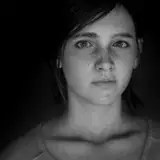
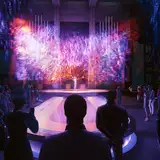
Shadow of the Tomb Raider photomode mod v1.0.10
Added 2022-01-05 11:20:05 +0000 UTC
Camera version: 1.0.10
Released on: 22-jun-2023
Compatible with: Shadow of the Tomb Raider, Steam and EGS
Documentation: https://opm.fransbouma.com/Cameras/sottr.htm
Features:
- Full, unlimited camera control (gameplay, cutscenes)
- Controller or mouse/keyboard control over the camera
- Field of view (FoV) control
- Tilt
- Game pause / framestep / Gamespeed control
- Camera paths
- HUD toggle
- Setting for higher LODs
- Hotsampling (resize the game window to any resolution)
- Pillarbox/letterbox removal in custom aspect ratios
Changelog:
v1.0.10:
- Added: Ability to configure which gamepad trigger is used for moving camera up/down
- Added: Ability to configure which gamepad stick is used for rotating/moving the camera (for left-handed users).
- Added: Keybinding for appending a new node after the active node on the current path
- Added: Keybinding for deleting the current path
- Added: Keybinding for deleting the active node on the current path
- Added: Keyboard/gamepad support for gamespeed control
- Added: 3 camera position save slots (Ctrl-F1/F2/F3 to store, F1/F2/F3 to recall) when the camera is active.
- Added: Camera shake controls in both manual movement (for hand-shot videos) and camera paths.
- Added: Camera movement/rotation/fov interpolation factors. These factors can be used to make the camera movement/rotation/fov be interpolated over multiple frames so you can get smooth camera movement, rotation and fov zoom in/out for videos without the need for camera paths.
- Added: Support for the IGCS Connector so you can create automated horizontal panoramas and lightfield screenshots, as well as Reshade support per camera path node.
- Added: Mouse sensitivity slider for people using high dpi mouse devices
- Added: Shift / Shift+Ctrl are now usable on the sliders to have them move slower and even more slower
- Added: The mousewheel can now be used on the sliders to move the value.
- Added: Support for IGCSConnector 2.0+
v1.0.9: Fixed for patch release on 27-sep-2022.
v1.0.8: Port to new IGCS system, implementation of full camera and added compatibility for EGS version
Comments
You see errors in the log tab of the igcsclient?
FransBouma
2024-09-26 19:41:31 +0000 UTCHello, I downloaded the file, ran IGCSClient, and even ran the dll, but the insert key does not work in the in-game photo mode.
kuri ku
2024-09-26 11:47:09 +0000 UTCTools were made for the official build, not a beta / older version. Their releases were a mess and to make sure the tools work with a well known version they're only working with teh official release
FransBouma
2024-08-01 08:49:49 +0000 UTCDownloaded this and in the logs saying error can't find pattern for block AOB_Camera_address_intercept and one or more interception offsets weren't found. I have the beta 298 version of the game
Randal Velvet
2024-08-01 01:46:14 +0000 UTCif you're using a ps4/5 controller, you need ds4windows and likely hidhide
FransBouma
2024-02-19 16:10:19 +0000 UTCI can control it with my keyboard but not with gamepad. Can you fix it?
なすびジュース
2024-02-19 16:04:04 +0000 UTCI am not blaming you. You told the problem doesn't come from you. After all, you right; the camera mod tools works perfect with Spiderman. Thanks for the keeping aware
Andrade
2022-10-21 02:47:25 +0000 UTCplease don't do this, my camera tools work fine as-is. If they conflict with another mod, then contact that mod author. What should I 'fix'? There's nothing to fix.
FransBouma
2022-10-20 15:13:30 +0000 UTCThats what i did. Try to fix it dude,please! I paid for your CamMods and i was specially waiting for that one. I am so sad it doesnt work with Special K.
Andrade
2022-10-20 14:02:58 +0000 UTCI haven't tested it with special K. The mod isn't designed with special k in mind so if special k does something that conflicts then it's not going to work, but you could try
FransBouma
2022-10-20 05:54:58 +0000 UTCI am using SOTR v.1.0.9 with Special K for mods. It means the actual version of photomod won't work ?
Andrade
2022-10-20 03:55:10 +0000 UTCThe log tab in the IGCS client yes. If there's an error, e.g. camera is incompatible with the game version you're using, it'll show it there
FransBouma
2022-10-18 07:26:16 +0000 UTCWhat you mean ? log tab on cam mod utility or on Special K ?
Andrade
2022-10-18 02:20:51 +0000 UTCthe log tab usually gives the error
FransBouma
2022-10-17 20:18:01 +0000 UTCInteresting. I have same problem, inject works but camera says 'not working'.
Andrade
2022-10-17 19:00:21 +0000 UTCSpecial K seems not to like this camera. It crashes as soon as I try to inject the camera. Does anyone know how to get both working together?
Terry
2022-02-11 16:11:25 +0000 UTCThis is great, I love it! :)
2022-01-09 10:17:12 +0000 UTCThank You very much for this!
2022-01-08 22:04:36 +0000 UTCthanks!
Cosmic71
2022-01-05 16:49:30 +0000 UTC