
What's new in Joplin 2.13
Added 2023-12-05 11:24:58 +0000 UTCDesktop
Rich Text Editor improvements
In this update, significant enhancements have been implemented in the Rich Text Editor to enhance user experience. One notable improvement is the ability to seamlessly embed various content within tables, including lists and other tables, which was a frequently requested feature:
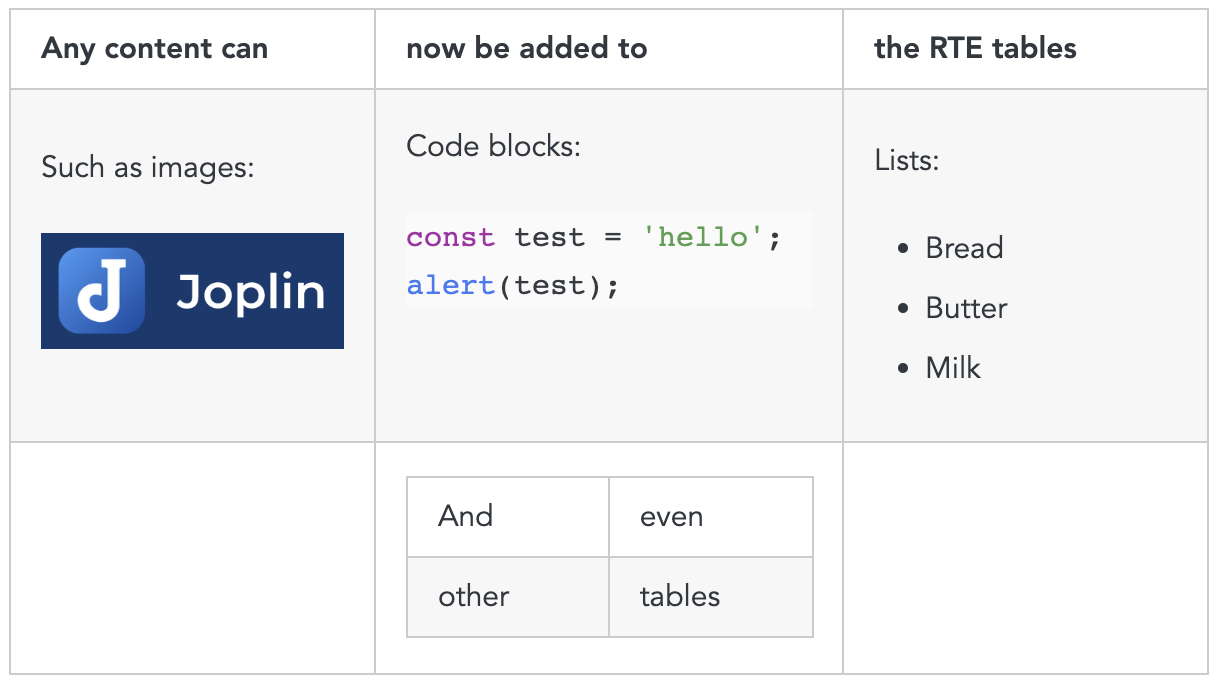
The interoperability with other text editors such as Word and Excel has also been improved, in particular when copying and pasting content between these tools and Joplin.
Improved ENEX import
The Evernote Export format, known as ENEX, has always been challenging to support. This is because Evernote frequently changes it, breaking importers, and may also occasionally introduce bugs. At times, their own application struggles to import back files that it has exported, highlighting the volatility of the ENEX format.
After undergoing continuous improvements for seven years, the importer has achieved a relatively stable state. The majority of issues encountered now stem from invalid files generated by Evernote, a result of bugs introduced in recent versions. Despite these challenges, we strive to enhance the import process by employing various heuristics to process the invalid data as effectively as possible.
The list of bug fixes is below:
- Apply correct size to images imported from ENEX files
- ENEX files that contain resources with invalid mime types are imported correctly
- Ensure that ENEX resources with invalid filenames are imported correctly
- Prevent application from being stuck when importing an invalid ENEX file
New plugins APIs
Note list
We are continuously improving the plugin API to make it as easy as possible to customize the application.
One of the main addition is support note list plugins - it allows any plugins to customise what the list should display each note.
See the Joplin Plugin Note List API and the Note List Demo for more information.
The demo includes three examples of note lists: a fundamental "top to bottom" version, a sophisticated "left to right" variant that additionally displays a note thumbnail, and a demonstration of an interactive note list, allowing direct modification of the note title from the list.
This API was developed based on the feedback we got and we hope it will be useful. We remain open to further input from users and plugin developers regarding any potential missing features and areas for improvement!
Imaging API
The imaging API was created to allow plugin developers to easily load and manipulate images. For now it is possible to load PNG and JPG files, and to resize and crop them.
https://joplinapp.org/api/references/plugin_api/classes/joplinimaging.html
And more
A few more APIs have been added such as one to open dialog to select a file or folder and a way to access the plugin settings from a renderer script.
New beta Markdown editor
This version also features a new Markdown editor based on CodeMirror 6. This change means that we'll be able to use the same editor on both the desktop and mobile application (which already uses CodeMirror 6), which will allow a more consistent user experience across devices.
Another benefit is that, in a future version, it will allow us to support plugins on the mobile application. There are several other advantages that Henry listed in this forum post.
Mobile
Drawing option
In this new version, Henry integrated the js-draw editor to the mobile app. Js-draw is a powerful freehand drawing library which allows you to draw using a pen, touch screen or mouse.
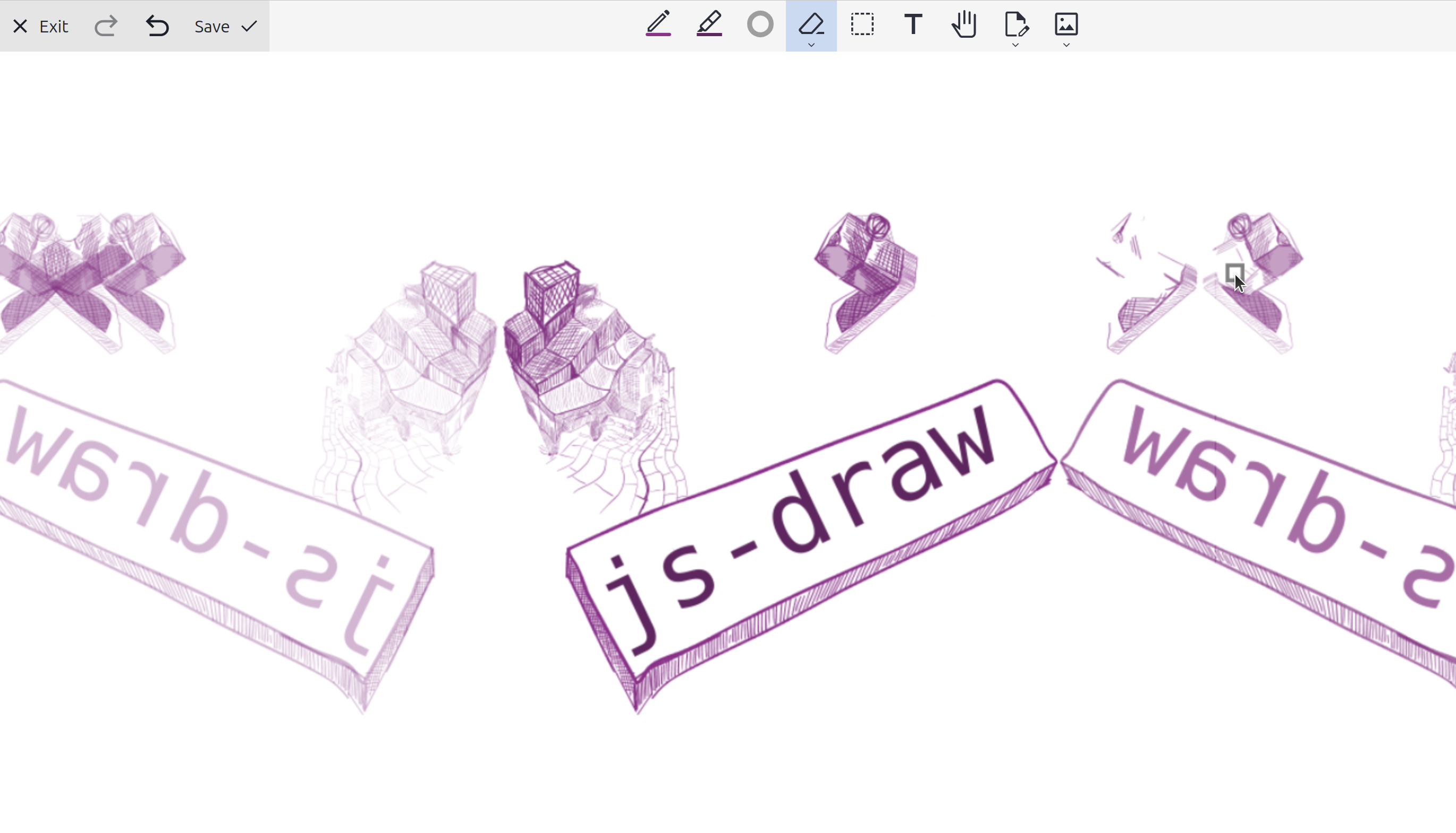
The editor is integrated to the mobile application. On desktop application, you can use the same library and edit your drawings using the Freehand Drawing plugin. We will make this plugin available by default in a future desktop release.
Setting screen
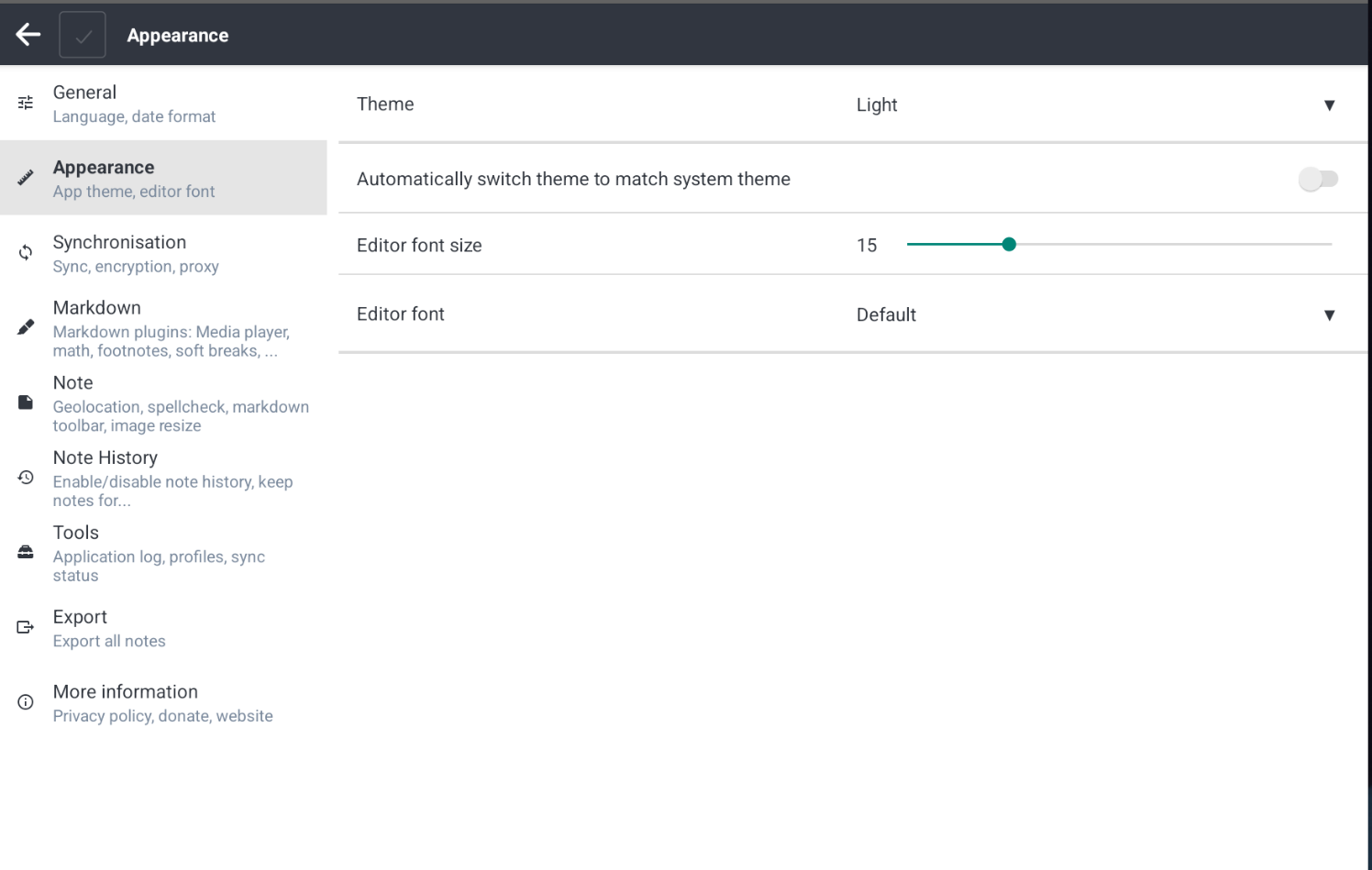
The mobile version also features a redesigned configuration screen. It is now divided into multiple sections with clear titles, and you can also search for settings using the built-in search option.
Full changelog
This is just an overview of the main features. The full changelog is available there:
- Desktop: https://joplinapp.org/help/about/changelog/desktop
- Android: https://joplinapp.org/help/about/changelog/android/
- iOS: https://joplinapp.org/help/about/changelog/ios/
Comments
Awesome work! Can't wait to use those improved tables in my class notes.
Marcial Machado
2023-12-06 21:58:10 +0000 UTC