How to Create Stunning AI Art with Stable Diffusion 3 on PixelDojo.ai
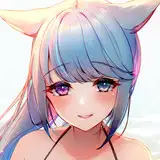
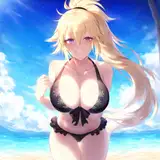
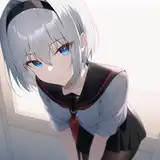
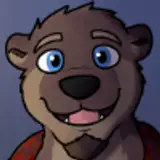
Stable Diffusion 3 Medium is here, and it's revolutionizing the world of AI art. This state-of-the-art text-to-image model boasts an impressive 2 billion parameters, enabling it to generate photorealistic images with unprecedented detail and clarity. The best part? You can harness the power of SD3 right now on PixelDojo.ai.
In this guide, we'll walk you through the process of using SD3 on PixelDojo.ai to create breathtaking AI-generated art. We'll cover everything from prompting techniques to recommended settings, ensuring you get the most out of this incredible tool.
Mastering the Art of Prompting One of the most significant changes in SD3 is its enhanced prompting capabilities. With support for prompts up to 10,000 characters, you can now provide incredibly detailed and descriptive instructions to guide the model. Here are some tips to keep in mind:
Use natural language and complete sentences to clearly convey your vision
Be as specific and explicit as possible for optimal results
Avoid using negative prompts, as they don't function as expected in SD3
Experiment with providing different prompts to the CLIP and T5 encoders
Unlocking the Full Potential of SD3 on PixelDojo.ai To help you get started, PixelDojo.ai provides access to all the essential settings for fine-tuning your SD3 creations. Here are some recommended settings to begin with:
Steps: 28
CFG scale: 3.5 to 4.5
Sampler: dpmpp_2m with sgm_uniform scheduler
Shift: 3.0
Resolution: aim for around 1 megapixel (e.g., 1024x1024, 1344x768)
The shift setting is a new addition to SD3 that allows you to control the timestep scheduling. Higher shift values help manage noise at higher resolutions, resulting in cleaner, more polished images. Feel free to adjust these settings based on your specific prompts and artistic goals.
As you experiment with SD3, pay close attention to how the number of steps affects your image quality. While SD3 can produce decent results in as few as 8-10 steps, the sweet spot typically lies between 26-36 steps. Keep in mind that increasing the steps too much can drastically alter the image.
Additionally, if your images appear "burnt" or overly contrasted, it's a sign that your CFG scale is set too high. Aim to keep it within the 3.5 to 4.5 range for optimal results.
Embark on Your AI Art Journey With Stable Diffusion 3 and PixelDojo.ai, the possibilities for creating stunning AI art are endless. By leveraging the powerful prompting capabilities, experimenting with advanced settings, and following the tips outlined in this guide, you'll be well on your way to generating photorealistic masterpieces.
Join our Patreon community to access even more in-depth guides, tutorials, and resources designed to help you push the boundaries of AI art. Together, let's explore the exciting frontier of Stable Diffusion 3 and redefine what's possible in the world of digital creation.
Try it out here: https://pixeldojo.ai/stable-diffusion-3
https://pixeldojo.ai/community-gallery/1718902556801-fo55g5ezg
https://pixeldojo.ai/community-gallery/1718919956542-5bjo40jt1