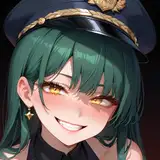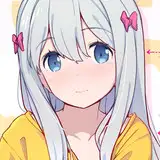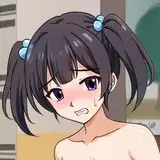
休憩日なので、 柔らかい色の塗り方についてのメモです。 【下地色】 なるべく明度の高い色をチョイス、ここで柔らかい色を維持すれば大体馴染ませれます 【全体色調整】 全体に50%紫の乗算レイヤー、30%のオーバーレイレイヤーを重ねて色を統一させます 【シャドウ】 絵を重たくしたくないのでシャドウは薄めの乗算レイヤー 【環境光】 バックライトは青めの色、オーバーレイレイヤー 【ハイライト】 加算、加算発光でハイライトを入れます 【全体調整2】 ソフトライト、オーバーレイレイヤーで色整えます 【線画色】 色トレスで線画の色を変更(ここはむしろ一番難しいかもしれません、彩度はやや高め) 柔らかい色を維持したいときは 最初から影を決めるとあとは明るくさせる一方のほうがやりやすいです~ 参考になれると幸いです! This is a note on how to apply soft colors. 【Base color】 Choose a color that is as bright as possible. 【Color Adjustment】 Use a 50% purple multiply layer and a 30% overlay layer to unify the colors. 【Shadows】 I don't want to make the picture too heavy, so I used a lighter multiplication layer for the shadows. 【Ambient light】 The backlight is a blue color with an overlay layer. 【Highlights】 Add highlights/emitting light. 【Overall Adjustment 2】 Color adjustment with soft light and overlay layer 【Lineart Color】 Change the color of the line drawing by color tracing (this may be the most difficult part, the saturation is a little high) If you want to keep the soft colors, it's easier to decide on the shadows from the beginning and let the rest lighten up. I hope this helps!