LIZARD.
LIZARD.
LIZARD.
LIZARD.
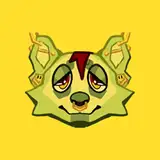
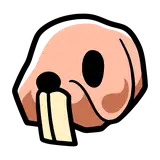
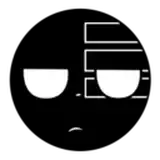
Lizard Button made from scratch in Blender, hand painted in Substance Painter, and animated in Unity 2022 for VRChat.
✔️ Fits any VRChat avatar
✔️ "Lizard, lizard, lizard" Audio SFX
✔️ Lizard particle effect with button press
✔️ VRCFury for auto-installation
✔️ Hand painted PBR Textures
✔️ Optimized with 1 mesh, 2 materials (1 is a particle system), 220 triangles, and 1 audio source.
✔️ World drop toggle
✔️ Button scale slider
✔️ Can press the button with your hands, feet, or head!
✔️ Friends can press the button
✔️ Quest standalone/Android compatible
Note that quest/android users cannot hear custom avatar sounds (such as lizard sound) as this is a VRC limitation.
** USE LATEST VRC SDK (3.8.2+) **
VRChat Creator Companion (VCC)VRCFury** USE LATEST VRC SDK (3.8.2+) **
Install the above dependencies.
Drag and drop the lizardbutton.unitypackage into your Assets folder.
(For PC) In your Assets folder, open the Nanochip/Lizard Button/ folder. Drag and drop Lizard Button onto your avatar's root object. The Lizard Button prefab should be a child object of your avatar's root object.
(For Android) In your Assets folder, open the Nanochip/Lizard Button/ folder. Drag and drop Lizard Button (Android) onto your avatar's root object. The Lizard Button prefab should be a child object of your avatar's root object.
Position, rotate, or scale the prefab so that the Lizard Button looks like it's in your avatar's right hand.
Upload the avatar and VRCFury will handle the rest!