Ayako WIP - My Drawing Setup
Added 2024-05-17 17:39:44 +0000 UTCFor this WIP post I thought it would be fun to share how I setup my windows when I'm drawing/painting, and why.
First off, this is what my setup looks like when working on CG.

I'll walk you through what's happening.
The bottom part is my tablet. I can't use the ones without a screen. I need to see what I'm doing. So that's it's own monitor. The tablet I use is a Gaomon PD1560. I've had it for a little over 2 years now. I'm broke, and it was the cheapest one I could find at the time. I got it for about $250 after tax and shipping and everything. It's a solid tablet that I'd definitely recommend for anyone else who needs a table with a screen, but is broke.
Then the top part is my normal screen. I have a desktop too, but I use a workstation laptop to work on projects. It's pretty old at this point, but it works well enough still. Anyway, it's a Dell Precision 7710. You can look up specs if you're curious, but it runs well enough for what I need it for. I'm hoping to be able to upgrade to a 7780 sometime in the next year, but we'll see how that works out.
I always work on the laptop instead of my desktop, even though my desktop is a little more powerful, because it helps keep me focused on working. I even have a separate desk on the other side of the room for my laptop and tablet. My desktop has all of my games and fun stuff on it, so when I'm sitting at my desktop trying to work, I can sometimes get distracted. Especially when working on scenes, I can get a little excited. But when I don't have access to all of that, and would have to completely stop what I'm doing, move my chair across the room, boot up my desktop, and then do something else, it's too much work and takes too much time. I didn't do this when I worked on my other games, and it's something that led to a lot of wasted time. That's actually one of the reasons I decided to make Waifu Wonderland 2D instead of 3D. 3D is for sure easier, but I have to use my desktop for that. All of my assets are on my desktop drives , and it's very distracting being able to quickly throw together new scenes and spend an hour or two doing something completely different. Just to realize that I never finished what I was working on, and the new scene is useless.
Now that you know how my physical setup works, I'll explain the windows.
What I'm actually working on is the only thing on the tablet. Adding anything else just gets in the way.
Then the top screen has a duplicate of the window I'm working on in the top left, the reference in the bottom left, and then the character on the right.
I always always always have a second screen of what I'm working on on the other monitor. This is SO important when doing 2D work. Different monitors can display colors differently, so seeing the colors on two different displays is super helpful to ensure you don't end up with anything weird looking. Even if you're tablet/monitor has "true color" not everyone's does. It can and will look differently to someone else, so having two different monitors is so helpful. You also get a full picture of what you're working on and how it's going to look to other people. It's really easy to get lost in a piece when working on it. I used to constantly spend way too much time working on small details, just to realize that you can't see them when it's done. It's also really easy to think something looks good up close, but then when you zoom out you notice that it's horribly lopsided or just completely wrong. Having that second perspective to look up at and check your work helps so much. Occasionally flipping the canvas is also super helpful for this. I always try to do this and flip the canvas and work with it flipped, but I don't always remember or have time to do that. Since it's always better to have something on time, even if it's not the best work you can do. You can always go back and redo something, but constantly missing deadlines will make people lose trust in you. Having more flexible deadlines is also extremely dangerous to productivity. If you get into the habit of, "It's fine if I just post it a day late," then that day turns into two days, then a week, then you're barely working on anything. It's a dangerous thing to do. So it's always better to have something released on time. Things happen and sometimes things need to be delayed, but that should always be a last resort only if you absolutely have to.
Then I have the reference right below the sketch to help ensure it's as accurate as possible. This only works when they're the same size though. So I always resize and frame the reference to be the same as the actual piece. Some people will do things like trace out proportions or even just trace the lines, but I don't like to do that. I will sometimes when I'm on a tight time crunch, but it's an incredibly dangerous thing to do. It's very easy for something that's traced to look stiff and weird. So instead, I'll use techniques that are use in real life drawing and painting. Things like, I'll take my pen, close one eye, and measure the distance of how big something is on the reference using the pen, then use that as a measurement to ensure something is the correct size. I'll also use a physical ruler and put it on my screen to make sure things line up correctly. Sometimes I'll move the reference to the right side if I need to to line things up, but by default, I put it below. I only do this during the line process though. once I get to the rendering process, I'll eyeball it. It makes for a much more natural looking piece. It helps that I'm also just good at being accurate. It's what I was known for in a lot of my art classes while working on my degree. It's why I had an incredibly hard time learning to do stylized work. Since when something is stylized, it isn't "right" and doesn't look like the reference. That's one of the reasons that Waifu Wonderland is an anime style. I wanted more practice in an anime style and I've had to force myself to learn how to stylize more consistently. Anyway, point being, when you draw the lines according to how they feel, instead of just tracing them, the piece tends to look much better. Less stiff, more natural, and just better overall. It makes it a lot easier to adjust things on the fly to make it better fit the actual character too. Since you don't have to trace out the original, then redo the lines later to make it fit better.
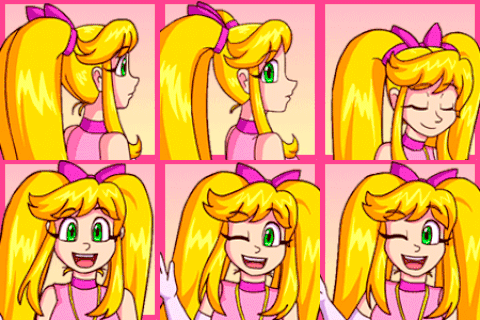
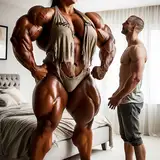
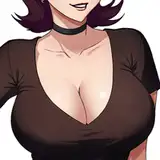
Which brings me to the next window, the character on the right. Even though this reference is an anime character already, I still had to change a bit to feel better, and to look like the right character. So I always have the character CG displayed so I can compare the scene with the character every step of the way. Even when I'm using more stylistic references, like here, I still have to be careful and make sure that I'm matching the original style. For example, in this reference, the neck is actually pretty thick and a lot more realistic. So I had to make sure to adjust the size there to make sure it fit in with my art style. The face and head shape was also a lot different. In the reference, the head is much larger than in my style, especially the volume of the hair. So I had to adjust that to make it better match Ayako. Ayako's face is also a bit pointier and doesn't have as much of a boxy jawline. Of course, the reference also has jewelry and clothes that Ayako doesn't have, so I had to figure out how to show those parts correctly on a nude figure.
All that being said, I did choose this reference for Ayako because it was fairly close to Ayako's proportions already. Something that I always try to keep in mind for this project, and something I'm still learning to balance, is quality and speed. Right now, I have to get at least one piece of artwork done each week, and that will probably change back to 2 once v0.1 is out. That means that I can't be spending 20-30+ hours on each one. And I could, very easily. So to help cut down on the amount of time spent, I've been trying to find references that are fairly close to the character. I've found that the best source for this is 3D animations. Since they already exaggerate proportions and movements a bit. There's still always adjustments that need to be made, but it's significantly less than if I were to use real references.
For this to work, I need a ton of references ready to pick from whenever I start to make a new scene though. Otherwise, I'll need to be on my desktop and there is a good 99% chance of me getting distracted. So I actually collect reference in my free time instead. Whenever I find and animation I like, I'll watch it normally, then watch it again and take snapshots in VLC of parts I think would make for a good reference. Then I compile them into folders separated by position. That way, when I go to make a scene and need a missionary reference, I just go to the missionary folder and find a reference that's close to the same body type as the character. To help keep myself from getting to excited, I keep these on an external drive that I move back and forth between my desktop and laptop. That way I have them on both, but still don't get tempted into moving over to my desktop.
That's basically it. I work on my tablet, have a copy of the scene on my main screen, the reference below it, then the character on the right. It's taken me a while to develop this system, but it seems to be working out well. Most of the work I've done since I started doing things this way have turned out solid and look like the right character. There's definitely some older ones I'll need to redo, since they absolutely do not look right, but I'll worry about that down the road if the game gets support.
I hope that was insightful, or at the very least you liked the little preview of Ayako's first sex scene. v0.1 is dangerously close now, I hope you look forward to release!