This is a re-upload. Same brushes as before. I just want to make it easier for the newcomers to find.
THINGS TO KEEP IN MIND
Do not attempt to open the brush files using Safari. Chrome will work.
Open this browser on your iPad and download.
Update your iPad and Procreate to the newest version.
Once downloaded on the iPad, the brush files will be found in Procreate.
There are three brushes attached.

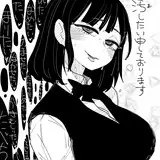
The page from above is done using the Comic Brush. It has a gritty pencil look, great for pencil shading as if with a conté stick or graphite pencil. It allows for a variety of tones at 100% opacity.

The above image is from chapter 5. This page was done using the Ink Bleed Hard brush. It acts more like a scanned in B5 lead pencil. It allows for great hatching, but requires a more tedious and masterful approach. Slightly more difficult than the Comic HB, but garners great results. Perfect for manga artists.

The page above was done using the Ink Bleed Soft brush. It is the same as Ink Bleed Hard, but stuck at 70% opacity. This allows for a great range of tones through hatching like the Comic HB, but with much finer lines that allow more precision like the Ink Bleed Hard. It acts more like a fine tipped prismacolor wax pencil.

This page utilizes both hard and soft ink brushes. I use the hard ink to create crisp lines with ease, and quickly too. Once I move into shading and creating gradient hatches, then I make use of the soft ink brush. Together, they work harmoniously.
Each brush requires days and weeks of practice to master. I usually find creating a book with one of the brushes allows me to explore all of its possibilities. Just explore and have fun!
Isaiah Simpson
2020-12-03 21:13:58 +0000 UTCRotarr
2020-12-01 22:27:20 +0000 UTC