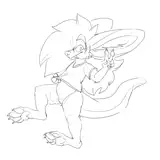
-Drawing: A couple of days ago I published the sketch patreon.com/posts/katara-and-aang-100527091
This time I wanted to do something a little more "romantic and comical" than just doing "intercourse."
Aang and Katara's designs are the ones that will be seen in the animated film that will be released next year, there is only 1 image, neither very young nor very old
-Custom Model: At this moment I'm adjusting the secondary outfit, it's not much and I know it, but preparing the leggings is something that takes time.
For some technical reason, the polygons in 3D video game models are triangles, it does not matter if when modeling you do it with quads (4-sided polygons) when you put that model in a game or extract it, those quads become 2 triangles, and I suppose that for game engines this will have an explanation, but it doesn't help me, I have to manually transform those triangles into quads, in blender in editing mode if I select x number of polygons and press Alt+J it does this process, problem , that if I do it lightly Blender can do things like the ones I marked in the image, so I have to go little by little, guessing the topology, selecting 2 in two triangles and converting them into 1 quad
This is done to lighten the weight of the mesh and so that the modifiers are more effective, especially the subdivision one, which I use a lot.
Likewise, it is not so strict that the mesh is perfect, there are areas of a mesh where it is important to be like this and others that are not, but here I am taking advantage of the fact that these models are not so high poly to make it as beautiful as possible, since I know that When I make Julia from Tekken 7 I will have to be more careless because of the great geometry that those models have
-Original model: As for Loopy, the 2 outfits are modeled and textured for %100, I just need to create a couple of objects and I will proceed to rig> UI> publish
This model has less left than it seems, this or the other week it may be published
-Update: Before transferring the new models I was making adjustments and corrections, and something that had me a little worried, you see
When I created this model, at some point a couple of pieces of clothing got corrupted in a certain way, and when I wanted to enter editing mode Blender crashed, my quick solution was to apply the subdivision modifier, since it would be a new Maya, and it worked better or less, I could manipulate the buttons to create shape keys but it still kept crashing if you wanted to do certain things in edit mode
So, to summarize, the model of the clothing item is not what is corrupt, but a few polygons (or vertices) so I was separating the model little by little into pieces, reviewing them until I discovered the corrupt polygons, eliminating them and turning them to create, with that it was solved so I took advantage and started to reduce the geometry that had been created when I applied the subdivision modifier at the time
The garment is the one I show in the image, there is still a correct garment missing but I still can't find it, luckily fixing it is not that complicated
That's all for now, sorry for so much text, see you and thank you!