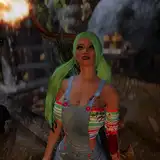
Hello, there is not much to say this time, I textured all the clothes and objects, I am already a step or two away from finishing it
I just want to make a highlight, and it is the drawing book, by default it will have its blank pages, but create an exclusive material so that they can add the image they want, I don't know if this can be automated with the UI script that I want to do at the end, so I'll explain the manual way to do it (if you don't have ideas on how Blender works)
-Select the notebook
-There you go to the "Shading" tab
-You will see 3 nodes enclosed in a box that says DRAWING
-The RVA one you are not going to manipulate
-The node that I highlight in red is the one in the image, in the SS there is an example but when you download the model it will be empty, there will be the option to search for and use an image from your PC, or directly drag the image
-The node that I highlight in blue is the one that decides if the image is seen or not, by default the "fac" will be 0, and even if you put the image while the fac remains at 0, nothing will be seen, you have to change the value to 1
-If the image has transparency you have to do an extra step, connect the "Alpha" of the image node to the "fac", because if you don't do it, the transparent parts of the image will be black
-As a final piece of information, try to use images as square as possible, since the more rectangular the image is, it will look stretched in the notebook, there are ways to use rectangular images and eliminate that deformation, but it would unnecessarily complicate everything for a novice in blender