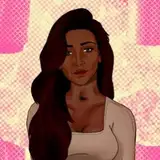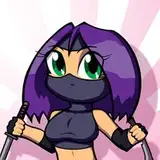
This is one of the new panels - the process is pretty much the same as anything else for the sketch, lines, and colors.
The green silhouette is done after the regular color version. I'd altered a copy of the regular background into the green silhouette version on the first panel I did, and since they're the same throughout I was able to reuse both here. The green lines are a copy of the regular colored lines, with the color values adjusted - this takes a few seconds in Photoshop, so is much faster than drawing them over again.
Getting the highlights done is tricky because the silhouette's lines and base color are the same, and the lines just disappear. I created a new layer that's all white, and slid it in at 50% opacity, but I could have also turned the green base color level off as well. (At some point I'll explain all about Photoshop levels, or at least to the extent that I use them). This way I know where the highlight should go, rather than just going by trial and error.
Incidentally, the Tiktok logo is part of the green background, but it also goes on it's own layer on top of everything - it wouldn't be obscured by anything in the video, after all. The logo that lives on the green layer is there so the logo that's "on top" can be lined up with it, and so appear in the exact same location on each panel.