
TUTORIAL - How to use ooOLaLaCity with 'Kinky World'
Added 2021-02-12 21:58:56 +0000 UTCONIKI KAY is the creator of Kinky World | > VISIT THEIR PAGE FOR MORE Mod-related INFOMATION <
=============================
READ THIS BEFORE USING EITHER - 'Kinky World' OR 'Passion' - FOR THE FIRST TIME
------------------------------------------------------------------
*** DON'T USE BOTH MODS AT THE SAME TIME! ***
- They greatly conflict with each other.
- Once you start using one of them, it is highly recommended you
- DO NOT switch to another within the same save file.
--------------------------------------------------
*** FOR AN ENJOYABLE EXPIERENCE WITH THESE MODS ***
- You'll probably need a lot of Mods that allow for:
- - Nudity, | - Managing Your Sims/Town
- - Penis Mesh | - Defined Breasts/Nipples
==================================
Follow this link/guide to find out what you may need to enjoy using these Mods: https://www.loverslab.com/topic/36994-the-sims-3-complete-adult-guide/
--------------------------------------------------------
1a. Download and Install a Sims 3 Mods Folder.
Skip this step if you already have a working TS3 Mods folder.
Click this link to get help & installing one:
http://simswiki.info/wiki.php?title=Game_Help:Installing_Sims_3_Package_Files/Setup_and_Files
1b. Download and Install "Kinky World" Mod.
ONIKI 'Kinky' Kay is the creaor of Kinky World
Click this link to get help & install the Mod:
https://www.loverslab.com/topic/43249-sims3wip-kinkyworld-v037-updated-may-3rd-2019/
2. Load your Sims 3 game with Kinky World Properly installed
and in 'Live Mode' let the game play a few seconds before pausing again.
This is will allow the Kinky World Mod Script to run to completion.
You may even notice that it will try to load up animation packages/interactions.
However, don't worry if this doesn't happen.
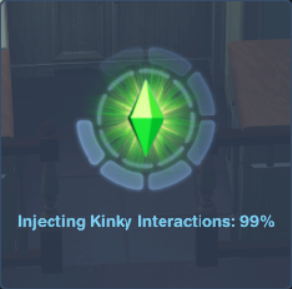
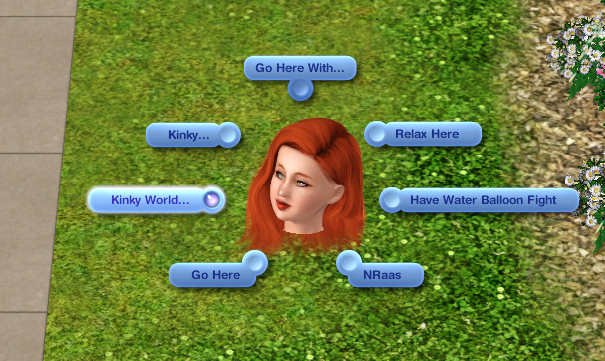
3. Click on an active Sim in your household & select "Kinky World" followed by "Settings".
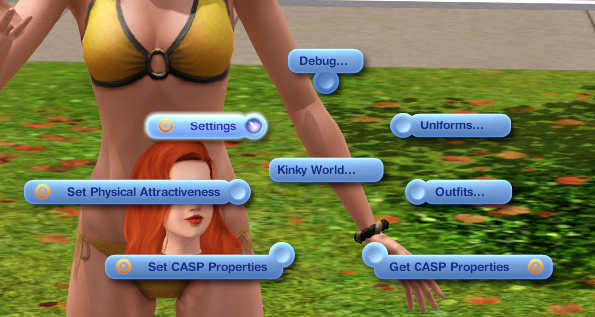
4. At the very top of the settings, (if this is the first time you are using Kinky World)
you will see that Kinky World may be disabled. Click to toggle & "Enable Kinky World".
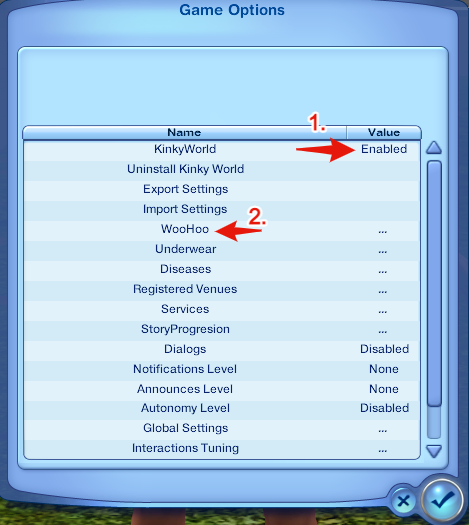
5. You will then see that a "Woohoo" option will appear on the settings menu. Select it.
6. Next, you will see an option for "Packages" appear, select it.
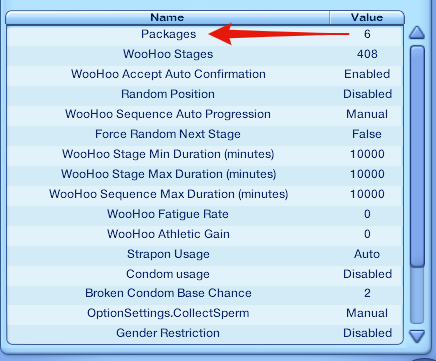
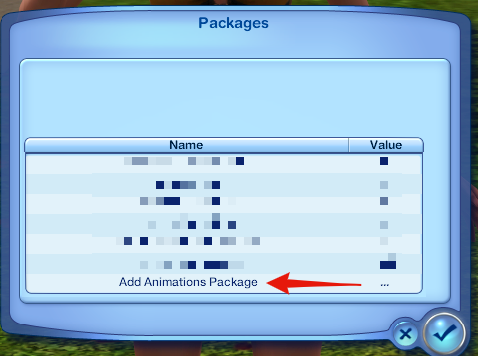
7. Next you will a see a list of loaded animation packages.
If you dont see "kw_ollcity_anims" in the list, then select --> "Add Animation Package"
8. A text box will then appear, type: "kw_ollcity_anims" into the box and then confirm.
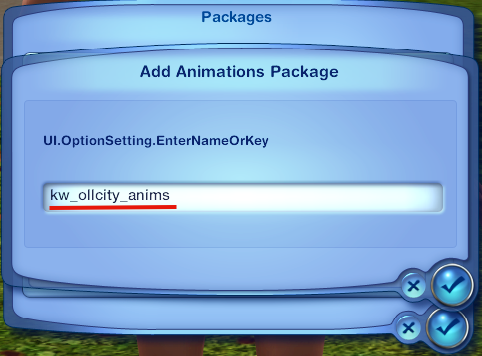
** Great now the animations have been loaded into your game! **
But because with Kinky World, certain requirements are needed
before certain animations can be run at any time,
here are a few more steps to help you,
bypass all those restrictions.
======================
8a. Go back to the Kinky World Settings Menu and Scroll Down to "Miscellaneous" and select it.
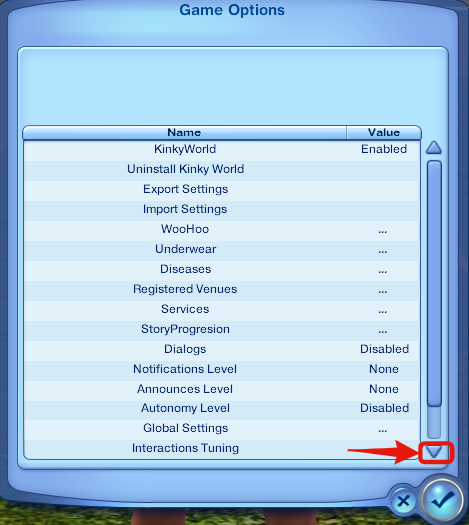
8b. Make sure "Debug Interaction" is enabled.
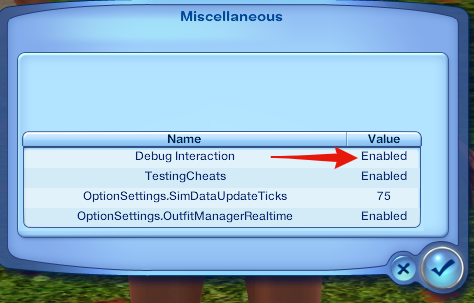
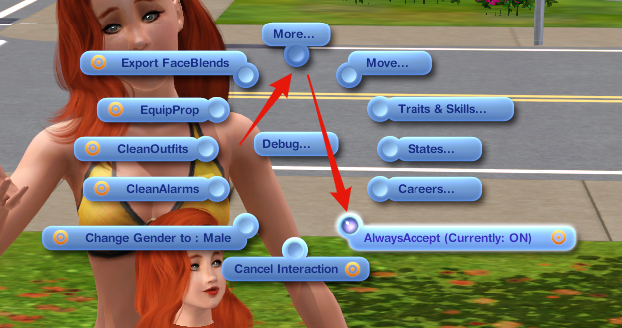
8c. After confirming that. Go back and click on your sim and a new "Debug" option will appear under 'Kinky World'.
Make sure "AlwaysAccept" is click and is switched "ON", on the KW pie menu.
(Now sims won't reject your Kinky World commands)
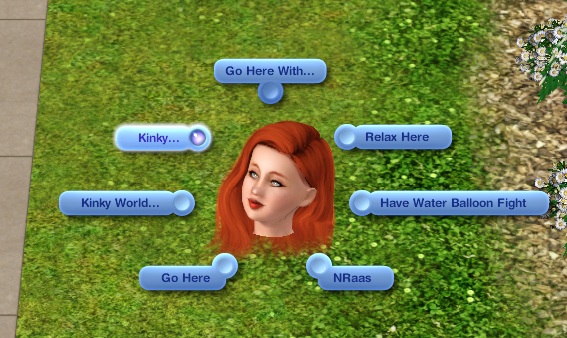
9. Click on any objects including the floor, and if there animations available for it, a "Kinky.." option will appear.
And you now you can play any sex animations which have been loaded into your game/Mods folder.
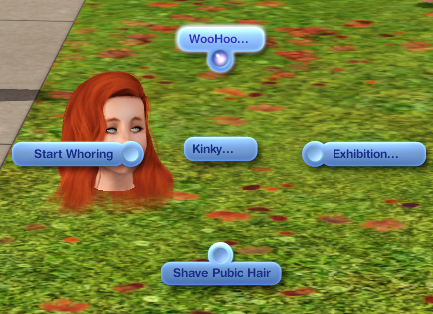
10. Have Fun! :)
P.s. - It is recommended that you thoroughly explore the Kinky World settings to understand the rules of the Mod.
i.e. Even with "AlwaysAccept" ON it is possible for Sims to still reject your Kinky World commands outside of house, so the privacy setting has be disabled and set to exhibition OR your KW exhibition skill has to be maxed out.
There are still things I am still trying to figure out how to do with KW. But I've been having fun doing so.
========================
CLICK HERE TO GET HELP INSTALLING -> Passion!
CLICK HERE for the latest animation-related information