NokiMo
InsomniacOvrLrd
InsomniacOvrLrd

patreon


3d aurora progress

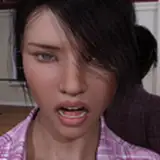
fun weekend project! Probably dumped too much time into this, but i wanna figure it out.


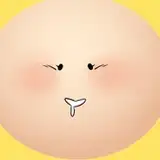
The model looks pretty good as is! The eyes and face need to be swapped out for 2d rigs later.


I've tried a million things to get real topology / folds down there, but i just don't know enough to do it without ruining the shading . Going from a relatively low poly area to a high poly one smoothly is a bit beyond me, and becuase the model is subdivided with a modifier, any hopes of 3d folds and holes proved too hard for me at the moment.


You'd think poking a couple holes in there and raising the edges of it would be easy, but i can't figure it out~


Still, the 2d textures look sufficient, when they're stuffed full with something!


fun turntable attached below

3d aurora progress

Comments

its very visual, to explain in text is hard. fully recommend you watch some videos on the topic. do note blender is a harder software to use then others so patience is required. good work on the model dude, your textures is spot on, if not minimal. id suggest adding more geometry at the bend points and when you get to rigging you should offset the joints for a more natural bend. its hard to get right the first time but seeing how your 2d stuff it should be easy for you.

noahblair

the type of shading you are seeing works by interpolating the normals between the vectors. the way you can add holes without it ruining the surrounding normals is to add more loops around the hole to shrink its influence. the method i use is to periodically subdivide the model to see how the computer is interpolating.

noahblair

i have loop tools, but basically all i ever use it for is to force weird loops back into a circle if they get messed up over the length of an object. I'll watch a vid to see what else it can do, thanks!

InsomniacOvrLrd

i have loop tools, but basically all i ever use it for is to force weird loops back into a circle if they get messed up over the length of an object. I'll watch a vid to see what else it can do, thanks!

InsomniacOvrLrd

ayo, id reccoment gettin an blender addon (assumin your usin blender) called loop tools, you can do some nice stuff there like making the edge length smoother across a longer distance, might help :O

Draos

Oooo this is great! <3

Shikka

OMG I can't wait till you get reeeeally good with this and make 3d anims this would be so amazing with your art style!! 😻❤️

Logan grant

You'll get there eventually! She's real pretty :D

Sal Villalobos


Related Creators