Last month of Texturelabs Patreon!!
Added 2023-10-31 19:10:00 +0000 UTCHappy Halloween!!!

A couple fun things to share with you guys, but first - November starts tomorrow... Yikes, the last month of Patreon!!!
UPDATE ON THE MOVE OFF OF PATREON
I created a long Q&A post with all of the details of the switch off of Patreon. It’s a bit wordy by Texturelabs standards, but I wanted to make sure there was a place where everything was spelled out for anyone with questions.

Here’s the main thing - THANK YOU!!! I really cannot express enough gratitude for your support of the Texturelabs project. There is NO WAY I could have kept this thing afloat without you. Stay tuned later this month, as I’ll be sending out a more sentimental note about our journey on here together :)
And the key points:
- Overall schedule is still the same, Patreon ends at the end of November.
- I’m going to wait to launch the updated site until December 1st, just to get all the kinks worked out!
- I had previously planned on a transitional public site in November that included secret Patreon access, but providing you guys with access to the secret staging site instead has been much simpler and has worked great. *Details at the bottom of this post for access
- Thank you for the feedback on the updated staging site. I’ve been able to work out most the the little kinks this month - I very much appreciate you guys checking it out!
- Here’s the Q&A post if you’re interested in all the fine print.
Gotta mention, I feel super guilty that I haven’t gotten into any brand new tutorials in way too long now! The website rebuild has been a BEAST of a project - but one of those things you tell yourself you’ve gotta do, and you just trudge through it and get it done. However, I know the project hasn’t seemed quite as exciting lately… and I thank you for being part of the community here as I build Texturelabs out to last… FOREVER!!! (spooky halloween voice) More fun stuff soon, I swear :)
NEW THIS MONTH
In the meantime, I switched my brain back into After Effects mode this month to build some power-packed templates based on the popular AE tutorials. For those who have asked, I'm using AE Scripts’ Pseudo Effect Maker to build custom controllers for these templates. It’s a bit like wiring up a space shuttle, but the end results are pretty awesome - easy-to-use and quickly customizable:
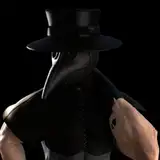
BLOOD SLIME OIL - After Effects Template

Based on the “PURE TERROR! Dripping Blood in After Effects” tutorial, this template gives you much more control over the dripping effect, and adds a transition setting, easy color-changes, scale adjustment, and more. Oh, plus a LOOP setting!

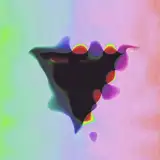
CINEMAGRAPHIX - After Effects Template

Based on the “Movie Trailer GFX in After Effects” tutorial, this one is pretty darn fun to experiment with. Rapid title treatments or even logo reveals… It’s one of this projects I think you could drop some artwork or text into, tweak the settings, and bill your client immediately :)

BURNOUT - After Effects Template

Based on the first Texturelabs AE tutorial, "Burn Transition”, which is still a personal fav. This template gives you the ability to crank up all of the effects, change the scale for smaller source items, switch to a transparent background, and more.

All of these projects are now live in the TOOLS section of the Texturelabs Secret Staging site *Login details below
That’s it for now, but I’ll be touching base with you soon! Happy Halloween and hope you’re looking forward to a great November.
Cheers,
Brady
*Accessing the Texturelabs Secret Staging site:
Throughout November, Patrons will have access to an alternate-universe future-version of Texturelabs. Since it is not connected in any way to Patreon, I do have to create the logins manually.
If you were a Patron on/before October 30th, I’ve already created a login for you:
- Login email: your full email address (e.g., texturelabsbrady@aol.com)
- Login password: the “name” part of your email address (e.g., texturelabsbrady)
- Site: https://staging2.texturelabs.org/
If you have joined Patreon after October 30th, shoot me an email and I’ll happily send you the details! texturelabsorg@gmail.com