The Latest - May 2021
Added 2021-06-01 01:36:07 +0000 UTCHey everyone!
In addition to being super-flower-magic-blood-moon month, the cosmic calendar also lined up to be a 3 tutorial month… I hope you found something useful in the new additions to the library.
I’m hoping the tutorial portion of the site will scratch the itch for new project ideas for just a bit, as I feel pressed to shift some energy over to building up the texture library this month. In addition to expand the existing sections, my intention is to launch the Vector category. So far I’ve got about 100 assets, but the goal is to hit 200+ for launch this month. I think it’ll make a nice addition to the long term toolkit.
Simultaneously, I’m doing some brainstorming about the most sustainable and beneficial strategy for the tutorials as the project continues to grow. My goal remains to provide the community with the most valuable resources I can - I want to do that without being redundant or scraping the bottom of the barrel for new ideas. It’s odd that I sometimes feel guilty when using the same technique in a YouTube video that I’ve already covered. But as artists and designers, that’s how we work, right? I’m wondering if there’s a better approach than the “something new every two weeks” approach; like building a more cohesive set of videos that is designed to expand on core ideas.
In any case, I’ll get some ideas worked out and update everyone. One of the most important things to me is providing the Patreon community with resources that reflect my gratitude. You guys are awesome and I genuinely thank you!
Cheers,
Brady
New tutorials this month

New textures this month

Comments
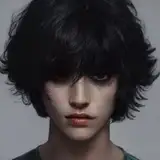
Thank you! I’ll give it a try. As an aside, I’ve been playing with this tutorial, making versions of my friends’ photos as gifts for them, and they love the images. So thank you for the tutorial - it’s bringing a lot of happiness to a bunch of people this week.
2022-12-30 04:59:44 +0000 UTCHey Madelyn! Just rewatched to remind myself. The color fill in the video is technically applying to the background - however, because the color of the BG is pure white, the color layer set to Hard Mix on top of it results in white (white kind of overrides everything with hard mix). If your background layer is anything other than white and you want to apply the color fill to only one specific layer, you could probably use clipping masks to limit the color fill to only effecting a single layer. Hope that helps!
2022-12-30 04:57:10 +0000 UTCHi there! I'm a new supporter, after following some tutorials on YouTube. I have a question about the Color Fill step in the Vector-Style Images. In the tutorial, the background behind the subject stays white when Brady applies the Color Fill adjustment layer. When I do it, the whole background takes on the Color Fill color. I can't figure out what I'm doing differently. Can anyone help?
2022-12-27 22:19:59 +0000 UTCThat's good to hear... making mental notes!
2021-06-03 05:39:19 +0000 UTCI love learning new stuff but I would also love to see some of the older techniques applied in new ways, combined with others or just expanded on. Or even using the older stuff but focusing on composition or colour theory.
MBK
2021-06-02 18:49:44 +0000 UTC