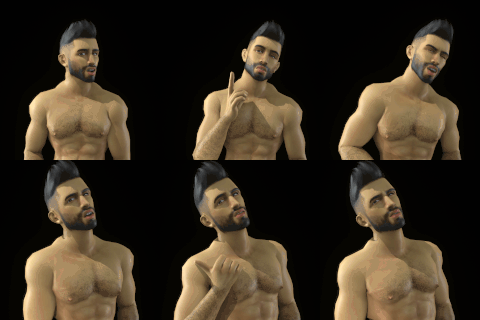
1-Click to install and use CogVideoX-5B SOTA image to guided video generation model on your PC locally or on RunPod and Massed Compute
Patreon exclusive posts index to find our scripts easily, Patreon scripts updates history to see which updates arrived to which scripts and amazing Patreon special generative scripts list that you can use in any of your task.
Join discord to get help, chat, discuss and also tell me your discord username to get your special rank : SECourses Discord
Please also Star, Watch and Fork our Stable Diffusion & Generative AI GitHub repository and join our Reddit subreddit and follow me on LinkedIn (my real profile)
=======
Latest zip file : CogVideoX_v5.zip
CPU offloading has to be used until Diffusers library fixes it
If your model downloads fail or stuck, edit (use any text editor) Windows_Start_APP.bat and remove set HF_HUB_ENABLE_HF_TRANSFER=1
This is used to Speed up download but causes error at some systems randomly
I recommend Wan 2.2 Image to Video nowadays instead of this model : https://youtu.be/3BFDcO2Ysu4
Since we keep our apps working I have updated it to use latest Torch 2.8, CUDA 12.9, and other libraries
Now fully supports RTX 5000 series as well as older GPUs like RTX 2000 3000 4000 series etc and also cloud GPUs like A100, B200 etc
I recommend a fresh installation
Also now it will download models from Hugging Face into CogVideo\models folder in your installation folder
I recommend Wan 2.2 Image to Video nowadays instead of this model : https://youtu.be/3BFDcO2Ysu4
Full YouTube tutorial published : https://youtu.be/5UCkMzP2VLE
If you also upvote and leave a comment to this Reddit Thread I appreciate
Python 3.10, FFmpeg, CUDA 12.9, C++ Tools, MSVC, Git
If it doesn't work make sure to follow below tutorial step by step and install everything exactly as shown in this below tutorial
1-Click installers made for RunPod, Massed Compute and Windows
This is a Gradio APP developed by me from scratch
DeepSpeed, torchao and Triton all automatically installed and working
All generated videos will be saved inside outputs folder
Official Repo : https://github.com/THUDM/CogVideo
Used model : https://huggingface.co/THUDM/CogVideoX1.5-5B-I2V
Supports 5 and 10 second videos at 16 FPS = 81, 161 frames but you can use any amount of frame number as well like 41, 25, etc (+1 coming from input image i think)
Supports all resolutions divisible to 16 but recommend are between 768 and 1360
Image to video works
Supports almost all resolutions that are divisible to 16
I have tested the following resolutions and here their VRAM requirements - may work on lower VRAM GPUs too but slower
512x288 - 41 frames : 7700 MB , 576x320 - 41 frames : 7900 MB
576x320 - 81 frames : 8850 MB , 704x384 - 81 frames : 8950 MB
768x432 - 81 frames : 10600 MB , 896x496 - 81 frames : 12050 MB
896x496 - 81 frames : 12050 MB , 960x528 - 81 frames : 12850 MB
1024x576 - 81 frames : 13900 MB , 1280x720- 81 frames : 17950 MB
1360x768 - 81 frames : 19000 MB
Use Windows_Install.bat file
When you first time generating a video it will download CogVideo files into Hugging Face cache folder
Please register via this link : https://vm.massedcompute.com/signup?linkId=lp_034338&sourceId=secourses&tenantId=massed-compute
We have a special coupon for all GPUs : SECourses
If you want to learn more about GPUs and prices read this link : https://www.patreon.com/posts/126671823
Select RTX A6000 or Better GPU - like L40S or A6000 ADA or A100 or H100 or best is RTX 6000 PRO
Then select our image SECourses from Creator dropdown
Then follow Massed_Compute_Instructions_READ.txt
Same as my any other Massed Compute installer script
Example tutorial for learn how to install and use Massed Compute
(Starts at 12:58) : https://youtu.be/KW-MHmoNcqo?si=G1WbG-Qw4ujWvOtG&t=778
Please register via this link : https://get.runpod.io/955rkuppqv4h
Then follow Runpod_Instructions_READ.txt
Same as my any other RunPod installer script
Use the template written in Runpod_Instructions_READ.txt file
Example tutorial for learn how to install and use RunPod
(starts at 22:03) : https://youtu.be/KW-MHmoNcqo?si=QN8X8Sjn13ZYu-EU&t=1323
Download attached vram_usages .zip and demo_material .zip for more info


Furkan Gözükara
2025-10-29 08:30:52 +0000 UTCHoàng Giang Sơn Trương
2025-10-29 08:04:07 +0000 UTCFurkan Gözükara
2025-10-15 14:36:06 +0000 UTCDennis Alcordo
2025-10-14 21:34:12 +0000 UTCFurkan Gözükara
2025-02-25 21:12:18 +0000 UTCHockey
2025-02-25 13:48:44 +0000 UTCFurkan Gözükara
2025-01-08 00:34:44 +0000 UTCSkyler
2025-01-07 22:06:19 +0000 UTCFurkan Gözükara
2025-01-02 20:21:21 +0000 UTCZd Ba
2025-01-02 15:40:27 +0000 UTCFurkan Gözükara
2024-12-29 23:38:27 +0000 UTCDavid
2024-12-29 22:54:49 +0000 UTCFurkan Gözükara
2024-12-29 21:21:56 +0000 UTCFabiMath
2024-12-29 20:53:12 +0000 UTCMEGA AMIGA
2024-12-28 12:55:09 +0000 UTCFurkan Gözükara
2024-12-25 14:30:23 +0000 UTCSugar Coat VFX Design
2024-12-25 13:19:19 +0000 UTCFurkan Gözükara
2024-12-25 12:37:39 +0000 UTCSugar Coat VFX Design
2024-12-25 11:59:49 +0000 UTCFurkan Gözükara
2024-12-25 10:10:05 +0000 UTCSugar Coat VFX Design
2024-12-25 05:31:11 +0000 UTCFurkan Gözükara
2024-12-23 23:18:47 +0000 UTCDanO..
2024-12-23 22:38:07 +0000 UTCFurkan Gözükara
2024-12-23 13:33:14 +0000 UTCDanO..
2024-12-21 00:30:54 +0000 UTCDanO..
2024-12-21 00:02:22 +0000 UTCFurkan Gözükara
2024-12-20 21:34:39 +0000 UTCDanO..
2024-12-20 21:33:16 +0000 UTCFurkan Gözükara
2024-12-20 21:29:40 +0000 UTCDanO..
2024-12-20 21:08:52 +0000 UTCFurkan Gözükara
2024-12-20 21:03:58 +0000 UTCDanO..
2024-12-20 20:31:47 +0000 UTCsteven losch
2024-12-12 16:45:13 +0000 UTCFurkan Gözükara
2024-12-12 16:21:38 +0000 UTCFurkan Gözükara
2024-12-11 22:00:15 +0000 UTCsteven losch
2024-12-11 21:38:15 +0000 UTCFurkan Gözükara
2024-10-26 15:36:19 +0000 UTCBjoern
2024-10-26 13:49:55 +0000 UTCFurkan Gözükara
2024-09-28 12:34:33 +0000 UTCFurkan Gözükara
2024-09-28 12:34:29 +0000 UTCFurkan Gözükara
2024-09-28 12:34:26 +0000 UTCGeekZolda
2024-09-28 06:57:12 +0000 UTCFurkan Gözükara
2024-09-27 18:17:39 +0000 UTCshen oracle
2024-09-27 15:42:30 +0000 UTCcool1
2024-09-27 14:35:35 +0000 UTCFurkan Gözükara
2024-09-27 14:33:20 +0000 UTCcool1
2024-09-27 14:28:41 +0000 UTCFurkan Gözükara
2024-09-27 14:24:50 +0000 UTCcool1
2024-09-27 14:21:03 +0000 UTCFurkan Gözükara
2024-09-27 14:01:58 +0000 UTCcool1
2024-09-27 13:51:01 +0000 UTCFurkan Gözükara
2024-09-27 09:25:40 +0000 UTCcool1
2024-09-27 09:16:03 +0000 UTC