1-Click to install VisoMaster on Windows and also on Massed Compute - SOTA Face Swap / Deep Fake APP - Newer interface and faster
Patreon exclusive posts index to find our scripts easily, Patreon scripts updates history to see which updates arrived to which scripts and amazing Patreon special generative scripts list that you can use in any of your task.
Join discord to get help, chat, discuss and also tell me your discord username to get your special rank : SECourses Discord
Please also Star, Watch and Fork our Stable Diffusion & Generative AI GitHub repository and join our Reddit subreddit and follow me on LinkedIn (my real profile)
=======
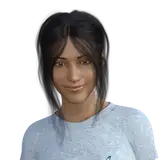
Follow above screenshots to learn how to use the APP
Hopefully will make a tutorial video too
Latest installer zip file : VisoMaster_v7.zip
Model downloader file significantly improved to download all models with 100% accuracy and much faster speeds

Now you can also run Windows_Fix_Resume_Model_Download.bat file
Now supports all GPUs starting from RTX 1000 series to 5000 series including cloud GPUs with Torch 2.8 and CUDA 12.9 and cuDNN 9.12
Follow this updated post for requirements with screenshots and links : https://www.patreon.com/posts/111553210
Both Windows and Massed Compute (linux) installers updated with all latest pre-compiled libraries
I recommend FaceFusion right now as number 1 faceswap app : https://www.patreon.com/posts/103765029
But this app also cool and different
Python 3.11, FFmpeg, CUDA 12.9, cuDNN 9.12, C++ tools, MSVC and Git
Full updated requirements post with screenshots and links : https://www.patreon.com/posts/111553210
VisoMaster
Official repo : https://github.com/visomaster/VisoMaster
VisoMaster is a powerful yet easy-to-use tool for face swapping and editing in images and videos. It utilizes AI to produce natural-looking results with minimal effort, making it ideal for both casual users and professionals.
Features
✅ High-quality AI-powered face swapping for images and videos
✅ Easy-to-use interface with simple controls
✅ Supports multiple formats for input and output
✅ Efficient processing with GPU acceleration (CUDA support)
✅ Customizable models and fine-tuning options
First watch above requirements tutorial and follow every step
Extract zip archive into a drive like c:/viso_master_v1
Longer directory path causes issues and don't use space characters in folder names
Double click and install with Windows_Install.bat and that is it
Then run with Windows_Start_App.bat to start VisoMaster APP
And follow above and below attached screenshot
Please register via this link : https://vm.massedcompute.com/signup?linkId=lp_034338&sourceId=secourses&tenantId=massed-compute
Use our coupon SECourses
Our coupon works on all GPUs now
You can use like L40S, RTX A6000 ADA or RTX 6000 PRO
Full details here : https://www.patreon.com/posts/26671823
Then select our image SECourses from Creator dropdown
Then follow Massed_Compute_Instructions_READ.txt
Same as my any other Massed Compute installer script
Example tutorial for learn how to install and use Massed Compute
(Starts at 12:58) : https://youtu.be/KW-MHmoNcqo?si=G1WbG-Qw4ujWvOtG&t=778
This APP doesn't work on RunPod since we don't have Desktop Image there


Furkan Gözükara
2025-10-28 11:33:15 +0000 UTCLou
2025-10-28 11:28:26 +0000 UTCFurkan Gözükara
2025-10-10 22:28:21 +0000 UTCRobbie Westerman
2025-10-10 03:45:01 +0000 UTCFurkan Gözükara
2025-09-25 10:23:24 +0000 UTCcool1
2025-09-25 09:49:07 +0000 UTCFurkan Gözükara
2025-09-24 11:48:21 +0000 UTCDanO..
2025-09-24 04:23:45 +0000 UTCFurkan Gözükara
2025-09-23 15:19:51 +0000 UTCMike
2025-09-23 00:17:16 +0000 UTCFurkan Gözükara
2025-07-16 23:34:22 +0000 UTCTyler
2025-07-16 23:18:36 +0000 UTCFurkan Gözükara
2025-05-01 21:59:58 +0000 UTCumut yilmaz
2025-04-30 01:50:54 +0000 UTCFurkan Gözükara
2025-04-11 16:32:54 +0000 UTCKent Lindström
2025-04-11 16:20:03 +0000 UTCLou
2025-03-22 01:50:40 +0000 UTCFurkan Gözükara
2025-03-22 01:31:50 +0000 UTCLou
2025-03-22 01:19:04 +0000 UTCFurkan Gözükara
2025-03-21 23:05:57 +0000 UTCFurkan Gözükara
2025-03-21 23:05:45 +0000 UTCFurkan Gözükara
2025-03-21 22:58:40 +0000 UTCFco Muñoz
2025-03-21 18:44:34 +0000 UTCPascal Meienberg
2025-03-21 15:28:34 +0000 UTCPascal Meienberg
2025-03-21 15:21:07 +0000 UTCFurkan Gözükara
2025-03-12 13:59:48 +0000 UTCMimic
2025-03-12 03:55:47 +0000 UTCFurkan Gözükara
2025-03-08 14:42:31 +0000 UTCBecauseReasons
2025-03-08 01:31:58 +0000 UTCFurkan Gözükara
2025-02-23 11:02:30 +0000 UTCUnrecognised
2025-02-22 17:56:09 +0000 UTCFurkan Gözükara
2025-02-10 04:44:27 +0000 UTC363ls2gto
2025-02-10 03:14:46 +0000 UTCFurkan Gözükara
2025-02-09 22:37:35 +0000 UTC363ls2gto
2025-02-09 21:43:08 +0000 UTCFurkan Gözükara
2025-02-07 15:36:18 +0000 UTCFurkan Gözükara
2025-02-07 15:36:06 +0000 UTCpb1323
2025-02-07 15:11:12 +0000 UTCFurkan Gözükara
2025-02-07 13:49:46 +0000 UTC363ls2gto
2025-02-07 01:29:58 +0000 UTCSkuuurt
2025-02-06 15:57:55 +0000 UTCFurkan Gözükara
2025-02-05 21:47:52 +0000 UTCFurkan Gözükara
2025-02-05 21:11:54 +0000 UTCmichele carlone
2025-02-05 18:40:19 +0000 UTCFurkan Gözükara
2025-02-05 15:06:17 +0000 UTCArvin Flores
2025-02-05 15:03:47 +0000 UTC