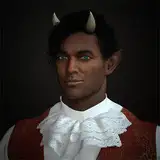
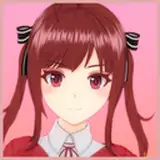
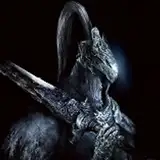
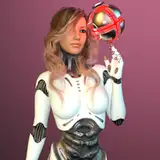
I have done over 700 generations to find out the very best configuration for generating the very best images in Qwen Image model. I have shared the presets and the grid images in below post
https://www.patreon.com/posts/114517862
Our presets are made after extremely carefuly analysis of all experiments
This above link zip file also has downloader to auto download all Qwen Image models and more
Used 8x A6000 GPU having machine to conduct the experiments but Qwen Image model works as low as 6 GB VRAM GPUs if you have RAM
When you analyze the grids you would also see that even Q4_1 of Qwen Image yields amazing results. If you have RAM even 6 GB GPUs can use this model to generate amazing images.
=======
Patreon exclusive posts index to find our scripts easily, Patreon scripts updates history to see which updates arrived to which scripts and amazing Patreon special generative scripts list that you can use in any of your task.
Join discord to get help, chat, discuss and also tell me your discord username to get your special rank : SECourses Discord
Please also Star, Watch and Fork our Stable Diffusion & Generative AI GitHub repository and join our Reddit subreddit and follow me on LinkedIn (my real profile)
=======
How to install ComfyUI with Flash Attention, Sage Attention, xFormers, Triton, DeepSpeed, Insightface, onnxruntime-gpu, GGUF tutorial shared in below video
The installer zip file is shared here literally 1-click to install and supports RTX 5000 series and Python 3.10, 3.11 and 3.12 (recommended is 3.10.11)
ComfyUI installer zip file : https://www.patreon.com/posts/105023709
How to install SwarmUI and use existing ComfyUI as a backend and use our presets tutorial share in below video
Massive model downloader and SwarmUI installer and amazing presets shared in below post
Using our ComfyUI installation is extremely recommended since it has perfect library set auto installed and so easy to update properly

------
It is mandatory to update your ComfyUI and SwarmUI before using Qwen Image model
To update use latest zip files and run Windows_Update_SwarmUI and Windows_Update_ComfyUI bat files
If you want to use ComfyUI or SwarmUI on RunPod below is a fully up to date tutorial
If you want to use ComfyUI or SwarmUI on Massed Compute, which I recommend, below is a fully up to date tutorial
Check video chapters to find relevant sections if you want like : 36:08 Massed Compute - Advanced: Integrating with the Pre-installed SwarmUI
-----------
Qwen Image prompt understanding and following is extremely superior compared to FLUX Dev
It realism is also better than FLUX Dev but not at the level of FLUX Krea Dev level
However, with LoRAs or Fine Tuning there is 0 doubt that it will surpass the FLUX model
Moreover, default resolution of the Qwen Image is 1328x1328 (1,763,584) pixel compared to 1024x1024 (1,048,576) pixel of FLUX Dev
So Qwen Image has 68% bigger resolution than FLUX Dev which is a very serious improvement in native resolution and quality
We have 2 presets for for Qwen Image
Qwen Image High Quality : Follows prompt better and generates complex scenes better (takes exactly 2x time of Fast preset)
Qwen Image Realism Fast : Generates more realistic output
Moreover our presets are robust and therefore they work between 20-50 steps fairly well
As you do more steps better but 20 steps can be also acceptable level
Hopefully Qwen Image training coming to Kohya Musubi Tuner and I will make a 1-click to install and run Musubi Tuner GUI for Qwen Image training and research and find out the very best traning parameters and prepare configs for every GPU
I expect that you will be able to train Qwen Image as low as 6 GB VRAM if you have RAM
Check out the above post images clearly to see the difference between Qwen vs FLUX - they are highest quality
Moroever you can download full grids from this post (over 1.6 GB) : https://www.patreon.com/posts/114517862
We also have more tutorials and mostly so easy to follow when you understand the workflow
First of all exactly follow the below requirements tutorial strictly - this is only 1 time necessary to install and use all AI applications and models
Wan 2.2 & FLUX Krea Full Tutorial - Automated Install - Ready Perfect Presets - SwarmUI with ComfyUI
SECourses Video and Image Upscaler Pro STAR vs TOPAZ StarLight vs Image Based Best Upscalers
MultiTalk Full Tutorial With 1-Click Installer - Make Talking and Singing Videos From Static Images
FLUX Kontext Dev Detailed Local Windows How To Tutorial - Better Than ChatGPT & Gemini Image Editing
WAN 2.1 FusionX is the New Best of Local Video Generation with Only 8 Steps + FLUX Upscaling Guide
Ultimate ComfyUI & SwarmUI on RunPod Tutorial with Addition RTX 5000 Series GPUs & 1-Click to Setup
Hi3DGen Full Tutorial With Ultra Advanced App to Generate the Very Best 3D Meshes from Static Images
Step by Step TRELLIS Tutorial to Generate Amazing High-Quality 3D Assets from Static Images Locally
SwarmUI Teacache Full Tutorial With Very Best Wan 2.1 I2V & T2V Presets - ComfyUI Used as Backend
FramePack Full Tutorial: 1-Click to Install on Windows - Up to 120 Second Image-to-Videos with 6GB
Our installers always automatically generates an isolated Python VENV and install libraries into that
Thus, they will never break your computer or existing running applications


Furkan Gözükara
2025-08-10 18:59:48 +0000 UTCArtem Servator
2025-08-10 17:59:37 +0000 UTCFurkan Gözükara
2025-08-08 08:19:15 +0000 UTCSerkan köksal
2025-08-07 22:43:35 +0000 UTC