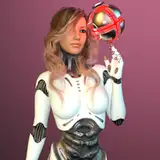
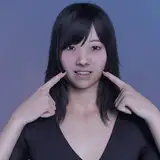
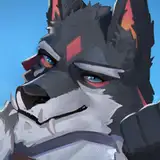
Install Wan 2.2 and FLUX Krea with literally 1-click and use our pre-made most amazing quality presets. I did literally 100s of parameter testing you to bring you best Wan 2.2 and FLUX Krea configuration so that you can generate the highest quality videos from images or from text. Moreover, with our FLUX preset, you will be able to generate much better quality images from FLUX Dev with FLUX Krea DEV model. This tutorial will show you everything step by step easiest possible way.
🔗Follow below link to download the zip file that contains SwarmUI installer and AI models downloader Gradio App - the one used in the tutorial for downloading models, presets, prompt generator guide txt ⤵️
▶️ How to install SwarmUI main tutorial : https://youtu.be/fTzlQ0tjxj0
🔗Follow below link to download the zip file that contains ComfyUI 1-click installer that has all the Flash Attention, Sage Attention, xFormers, Triton, DeepSpeed, RTX 5000 series support ⤵️
▶️ RunPod SwarmUI & ComfyUI Install Tutorial : https://youtu.be/R02kPf9Y3_w
▶️ Massed Compute SwarmUI & ComfyUI Install Tutorial : https://youtu.be/8cMIwS9qo4M
🔗 Python, Git, CUDA, C++, FFMPEG, MSVC installation tutorial - needed for ComfyUI ⤵️
🔗 SECourses Official Discord 10500+ Members ⤵️
🔗 Stable Diffusion, FLUX, Generative AI Tutorials and Resources GitHub ⤵️
🔗 SECourses Official Reddit - Stay Subscribed To Learn All The News and More ⤵️

0:00 Introduction: The Ultimate Wan 2.2 Tutorial with Optimized Presets
1:03 Free Prompt Generation Tool & Introducing the New FLUX Krea Dev Model
2:01 How SwarmUI & ComfyUI Enable Video Generation on Low-End Hardware
2:46 Quick Start Guide: Downloading the Latest SwarmUI & ComfyUI Installers
3:10 Step-by-Step: How to Update or Perform a Fresh Installation of ComfyUI
3:51 Step-by-Step: How to Update or Perform a Fresh Installation of SwarmUI
4:18 Essential Setup: Configuring the SwarmUI Backend for ComfyUI
4:53 One-Click Setup: Downloading All Required Wan 2.2 Models Automatically
5:46 Importing the Ultimate SwarmUI Presets Pack for Best Results
6:22 Wan 2.2 Image-to-Video Generation: A Complete Step-by-Step Guide
7:33 How to Generate Amazing, Detailed Prompts for Free with Google Studio AI
8:12 Starting Your First Generation & How to Monitor Logs for Errors
8:53 Pro Tip: How to Fix Low GPU Utilization and VRAM Issues for Max Speed
10:32 Wan 2.2 Text-to-Video: Choosing the Right Preset & Workflow
11:22 Generating a Detailed Dinosaur Animation Scene from a Simple Text Prompt
12:15 In-Depth Analysis: 8 Steps vs 20 Steps & The Impact of LoRA on Quality
13:11 Finding the Best Parameters: A Deep Dive into CFG Scale & Step Counts
13:42 Advanced Optimization: Using TeaCache for Text-to-Video Generation
15:31 FLUX Krea Dev vs FLUX Dev: A Detailed Side-by-Side Image Comparison
16:26 How to Easily Train Your Own LoRAs on the New FLUX Krea Dev Model
17:02 Complete Workflow for Generating High-Quality Images with FLUX Krea Dev
18:20 The Final Verdict: Side-by-Side Result of FLUX Krea Dev vs FLUX Dev
19:20 An Experiment: Attempting to Generate Still Images with Wan 2.2
21:18 Final Thoughts, Summary, and What's Coming Next in Future Tutorials
The Wan development team has announced the release of Wan2.2, positioning it as a significant advancement in their video generation model series. The team highlights four key technical improvements in this iteration.
The model introduces a Mixture-of-Experts (MoE) architecture specifically designed for video diffusion models. According to the developers, this approach separates the denoising process across different timesteps using specialized expert models, which they claim expands overall model capacity while maintaining computational efficiency.
Wan2.2 incorporates what the team describes as "cinematic-level aesthetics" through curated training data that includes detailed annotations for visual elements such as lighting, composition, contrast, and color tone. The developers state this enables more precise control over cinematic style generation and customizable aesthetic outputs.
The training dataset for Wan2.2 represents a substantial expansion compared to its predecessor, with the team reporting increases of 65.6% more images and 83.2% more videos in the training corpus.
In the rapidly evolving landscape of artificial intelligence, generative models are pushing the boundaries of creative content creation. Among the latest advancements is Wan 2.2, a sophisticated AI model designed specifically for high-quality video and image generation. Developed as an upgrade to its predecessor, Wan 2.1, Wan 2.2 introduces enhanced capabilities in multimodal content creation, making it a powerful tool for artists, filmmakers, advertisers, and developers. Released in recent months, this model stands out for its focus on cinematic-quality outputs, efficient performance on consumer hardware, and innovative features like advanced camera control and temporal consistency.
This article delves into the intricacies of Wan 2.2, exploring its features, models, capabilities, improvements, system requirements, and practical applications. Whether you're a creative professional or an AI enthusiast, understanding Wan 2.2 can unlock new possibilities in digital media production.
Wan 2.2 is a generative AI model built by Wan AI, optimized for the "language of film." It excels in text-to-video (T2V) and image-to-video (I2V) generation, producing realistic, high-resolution videos and images from descriptive prompts. Unlike traditional video editing tools, Wan 2.2 leverages deep learning to create content from scratch, incorporating elements like motion, lighting, and composition intelligently.
At its core, Wan 2.2 is designed for cinematic storytelling, allowing users to generate videos that mimic professional film techniques. It supports resolutions up to 720p at 24 frames per second (fps) and can produce clips up to 5 seconds long in its base configuration. The model is multimodal, meaning it handles both static images and dynamic videos seamlessly, with enhancements in special effects, style adjustments, and cross-modal transformations (e.g., converting an image into an animated video).
Wan 2.2 was introduced as an open model, accessible through platforms like Hugging Face and integrated into tools such as ComfyUI, making it available for both hobbyists and professionals.
Wan 2.2 boasts a suite of advanced features that set it apart in the AI video generation space:
Enhanced Image and Video Generation: Improved detail in textures (e.g., skin, fabrics, landscapes), higher-resolution rendering, and precise style controls like brushstroke intensity and color saturation.
Special Effects and Motion: Realistic lighting (global illumination, reflections), particle systems for effects like smoke or water, and smoother animations with reduced flickering.
LoRA Training Upgrades: Faster training (over 50% reduction in time), few-shot learning with minimal samples, and multi-model fusion for personalized styles.
Cross-Modal Capabilities: Seamless image-to-video conversions (e.g., adding motion to static scenes) and style consistency across formats.
Camera Control System: Mathematical precision for movements such as dolly, pan, crane, and handheld shots, including motion blur, speed ramping, and easing curves.
Composition Intelligence: Automatic adherence to rules like the golden ratio, rule-of-thirds, and platform-specific optimizations for aspect ratios.
SNR Switching Mechanism: A signal-to-noise ratio-based system that switches between high-noise (structure-building) and low-noise (detail-refining) experts during generation, mimicking professional workflows.
Temporal Consistency: Ensures coherent frame-to-frame transitions, maintaining character persistence and smooth motion.
These features make Wan 2.2 particularly suited for creating lifelike, professional-grade content with minimal user intervention.
Wan 2.2 is released in multiple variants to cater to different use cases and hardware setups:
Model VariantParametersCapabilitiesKey FilesTI2V-5B5 BillionText-to-Video and Image-to-Videowan2.2_ti2v_5B_fp16.safetensors, wan2.2_vae.safetensorsT2V-A14B14 Billion (MoE: 27B total, 14B active)Text-to-Videowan2.2_t2v_high_noise_14B_fp8_scaled.safetensors, wan2.2_t2v_low_noise_14B_fp8_scaled.safetensors, umt5_xxl_fp8_e4m3fn_scaled.safetensors, wan_2.1_vae.safetensorsI2V-A14B14 Billion (MoE: 27B total, 14B active)Image-to-Videowan2.2_i2v_high_noise_14B_fp8_scaled.safetensors, wan2.2_i2v_low_noise_14B_fp8_scaled.safetensors, umt5_xxl_fp8_e4m3fn_scaled.safetensors, wan_2.1_vae.safetensors
The Mixture-of-Experts (MoE) architecture in the 14B models uses dual experts (High-Noise and Low-Noise) for efficient processing.
Wan 2.2 generates 5-second videos at 720p resolution and 24fps, with options for text or image inputs. It outperforms competitors like VEO3 and Kling 2.1 in realism and lifelike quality, particularly in human image and video generation.
Performance highlights include:
Generation time: 9 minutes for TI2V-5B on an RTX 4090; 2-3 minutes for A14B on 8x GPUs.
Higher quality scores: Rated "Good to Excellent" compared to baselines.
Support for natural language prompts, eliminating the need for technical parameters.
Demos and examples showcase applications like turning static images into dynamic scenes (e.g., a character smiling or leaves blowing in the wind) and creating cinematic sequences from descriptive text.
Compared to Wan 2.1, Wan 2.2 offers significant upgrades:
Training Data: 65.6% more images and 83.2% more videos, with advanced aesthetic labels for better scene and motion understanding.
Efficiency: MoE architecture reduces computational load; faster generation times (e.g., from 45-60 seconds to minutes).
Quality: Superior temporal consistency, camera controls, and composition tools.
Prompting: Shift from rigid technical prompts to intuitive natural language.
These enhancements make Wan 2.2 more practical for professional use, running on accessible hardware while delivering broadcast-quality results.
Hardware: TI2V-5B runs on consumer GPUs like RTX 4090 (24GB VRAM recommended). A14B models require 8x GPUs or cloud services for optimal performance.
Costs: Local setup around $4,000; cloud via FAL.ai at $0.08-0.12 per video.
Integration options include:
ComfyUI: Visual workflows for T2V and I2V, with JSON examples available.
Diffusers and APIs: Standardized pipelines for easy migration.
Upgrade Process: A phased approach involving assessment, prompt migration, integration, and validation (typically 4+ weeks).
Wan 2.2's versatility shines in various domains:
Digital Art and Illustration: Generating concept art or animated illustrations.
Advertising: Creating promotional videos and product visuals.
Film and Pre-Visualization: Storyboard animations and scene prototypes.
Game Development: Designing characters, environments, and skill effects.
Social Media and Content Creation: Quick, high-quality short videos.
Wan 2.2 represents a leap forward in AI-generated media, blending creativity with technical prowess to democratize professional video production. With its open-source nature, efficient models, and cinematic focus, it empowers users to bring imaginative concepts to life effortlessly. As AI continues to advance, tools like Wan 2.2 will undoubtedly shape the future of content creation. For those interested in exploring it, resources on platforms like Hugging Face and ComfyUI provide a great starting point.
Furkan Gözükara
2025-09-14 08:30:18 +0000 UTCZhayton
2025-09-14 08:04:24 +0000 UTCFurkan Gözükara
2025-08-19 20:21:08 +0000 UTCHockey
2025-08-19 20:15:26 +0000 UTCFurkan Gözükara
2025-08-16 22:39:01 +0000 UTCHockey
2025-08-16 18:41:32 +0000 UTCFurkan Gözükara
2025-08-14 08:21:38 +0000 UTCRafał Potoczny
2025-08-13 22:39:55 +0000 UTCFurkan Gözükara
2025-08-06 19:47:04 +0000 UTCAshHir
2025-08-06 13:58:03 +0000 UTCFurkan Gözükara
2025-08-04 16:06:54 +0000 UTCHockey
2025-08-04 15:23:57 +0000 UTC