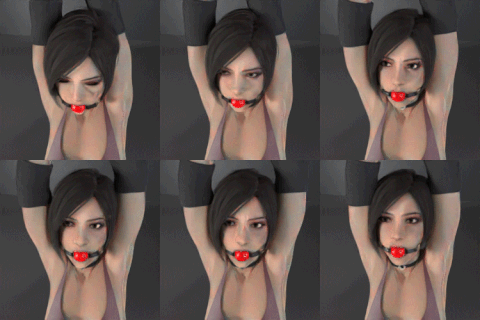
1-Click Installers for FantasyTalking: Realistic Talking Portrait Generation SECourses App for Windows, RunPod and Massed Compute
Added 2025-05-01 01:54:25 +0000 UTCPatreon exclusive posts index to find our scripts easily, Patreon scripts updates history to see which updates arrived to which scripts and amazing Patreon special generative scripts list that you can use in any of your task.
Join discord to get help, chat, discuss and also tell me your discord username to get your special rank : SECourses Discord
Please also Star, Watch and Fork our Stable Diffusion & Generative AI GitHub repository and join our Reddit subreddit and follow me on LinkedIn (my real profile)
=======
Latest installer : FantasyTalking_v12.zip
Our app extra features compared to demo Gradio listed at the very bottom of the post - we have so many extra features
Project Page : https://fantasy-amap.github.io/fantasy-talking/
Make sure to set at least 100 GB virtual RAM or more. Virtual RAM is not VRAM
How to set virtual RAM / Memory : https://www.windowscentral.com/how-change-virtual-memory-size-windows-10
RunPod and Massed Compute added, so many features added and app is now complete check very below all features
Windows Requirements
Python 3.10, FFmpeg, CUDA 12.8 or above, cuDNN 9.4 or above, C++ tools, MSVC and Git
If it doesn't work make sure to below tutorial and install everything exactly as shown in this below tutorial
How To Install and Use:
A video is in production
Windows:
First watch above requirements tutorial and follow every step
Extract zip archive into a drive like c:/fantasy_talk_v12
Longer directory path causes issues
Double click and install with Windows_Install.bat
Then run with Windows_Start_App.bat
Massed Compute (Recommend Cloud) :
Please register via this link : https://vm.massedcompute.com/signup?linkId=lp_034338&sourceId=secourses&tenantId=massed-compute
Use our coupon SECourses
Our coupon works on following GPUS
L40 : 625 GB Disk Space, 128 GB RAM, 48 GB GPU: 53 cents per hour
RTX A6000 [Premium], 300 GB Disk Space, 96 GB RAM, 48 GB GPU: 34 cents per hour
RTX A6000 : 256 GB Disk Space, 48 GB RAM, 48 GB GPU: 33 cents per hour
ALT RTX A6000 : 256 GB Disk Space, 32 GB RAM, 48 GB GPU: 32 cents per hour
Then select our image SECourses from Creator dropdown
Then follow Massed_Compute_Instructions_READ.txt
Same as my any other Massed Compute installer script
Example tutorial for learn how to install and use Massed Compute
(Starts at 12:58) : https://youtu.be/KW-MHmoNcqo?si=G1WbG-Qw4ujWvOtG&t=778
RunPod (Cloud):
Please register via this link : https://runpod.io?ref=1aka98lq
Then follow Runpod_Instructions_READ.txt
Same as my any other RunPod installer script
Use the template written in Runpod_Instructions_READ.txt file
Example tutorial for learn how to install and use RunPod
(starts at 22:03) : https://youtu.be/KW-MHmoNcqo?si=QN8X8Sjn13ZYu-EU&t=1323
FantasyTalking SECourses App Extra Features
By monitoring your VRAM you can increase Persistent Params Value - we already have presets
Higher Resolution uses more VRAM
More duration uses more VRAM - sadly
I have uploaded model files to my repo for faster new XET download (Hugging Face gave me XET feature) - no errors and fast :D
Application supports RTX 5000 series and below GPUs, auto installs Torch 2.7 with CUDA 12.8, Flash Attention, DeepSpeed, Sage Attention, xFormers, Triton
The models will be downloaded inside models sub folder
I started using single FP16 model file because I will hopefully update Wan 2.1 app to use same file as well so you can symlink same file
All the new features
User Interface & Experience Our App vs Demo App
Modern Theme & Layout:
Improved: Applied a gr.themes.Soft() theme for a cleaner look.
Improved: Reorganized the UI using gr.Column, gr.Row, and gr.Accordion for better grouping and logical flow (Inputs, Settings, Advanced, Performance, Batch, Presets, RIFE).
Enhanced Input Options:
New: Added a gr.File input specifically for uploading videos, which then automatically extracts the audio using FFmpeg (handle_video_upload function) and populates the main audio input.
Improved: The main audio input (gr.Audio) allows direct recording or uploading common audio formats (WAV/MP3).
Improved: Prompt input is now a multi-line gr.Textbox with placeholder text and informative tooltips.
New: Added a "Negative Prompt" gr.Textbox.
Multi-Prompt Capability:
New: Added an "Enable Multi-Line Prompts" checkbox. When checked, the app processes each line in the prompt box as a separate generation task, creating multiple videos from the same image/audio but with different prompts sequentially.
Fine-Grained Control & Settings:
New: Added a dropdown (torch_dtype_dropdown) to select model loading precision (BF16 for quality/speed or FP8 for lower VRAM), triggering model reloads if changed.
New: Added a checkbox (tiled_vae_checkbox) to enable/disable Tiled VAE for VRAM savings during decoding.
New: Explicit inputs for Width and Height (must be divisible by 16).
New: Input (num_generations_input) to specify how many variations (with different seeds) to generate for each prompt.
Improved: Sliders for CFG scales and Audio Weight have potentially adjusted ranges/defaults and clearer labels/info text.
New: Added an "Advanced Settings" accordion containing:
Sigma Shift slider.
Denoising Strength slider (often 1.0 for I2V).
Output Quality (CRF) slider for FFmpeg video encoding quality (lower value = higher quality).
Save Metadata (.txt) checkbox.
New: Added a "Performance & VRAM" accordion containing:
VRAM Preset Helper dropdown (e.g., "8GB GPUs", "24GB GPUs") linked to the textbox below.
Persistent Params Value textbox (derived from preset or set manually) controls how many DiT parameters stay in VRAM (lower value = less VRAM, potentially slower).
Specific inputs for VAE Tile Size (H/W) and Tile Stride (H/W).
Execution & Output:
Improved: Buttons ("Generate Video(s)", "Cancel All", "Start Batch Process", "Open Outputs Folder") have clearer labels and variants (e.g., primary, stop).
New: A dedicated "Cancel All" button (cancel_btn) to request stopping ongoing generations (single or batch).
New: An "Open Outputs Folder" button (open_folder_btn) to directly open the ./outputs directory in the system's file explorer.
Improved: The output video display (gr.Video) has a clearer label ("Last Generated Video Output").
Batch Processing UI:
New: Added a dedicated "Batch Processing" accordion/section.
New: Inputs for Batch Input Folder and Batch Output Folder.
New: Checkboxes to control batch behavior: "Skip Existing" files, "Use UI Audio Fallback" (if audio not found next to image), and "Use UI Prompt Fallback" (if .txt not found).
New: A "Start Batch Process" button.
Presets System:
New: Added a "Presets" section.
New: A dropdown (preset_dropdown) lists available .json presets from the ./presets folder.
New: An input (preset_name_input) and button (save_preset_btn) to save all current UI settings (from the defined list SETTING_COMPONENTS) into a named JSON file.
New: Loading a preset from the dropdown updates all corresponding UI elements.
New: The application remembers and loads the last used preset on startup (load_last_used_preset, save_last_used_preset). A default preset is created if none exist.
RIFE Frame Interpolation UI:
New: Added an "RIFE Frame Interpolation" accordion.
New: Radio buttons (rife_mode_radio) to select RIFE mode ("None", "2x FPS", "4x FPS").
New: A number input (rife_max_fps_input) to set a maximum FPS limit after RIFE is applied.
II. Core Logic & Processing (infer.py vs. old_infer.py & interaction with app)
Modular Argument Handling:
Improved: Removed argparse from infer.py. The main function in infer.py now accepts a single dictionary (args) containing all parameters passed from secourses_app.py. This makes infer.py more reusable and decouples it from command-line parsing.
Dynamic Model Loading & Reloading:
Improved: Model loading (load_models) is now triggered within the generation functions (generate_video, process_batch) in the app only if needed.
Improved: The app checks if the selected torch_dtype or num_persistent_param_in_dit has changed and reloads the models accordingly, ensuring the correct precision/VRAM strategy is used.
Improved: load_models in infer.py now selects the appropriate Wan I2V .safetensors file (FP8 or FP16) based on the requested torch_dtype.
Robust Error Handling:
Improved: Both secourses_app.py and infer.py have significantly more try...except blocks.
Improved: Uses gr.Error and gr.Warning to provide user-friendly feedback in the UI for failures.
Improved: Includes traceback.print_exc() in console logs for detailed debugging of unexpected errors.
New: Defines and handles a custom CancelledError to gracefully manage user cancellation requests.
State Management & Cancellation:
New: The app (secourses_app.py) uses global flags (is_generating, is_cancelling, cancel_requested) to prevent concurrent generations and manage the cancellation state.
New: A cancel_fn (lambda function checking cancel_requested) is passed down through infer.main to the pipeline's __call__ method.
Improved: The pipeline (wan_video.py) checks this cancel_fn within its main denoising loop and raises CancelledError if true. This allows stopping the generation process mid-way.
Precise Frame Calculation:
New: Implemented calculate_frames function in secourses_app.py to correctly determine the required number of frames based on duration and FPS, adhering to the model's 4k+1 frame requirement.
Batch Processing Logic:
New: process_batch function in secourses_app.py implements the full batch workflow:
Scans the input folder for images.
For each image, finds corresponding audio (.wav, .mp3, etc.) and prompt (.txt) files.
Uses UI fallback audio/prompt if files are missing and checkboxes are enabled.
Handles multi-line prompts within batch mode (processes each line in .txt files if enabled).
Calculates duration and frames per item.
Optionally skips processing if output files already exist.
Calls infer.main for each valid image/audio/prompt combination.
Enhanced Logging:
Improved: infer.py now provides much more detailed console logging, including:
Pretty-printed received arguments.
Timestamps and performance timings for different stages.
Shapes and devices of tensors.
FFmpeg commands being executed.
Clear prefixes ([Gen X/Y][Prompt Z]) indicating the current task.
Improved Output Naming & Organization:
Improved: The naming logic is centralized. The app (secourses_app.py) determines the base filename (sequential number like 0001 for single mode, or image stem for batch mode) before calling infer.main.
Improved: infer.main receives the base name and indices (generation_index, prompt_index) and constructs the final filename by appending suffixes like promptZ (if applicable) and 000X (if generating variations).
New: Input audio files used for generation are copied to a ./used_audios directory with a filename matching the generated video's base name, aiding reproducibility.
Direct FFmpeg Integration:
Improved: infer.py now directly calls ffmpeg using subprocess to merge the raw video frames (saved temporarily) with the original audio.
Improved: Uses specific FFmpeg flags for better quality and compatibility (-crf, -preset slow, -pix_fmt yuv420p, -c:a aac, -b:a 192k, -shortest).
Improved: Handles FFmpeg errors (CalledProcessError) and logs stderr output for debugging. Cleans up the temporary video file on success.
Metadata Saving:
New: If the "Save Metadata" checkbox is enabled, infer.py saves a .txt file alongside the video containing a JSON object with detailed information about the generation (settings, timings, filenames, seed, prompt, RIFE status, etc.).
First Frame Replacement:
Improved: infer.py explicitly replaces the first generated frame from the diffusion model with the original input image after the pipeline call, ensuring the video starts with the clean source image.
RIFE Frame Interpolation Integration:
New: After successful video generation and FFmpeg merging, infer.py checks the rife_mode argument.
New: If RIFE is enabled ("2x" or "4x"), it constructs and executes a command using subprocess to call the Practical-RIFE/inference_video.py script.
New: It passes the generated video as input and specifies the multiplier or target FPS (respecting the rife_max_fps limit).
New: If RIFE succeeds, the final output path is updated to the RIFE-generated file (e.g., output_RIFE_2x.mp4), and this status is recorded in the metadata.
III. Pipeline Enhancements (wan_video.py vs. old_wan_video.py)
Integrated Cancellation Check:
New: The __call__ method now accepts a cancel_fn argument.
New: Inside the main denoising loop, it checks cancel_fn() at each step. If it returns True, a CancelledError is raised.
Gradio Progress Reporting:
New: The __call__ method now accepts a gradio_progress object.
New: Within the denoising loop, it calculates the progress fraction and calls gradio_progress() to update the Gradio progress bar in the UI, providing finer-grained feedback during the diffusion process.
Comments
hi probably you are missing cuda and C++ tools and MSVC. did you follow requirements tutorial and install all?
Furkan Gözükara
2025-05-19 01:16:31 +0000 UTCHi Furkan! Getting this error when starting app? Is triton not installed, in venv-folder I did see a triton-folder. Hope you could help, thank you. /P WARNING:torchao.kernel.intmm:Warning: Detected no triton, on systems without Triton certain kernels will not work W0517 18:36:15.458000 3100 venv\Lib\site-packages\torch\distributed\elastic\multiprocessing\redirects.py:29] NOTE: Redirects are currently not supported in Windows or MacOs. ERROR: Failed to import 'infer' module or its dependencies: DLL load failed while importing libtriton:
patrikeon
2025-05-17 17:57:04 +0000 UTChi that means your RAM is not sufficient. please set your virtual RAM to 100 GB : https://www.windowscentral.com/how-change-virtual-memory-size-windows-10
Furkan Gözükara
2025-05-11 14:28:09 +0000 UTCFresh install of v12 (model is there): Loading models from: ./models\wan21_i2v_720p_14B_fp16.safetensors [Error][Model Loading] Failed to load one or more Wan I2V models from ./models. Check paths and files. [Error][Model Loading] Details: The paging file is too small for this operation to complete. (os error 1455)
Taiga
2025-05-11 14:19:31 +0000 UTC