SOTA Subject Cropper and Face Focused Image Resizer Scripts Do Better Training
Added 2024-09-10 20:00:00 +0000 UTC16 September 2024
NOW WE HAVE A MUCH BETTER NEW APP PLEASE USE IT
https://www.patreon.com/posts/112126955
NEW APP : https://www.patreon.com/posts/112126955
THIS POST WONT BE MAINTAINED ANYMORE
USE NEW APP https://www.patreon.com/posts/112126955
16 September 2024
Patreon exclusive posts index to find our scripts easily, Patreon scripts updates history to see which updates arrived to which scripts and amazing Patreon special generative scripts list that you can use in any of your task.
Join discord to get help, chat, discuss and also tell me your discord username to get your special rank : SECourses Discord
Please also Star, Watch and Fork our Stable Diffusion & Generative AI GitHub repository and join our Reddit subreddit and follow me on LinkedIn (my real profile)
10 September 2024 Update
Auto subject cropper scripts updated to Yolo v10
Working amazing posted here example : https://www.reddit.com/r/SECourses/comments/1fdrv17/upgraded_my_auto_subject_cropper_zoomin_script_to/
Download the latest zip file from here : Subject_Cropper_v1.zip
The zip file includes latest best official Yolov10 model file as well
Also I have added Yolo_10_Class_List.txt which shows the classes that Yolov10 supports
Hopefully I will make a Gradio APP that has both auto cropper and the auto resizer scripts
Hopefully i will make RunPod and Massed Compute installers later
First run auto cropper then resizer to get perfect images
Cropped files will be saved as PNG to not lose any quality
Full tutorial video > https://youtu.be/Fbuyu35TkE4
3 August 2024 Update
Resizer scripts updated to Resizer_v3.zip file
find_dups_hashes.py file finds duplicates or similar images with threshold
change cutoff=2 to find similar images
Explanation : https://poe.com/s/GNVIQpjRgOfGIm6TZoJP
16 November 2023 Update:
Face resizer will extract only faces.
Resize is optional
13 November 2023 Huge Update:
Re-download resize_images_v4 .zip file
Do a fresh install into a new folder - so GPU support will be enabled
Now supports GPU as well. GPU is like 3x faster than 13900K CPU
Save as PNG option added as a boolean parameter. Default set to False
30 October 2023 Huge Update:
Please also upvote this Reddit Thread if possible
Yolo v7 based cropper script updated and now works much better.
The improvement of cropping quality is huge.
All of the shared classification / regularization datasets will be also hopefully updated
Windows Requirements
Make sure that you followed below video and installed below exactly as in video
Python 3.10.11 works with all of the AI apps I used so far
Python 3.10.11, FFmpeg, Cuda 11.8, C++ tools and Git
If it doesn't work make sure to below tutorial and install everything exactly as shown in this below tutorial
Who has fbgemm.dll error on Windows 11 the solutions posted below topic
Quick solution is as below (verified DLL)
Download this dll and copy it to your /windows/system32 folder. https://www.dllme.com/dll/files/libomp140_x86_64/00637fe34a6043031c9ae4c6cf0a891d/download
Who has C++ tools related errors : Solving CUDA and C++ Tools Compiling Errors Once and For All for Python AI Applications > https://www.patreon.com/posts/111553210
Let me know if you encounter any problem and hopefully I will fix it ASAP. Please read very carefully.
I have updated my previous subject cropper script to Yolo V7 with improved logic. I had explained that script in this video : https://youtu.be/QTYX0tgA5ho
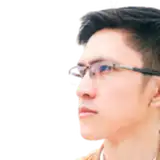
Also I was using Automatic1111 image preprocessing script to resize images into the desired resolution with face focus. However it is broken and not working correctly. Therefore I have written my State Of The Art (SOTA) image resizer script as well.
I used these scripts to process all of the images shared in this amazing regularazation / classification images dataset > https://www.patreon.com/posts/massive-4k-woman-87700469
Hopefully I will make a video to how to use these 2 new scripts. They are pretty easy actually.
How To Use Subject Cropper
Click here to download latest zip file.
It includes install and run . bat files. Install . bat file will make new venv and install everything for you. This won't affect your other installations like Automatic1111.
Then edit cropper_v8 . py and change INPUT_FOLDER & OUTPUT_FOLDER and set your desired ASPECT_RATIOS. This script will crop the subject with maximum resolution while trying to keep desired aspect ratio. It won't crop the parts of the subject. So aspect ratio may not be 100% correct. We will use resizer script to make them perfect size and aspect ratio.
Yolo V10 supports different classes as well. So you can change person into different classes you wish.
How To Use SOTA Image Resizer - Downscaler
Download attached Resizer_v3.zip . It includes install and run . bat files. Install . bat file will make new venv and install everything for you. This won't affect your other installations like Automatic1111.
Edit resizer_v4. py file and change folder paths and resolutions that you are looking for. This script will crop the image with focus of a person face if that exists. This is an amazing script to prepare different resolution training images datasets.
This script also uses best downscaling algorithm and save images with best quality. Also the script supports fully multi-threading. It is set to 2 threads. If your CPU is better increase it to like 10.
Comments
No you can't run. Please install Python 3.10 as well. It doesnt have to be default my installer will use it
Furkan Gözükara
2025-02-03 15:33:17 +0000 UTCkalayan rao
2025-02-03 15:27:57 +0000 UTCnew app published : https://www.patreon.com/posts/112126955
Furkan Gözükara
2024-09-15 22:23:46 +0000 UTCnew app published : https://www.patreon.com/posts/112126955
Furkan Gözükara
2024-09-15 22:23:42 +0000 UTCnew app published : https://www.patreon.com/posts/112126955
Furkan Gözükara
2024-09-15 22:23:36 +0000 UTCnew app published : https://www.patreon.com/posts/112126955
Furkan Gözükara
2024-09-15 22:23:31 +0000 UTCnew app published : https://www.patreon.com/posts/112126955
Furkan Gözükara
2024-09-15 22:23:27 +0000 UTCnew app published : https://www.patreon.com/posts/112126955
Furkan Gözükara
2024-09-15 22:23:15 +0000 UTCnew app published : https://www.patreon.com/posts/112126955
Furkan Gözükara
2024-09-15 22:23:11 +0000 UTCnew app published : https://www.patreon.com/posts/112126955
Furkan Gözükara
2024-09-15 22:23:06 +0000 UTCnew app published : https://www.patreon.com/posts/112126955
Furkan Gözükara
2024-09-15 22:23:04 +0000 UTCnew app published : https://www.patreon.com/posts/112126955
Furkan Gözükara
2024-09-15 22:23:00 +0000 UTCnew app published : https://www.patreon.com/posts/112126955
Furkan Gözükara
2024-09-15 22:22:54 +0000 UTCnew app published : https://www.patreon.com/posts/112126955
Furkan Gözükara
2024-09-15 22:22:50 +0000 UTCsent! thanks!
4401 4401
2024-09-15 20:38:42 +0000 UTCye wait for it is many times better faster
Furkan Gözükara
2024-09-15 20:08:16 +0000 UTCnice! With the resizer I noticed the GPU isn't found easily for some reason. I'll wait for your advanced version release and if it still isn't working I'll see if I can debug for you.
Patrick Major
2024-09-15 18:37:23 +0000 UTCgood question. i havent experimented yet. but always have a base training with 1024x1024 and then compare. also hopefully i will publish much advanced version of this today
Furkan Gözükara
2024-09-15 17:59:10 +0000 UTChello. hopefully i will publish much advanced version of this today but if you email me install logs i may know why : monstermmorpg@gmail.com
Furkan Gözükara
2024-09-15 17:58:35 +0000 UTCGreat work again. I was wondering something. Lets say I output the multiple resolutions from the autocroppper -> resizer -> many cropped folders. I am training a Flux model. Does it improve the flux training to do a training on the same images but feed in all the different type of resolutions using bucketing? (I.e set max resolution in kohya_ss to something like 2048,2048 and then let the buckets fix the image categories). I suspect this will cause over fitting and will try, but was wondering if you have experimented with this?
Patrick Major
2024-09-15 17:57:48 +0000 UTCHi, I'm trying to use the cropper, it seems to have installed correctly but when I run it I'm getting the error "Traceback (most recent call last): File "C:\Users\XXX\Subject_Cropper_v1\cropper_v8.py", line 1, in from ultralytics import YOLO ModuleNotFoundError: No module named 'ultralytics'" I tried then installing ultralytics but it said it already was installed so I'm not sure what to do next. Any help would be appreciated!
4401 4401
2024-09-15 17:40:08 +0000 UTCmy scripts always generates their own virtual environment venv. so both program uses separated libraries . it didnt change or impact your kohya
Furkan Gözükara
2024-09-11 09:17:53 +0000 UTCJust installed this and it changed my pytorch v to 2.4; but the Kohya Flux should be 2.5. So should I re-run the 2.5 bat or keep the 2.4?
N V
2024-09-11 06:47:52 +0000 UTCnothing just a warning should work perfect
Furkan Gözükara
2024-09-08 16:01:32 +0000 UTCI've just installed Autocropper, added the paths and once I ran it I've got these: .cache\torch\hub\WongKinYiu_yolov7_main\models\common.py:921: FutureWarning: `torch.cuda.amp.autocast(args...)` is deprecated. Please use `torch.amp.autocast('cuda', args...)` instead. What did I do wrong?
Justas
2024-09-08 15:59:02 +0000 UTCawesome :D
Furkan Gözükara
2024-09-07 21:10:14 +0000 UTCI got it working. I keep forgetting to update everything when I install new versions xD Thanks!
Michael
2024-09-07 21:09:43 +0000 UTCyes you had error during install. i just added windows requirements section. can you follow there? we need python 3.10. also can you reinstall and email me your installation logs? : monstermmorpg@gmail.com
Furkan Gözükara
2024-09-07 16:54:02 +0000 UTCHi, I am getting the error in resizer: ModuleNotFoundError: No module named 'retinaface'. Did I miss something?
Michael
2024-09-07 16:48:38 +0000 UTCyes i plan to convert both apps into a gradio app and do instructions
Furkan Gözükara
2024-09-07 11:35:25 +0000 UTCcan you instructions on how to install on runpod. thank you very much
Ichi Shun
2024-09-07 10:17:35 +0000 UTCok first run the cropper. set 512x512. then run the resizer on generated images as 512x512. and you will get perfect 512x512 images. this tutorial explains all : https://youtu.be/Fbuyu35TkE4
Furkan Gözükara
2024-08-23 20:49:01 +0000 UTCYes I am editing the Resizer_V4.py and I am not understanding the formula> If you dont mind helping me on this, I have a folder with many images in it with multiple sizes that I want to resize to a specific size, for example: from any size into 512x512 as png original images are in F:\Image_Resizer_v3\Input_Images I want it to be 512x512 and have the face centered in frame into F:\Image_Resizer_v3\Output_Images how to configure it ?
Tobe2d
2024-08-23 20:47:18 +0000 UTCyou need to set your folder paths and target dimensions. i see it is working. edit py file
Furkan Gözükara
2024-08-23 19:28:47 +0000 UTCyou need to set your folder paths and target dimensions. i see it is working. edit py file
Furkan Gözükara
2024-08-23 19:28:41 +0000 UTCI am trying to edit Resizer_V4.py file But do i have to specify the size of the original? or just the target?
Tobe2d
2024-08-23 19:12:20 +0000 UTCNow I am on 3.10 and the installation finished succsfully however, when I start run_resizer_GPU.bat i am getting this error: don't forget to run install bat and make sure that you have changed the paths in Resizer_V4.py file moreover set your thread count according to your CPU Traceback (most recent call last): File "F:\AI_Projects3\Image_Resizer_v3\Resizer_V4.py", line 153, in process_folder(folder, resolution, Save_PNG) File "F:\AI_Projects3\Image_Resizer_v3\Resizer_V4.py", line 137, in process_folder image_paths = [os.path.join(input_folder, fname) for fname in os.listdir(input_folder) if fname.lower().endswith(('png', 'jpg', 'jpeg'))] FileNotFoundError: [WinError 3] The system cannot find the path specified: 'H:\\woman dataset\\1536x1536' Press any key to continue . . .
Tobe2d
2024-08-23 19:09:38 +0000 UTCyou have python311 not python310. you need to install python 3.10 that is why
Furkan Gözükara
2024-08-23 15:35:43 +0000 UTCI love those 1click installers you make and I have tried almost every script you have made and all of them worked as expected except this one I've tried multiple times and it keep failing on someghing. at this point I am running into: DEPRECATION: Loading egg at c:\python311\lib\site-packages\vboxapi-1.0-py3.11.egg is deprecated. pip 24.3 will enforce this behaviour change. A possible replacement is to use pip for package installation. Discussion can be found at https://github.com/pypa/pip/issues/12330 Requirement already satisfied: pip in c:\python311\lib\site-packages (24.2) Python launcher is not available, generating VENV with default Python. Make sure that it is 3.10 installing requirements Looking in indexes: https://pypi.org/simple, https://download.pytorch.org/whl/cu118 Collecting torch==2.0.1 (from -r requirements.txt (line 2)) Using cached https://download.pytorch.org/whl/cu118/torch-2.0.1%2Bcu118-cp311-cp311-win_amd64.whl (2619.2 MB) Collecting torchvision (from -r requirements.txt (line 3)) Using cached https://download.pytorch.org/whl/cu118/torchvision-0.19.0%2Bcu118-cp311-cp311-win_amd64.whl (5.0 MB) ERROR: Could not find a version that satisfies the requirement tensorflow==2.10 (from versions: 2.12.0rc0, 2.12.0rc1, 2.12.0, 2.12.1, 2.13.0rc0, 2.13.0rc1, 2.13.0rc2, 2.13.0, 2.13.1, 2.14.0rc0, 2.14.0rc1, 2.14.0, 2.14.1, 2.15.0rc0, 2.15.0rc1, 2.15.0, 2.15.1, 2.16.0rc0, 2.16.1, 2.16.2, 2.17.0rc0, 2.17.0rc1, 2.17.0) ERROR: No matching distribution found for tensorflow==2.10 Virtual environment made and installed properly Press any key to continue . . . Could you please fix this to work on GPU?
Tobe2d
2024-08-23 15:18:18 +0000 UTCthose guis have command line arguments to give folder paths. i show them in my tutorials
Furkan Gözükara
2024-07-15 22:36:09 +0000 UTCthere is a better TTS coqui search for it until i make a tutorial hopefully
Furkan Gözükara
2024-07-15 22:35:45 +0000 UTCthat error means your vram was not sufficient. depends on your used ai model and your gpu
Furkan Gözükara
2024-07-15 22:35:26 +0000 UTCwhat is your given folder path?
Furkan Gözükara
2024-07-15 22:35:03 +0000 UTCPlease help on how to reduce the redundancy of large AI models that is large, how to set the path in each model for each AI program and tool, the same models are used by stable diffusion automatic 1111 web UI and stable swarm UI. How to collect all these models in one place and then how to use them for all AI tools to set the path of folders of these models. Please help me to save space in my pc
Anshul Gupta
2024-07-14 12:29:33 +0000 UTCOne last help is needed from you i think Piper TTS is the best voice cloning and Text-to-speech generation AI tool. Can you help me in the cloning of voice as directed by the YouTube channel "Natlamir" in his video "Local Piper TTS Training (Using WSL)" Url link of this video is "https://www.youtube.com/watch?v=kGl0a652XtE&t=1s". Please help me to clone voices in English and hindi. i am ready to pay for it to you. Please Please
Anshul Gupta
2024-07-14 12:29:22 +0000 UTCcan you help me and guide me on how to solve the error "cuda out of memory", I think you should make a video on these types of error
Anshul Gupta
2024-07-14 12:29:08 +0000 UTCin Auto Cropper " 12_Jan_2024_auto_cropper" I am getting an error " An error occurred while processing WhatsApp.png: OpenCV(4.10.0) :-1: error: (-5:Bad argument) in function 'rectangle' > Overload resolution failed: > - img marked as output argument, but provided NumPy array marked as readonly > - Expected Ptr for argument 'img' > - argument for rectangle() given by name ('thickness') and position (4) > - argument for rectangle() given by name ('thickness') and position (4) Processed 1/1 images. Remaining: 0. Average processing speed: 13404.54 ms/image Processing complete! Press any key to continue . . ." please help me to resolve this issue or error
Anshul Gupta
2024-07-14 12:28:02 +0000 UTChello. i just tested resizer_v1 fresh install on windows and both gpu and cpu works great. on linux it works with cpu only. let me know if you have any other issues. hopefully i will fix linux later
Furkan Gözükara
2024-07-13 08:32:17 +0000 UTChello. i am on limited time currently. so i updated scripts and now working with cpu. for gpu i will fix hopefully later today and let you know. please download and reinstall Resizer_v1.zip
Furkan Gözükara
2024-07-12 09:04:15 +0000 UTCHello, thank you for your contributions, can you help me with this error when running the run_resizer_CPU... don't forget to run install bat and make sure that you have changed the paths in resizer_v4.py file moreover set your thread count according to your CPU Traceback (most recent call last): File "C:\Users\AI\Documents\SECourse\SOTA Image Resizer\25_Nov_2023_resizer\resizer_v4.py", line 4, in from retinaface import RetinaFace _descriptor.FieldDescriptor( File "C:\Users\AI\Documents\SECourse\SOTA Image Resizer\25_Nov_2023_resizer\venv\lib\site-packages\google\protobuf\descriptor.py", line 553, in __new__ _message.Message._CheckCalledFromGeneratedFile() TypeError: Descriptors cannot be created directly. If this call came from a _pb2.py file, your generated code is out of date and must be regenerated with protoc >= 3.19.0. If you cannot immediately regenerate your protos, some other possible workarounds are: 1. Downgrade the protobuf package to 3.20.x or lower. 2. Set PROTOCOL_BUFFERS_PYTHON_IMPLEMENTATION=python (but this will use pure-Python parsing and will be much slower).
Enrique Barrera Robalino
2024-07-12 03:19:26 +0000 UTCauto cropper crop human without cropping human parts with desired aspect ratio if possible. then you need to run resizer. this video explains all : https://youtu.be/Fbuyu35TkE4
Furkan Gözükara
2024-06-07 10:51:24 +0000 UTCHello. I have this params for auto cropper: Image.MAX_IMAGE_PIXELS = None NUM_THREADS = 2 ASPECT_RATIOS = [(768, 768), (1024, 1024)] # Constants INPUT_FOLDER = r"C:\AI\SOTA Image Cropper\input_images" OUTPUT_FOLDER = r"C:\AI\SOTA Image Cropper\output_images" YOLO_DETECTED_FOLDER = r"C:\AI\SOTA Image Cropper\yolov_detector" SAVE_TO_YOLO_DETECTED_FOLDER = True After running the script it creates folders with proper image resolution names, but the resolution of images in this output folders and aspect ratio is random. Most input images are 5760x3840 and more. So there's enough room for crop. Do not know why it creates random resolutions. Cropping faces only with different acpect ratios and resolutions would be reasonable.
Artie Medvedev
2024-06-07 10:08:36 +0000 UTCi certainly agree and i plan to make an interface for this one . thank you for feedback
Furkan Gözükara
2024-05-03 11:04:51 +0000 UTCI suggest you add the README.txt file to the auto_cropper zip package. In it, briefly describe in which order and in which other cases users should use different .bat files. You have certainly explained these in the videos, but it is user-friendly to add this information to a text file as well.
Mika Kujanpää
2024-05-03 10:39:42 +0000 UTC8000 vs 1024 wont matter because as long as you set your training resolution 1024, the trainer will downscale it to 1024 :)
Furkan Gözükara
2024-04-24 03:16:58 +0000 UTCSorry, my question was really more about training in general and not so much about cropper/resizer script. I am new to this so bear with me.... ;) There seems to be an emphasis on having the "highest quality" images available for training, so I assumed I would want to use my cropped/resized 8000x8000 for training. Are you saying that I should actually be using only 1024x1024? Training worked good using the 8000x8000... but am I wasting time? Would it go faster with 1024x1024 and have the same results?
foobax
2024-04-24 02:54:28 +0000 UTCi would suggest this. first train and get some results without aspect ratio bucketing. use all images as 1024x1024. then train with aspect ratio bucketing and compare. aspect ratio bucketing may not work as expected. the script supposed to downscale them to your training resolution
Furkan Gözükara
2024-04-23 13:19:11 +0000 UTCFor training with OneTrainer (SDXL): 1) Should we need to crop all the images to the same size? I have gotten good results with mixed dimensions (I enabled Aspect Ratio Bucketing) 2) Is there some benefit to using all same dimensions? 2.1) If I resize them all to same dimension, is there a best dimension to use? I could go down to 1024x1024, but my images are a mix of 8000x12000 and 12000x8000. Is it ok to resize these down to 8000x8000 to use for training?
foobax
2024-04-22 03:21:30 +0000 UTChm... I was on a VPN at the time. I disabled it and tried install.bat again and got the same error. I had the same error with some other tools in the past and had to edit the install script with something like pip3 install torch==2.0.1+cu118 torchvision==0.15.2+cu118 --extra-index-url https://download.pytorch.org/whl/ That didn't work either. In any case, I am not too worried about it since I was able to use your script anyway. Thank you, earlier today I was just thinking I would need to find a way to to do the same thing, but luckily heard you mention this in a video, you saved me a ton of time =)
foobax
2024-04-22 03:15:19 +0000 UTCThe resizer script worked fine anyway.
foobax
2024-04-22 03:07:13 +0000 UTCalso try this. open a cmd : pip cache purge after that try to do a fresh install
Furkan Gözükara
2024-04-22 02:18:24 +0000 UTCthat means either your ISP or your anti-virus or something like that problematic. so this is a specific error to your case. what it fetches and what it gets are different. try to install with warp VPN
Furkan Gözükara
2024-04-22 02:16:48 +0000 UTCFYI, the isntall.bat gives this error: venv folder already exists, skipping making new venv... Looking in indexes: https://download.pytorch.org/whl/cu118 Collecting torch==2.0.1 Using cached https://download.pytorch.org/whl/cu118/torch-2.0.1%2Bcu118-cp310-cp310-win_amd64.whl (2619.1 MB) ERROR: THESE PACKAGES DO NOT MATCH THE HASHES FROM THE REQUIREMENTS FILE. If you have updated the package versions, please update the hashes. Otherwise, examine the package contents carefully; someone may have tampered with them. torch==2.0.1 from https://download.pytorch.org/whl/cu118/torch-2.0.1%2Bcu118-cp310-cp310-win_amd64.whl#sha256=f58d75619bc96e4322343c030b893613701caa2d6db8017155da226c14171335: Expected sha256 f58d75619bc96e4322343c030b893613701caa2d6db8017155da226c14171335 Got b029f79215c8758a90f2d6037ead8f3c90a6219a5a72e275f59391e4c016fb17
foobax
2024-04-22 02:13:23 +0000 UTCsadly it is very very specific and hard case for me to implement. currently really busy and i think how bucketing works also changes by each trainer script
Furkan Gözükara
2024-04-16 00:24:39 +0000 UTCI have been using the scripts for that, I'm curious if a script is possible that would crop and resize images into several aspect ratios and final image sizes going off of what the original image size to makes its determination. it would select the closest aspect ratio and final sizes from a list of compatible SDXL sizes entered. (I know I can set it to do several sizes on all of the images but then i'd have to manually review all image sizes for every sizes which is more work then just cropping them and resizing freehand). I'm calling it buckets because thats what the trainer calls it when it does it.
Steve
2024-04-15 23:49:56 +0000 UTCyou can change it to others. opencv , yolov8 , mediapipe . try these
Furkan Gözükara
2024-04-15 23:37:26 +0000 UTCyou can change it to others. opencv , yolov8 , mediapipe . try these
Furkan Gözükara
2024-04-15 23:37:16 +0000 UTCI'm having a hard time updating retinaface
bwells
2024-04-15 23:34:54 +0000 UTCWhen running the resizer script: File "G:\AI\scripts\25_Nov_2023_resizer\venv\resizer_v4.py", line 4, in from retinaface import RetinaFace ModuleNotFoundError: No module named 'retinaface'
bwells
2024-04-15 23:34:22 +0000 UTCif you first crop them with our script, i think still should improve your results.
Furkan Gözükara
2024-04-15 23:31:37 +0000 UTCYes but your scripts' crop it and then resize it intelligently =), the training scripts just crops it w/o resize or target focus? Or am I missing something?
Steve
2024-04-15 23:00:53 +0000 UTCtraining scripts already doing that according their training mechanism. also you can already give different resolutions and aspect ratios so scripts can generate all of them
Furkan Gözükara
2024-04-15 21:24:02 +0000 UTCAny plan for something that crops and resizes into buckets?
Steve
2024-04-15 21:20:01 +0000 UTChello. this video explains the logic have you seen it? https://youtu.be/Fbuyu35TkE4 if there is nothing to crop it wont. then you will use resizer
Furkan Gözükara
2024-02-27 00:53:39 +0000 UTCdaniel mendoza
2024-02-27 00:52:13 +0000 UTCawesome
Furkan Gözükara
2024-01-12 14:38:18 +0000 UTCNew version works now, even with 2GB. Waiting for Tesla P40 in upcoming weeks :)
Maxim Kramarenko
2024-01-12 14:27:20 +0000 UTCyes 2 GB is just too low. you can use CPU it still should work. from where you did send me? i am checking messages right now
Furkan Gözükara
2024-01-12 12:23:51 +0000 UTCI have the same problem, just sent you log (looks very similar) and file example. BTW, my graphics car very old (GTX 950, 2GB ram), probably not enough for OpenCV? How to check it?
Maxim Kramarenko
2024-01-12 10:45:14 +0000 UTClooks like that image is corrupted. can you zip and send me it? furkangozukara@gmail.com
Furkan Gözükara
2024-01-10 16:23:21 +0000 UTCThanks for the amazing work :-) Sadly, ive encountered an error in the cropper: Processed 32/224 images. Remaining: 192. Average processing speed: 1009.74 ms/image An error occurred while processing atikh-bana-zPFws4toKhg-unsplash.jpg: OpenCV(4.9.0) :-1: error: (-5:Bad argument) in function 'rectangle' > Overload resolution failed: > - img marked as output argument, but provided NumPy array marked as readonly > - Expected Ptr for argument 'img' > - argument for rectangle() given by name ('thickness') and position (4) > - argument for rectangle() given by name ('thickness') and position (4) The images are getting cropped, so thats not the issue. But the error is still bothering me. Does anyone encounter the same error?
Andre Bopp
2024-01-10 11:18:00 +0000 UTCRica ederim. Teşekkürler destek için
Furkan Gözükara
2024-01-07 11:30:14 +0000 UTCÇok iyi, çok hızlı teşekküler...
önal baş
2024-01-07 11:29:07 +0000 UTCyes they have different purposes. the cropper is used to zoom in subject without cropping the subject body parts. then we use resizer to crop it into the exact resolution while focusing the face. the cropper will not resize to your target dimension this video explains good : https://youtu.be/Fbuyu35TkE4
Furkan Gözükara
2024-01-05 22:49:47 +0000 UTCIs there a difference in output quality between cropper and resizer?
Chester Ogilvie
2024-01-05 22:45:28 +0000 UTCinteresting. thanks for letting us know.
Furkan Gözükara
2023-12-06 21:04:09 +0000 UTCI first tried "exiftool" which did remove absolutely all exif data but then some of the images were on their side and rotating them via windows only adds the rotation tag to the exif data again. What worked was "NConvert" with the option "-jpegtrans exif" which rotates/re-encodes the images right side up according to the exif data and then removes the exif data. The dataset was captured with two different smartphones (samsung and google pixel) and it seems as if one saved the images in two different aspect ratios based on how the phone was held while taking the image while the other saved all photos in the portrait aspect ration and only added to the exif data that it should be shown rotated by 90°.
Daniel Flaswinkel
2023-12-06 21:00:04 +0000 UTCwow that is interesting. how did you remove exif data? yes we can implement it
Furkan Gözükara
2023-12-05 22:42:56 +0000 UTCI just encountered a problem with images taken on a smartphone that have exif metadata for rotation. I had to rotate all pictures acc. to the exif data (I used NConvert) and then remove the exif data . Than it worked as intended. Maybe that step could be integrated into the python script.
Daniel Flaswinkel
2023-12-05 21:00:36 +0000 UTCgreat. i will fix it too
Furkan Gözükara
2023-11-11 23:40:33 +0000 UTCfixed it changed the bat file to have v4, it had v3 on it
Meito
2023-11-11 23:27:09 +0000 UTCgetting this issue with the new one don't forget to run install bat and make sure that you have changed the paths in resizer_v3.py file moreover set your thread count according to your CPU C:\Users\PC\AppData\Local\Programs\Python\Python310\python.exe: can't open file 'C:\\Users\\PC\\Documents\\resize_images_v4\\resizer_v3.py': [Errno 2] No such file or directory
Meito
2023-11-11 23:26:00 +0000 UTCadded . download latest attached file resize_images_v4.zip
Furkan Gözükara
2023-11-10 19:19:58 +0000 UTCThat would be wonderful!
MathiasF
2023-11-10 12:17:10 +0000 UTCyes you can just crop face. will update script for that option hopefully today
Furkan Gözükara
2023-11-10 12:14:53 +0000 UTCwhat error are you having?
Furkan Gözükara
2023-11-10 12:14:35 +0000 UTCI also have a question: is there an easy way to crop just the face with your script. I want to use it to prepare my Training-data.
MathiasF
2023-11-10 11:51:18 +0000 UTCfor some reason the cropping is working fine but resizing isnt, have any faced this issue ?
Hassan Alhassan
2023-11-10 05:24:59 +0000 UTCi find that upscaling is a no no. i would try to get better images. the model tends to learn those unnatural things so precisely :/ like fake background or upscale
Furkan Gözükara
2023-11-09 11:27:56 +0000 UTCHave a question: if i have image with relatively low res. e.g 720x1280 or 970x970, do you think it is a good idea to upscale it at least 2x before prepairing it to corpp/resise and learning? Becase there gonna be some artifacts from upscailing and while lerning process that artifacts gonna be piced up by network during learning process.
Vasiliy Bulanov
2023-11-09 05:20:03 +0000 UTCinteresting. must be error from developers
Furkan Gözükara
2023-11-01 21:31:32 +0000 UTCIt was. The resize still throws the error but I just moved the processed images to another folder. I then remove the retina face files and re-run the script.
DaOldHeadz Music
2023-11-01 16:13:31 +0000 UTCnice. so it was corrupted file previously
Furkan Gözükara
2023-11-01 12:13:59 +0000 UTCI found a work-around, I had to navigate to the following location under win10 (C:\Users\username\.deepface\weights\) and delete the retinaface.h5 file and all the other retina tmp files. Reran the script which re-downloaded the retina file and processed the images. I recived the same above error on my other win10 pc and just followed the above workaround.
DaOldHeadz Music
2023-11-01 05:34:15 +0000 UTCHello, I am receiving the following error when running the resizer.bat. I removed the resizer folder and re-ran the installer.bat twice but I receive the same error. Any ideas? Here is the code I changed in the resizer.py file: # Constants DATA = [ ((512, 512), r"C:\Users\(my username)\Documents\WALLPAPERS\output\512x512") ] NUM_THREADS = 10 # Modify this for the desired number of threads OUTPUT_ROOT = r"C:\Users\(my username)\Documents\WALLPAPERS\1" # Root folder to save resized images concurrent.futures.process._RemoteTraceback: """ Traceback (most recent call last): File "C:\Python31011\lib\concurrent\futures\process.py", line 246, in _process_worker r = call_item.fn(*call_item.args, **call_item.kwargs) File "C:\Python31011\lib\concurrent\futures\process.py", line 205, in _process_chunk return [fn(*args) for args in chunk] File "C:\Python31011\lib\concurrent\futures\process.py", line 205, in return [fn(*args) for args in chunk] File "C:\Resizer\resizer_v3.py", line 23, in resize_image faces = RetinaFace.detect_faces(input_path) File "C:\Resizer\venv\lib\site-packages\retinaface\RetinaFace.py", line 68, in detect_faces model = build_model() File "C:\Resizer\venv\lib\site-packages\retinaface\RetinaFace.py", line 34, in build_model retinaface_model.build_model(), File "C:\Resizer\venv\lib\site-packages\retinaface\model\retinaface_model.py", line 679, in build_model model = load_weights(model) File "C:\Resizer\venv\lib\site-packages\retinaface\model\retinaface_model.py", line 49, in load_weights model.load_weights(exact_file) File "C:\Resizer\venv\lib\site-packages\keras\src\utils\traceback_utils.py", line 70, in error_handler raise e.with_traceback(filtered_tb) from None File "h5py\_objects.pyx", line 54, in h5py._objects.with_phil.wrapper File "h5py\_objects.pyx", line 55, in h5py._objects.with_phil.wrapper File "C:\Resizer\venv\lib\site-packages\h5py\_hl\group.py", line 357, in __getitem__ oid = h5o.open(self.id, self._e(name), lapl=self._lapl) File "h5py\_objects.pyx", line 54, in h5py._objects.with_phil.wrapper File "h5py\_objects.pyx", line 55, in h5py._objects.with_phil.wrapper File "h5py\h5o.pyx", line 189, in h5py.h5o.open KeyError: 'Unable to synchronously open object (free block size is zero?)' """ The above exception was the direct cause of the following exception: Traceback (most recent call last): File "C:\Resizer\resizer_v3.py", line 84, in process_folder(folder, resolution) File "C:\Resizer\resizer_v3.py", line 78, in process_folder for _ in executor.map(resize_image, [(path, resolution, OUTPUT_ROOT) for path in image_paths]): File "C:\Python31011\lib\concurrent\futures\process.py", line 575, in _chain_from_iterable_of_lists for element in iterable: File "C:\Python31011\lib\concurrent\futures\_base.py", line 621, in result_iterator yield _result_or_cancel(fs.pop()) File "C:\Python31011\lib\concurrent\futures\_base.py", line 319, in _result_or_cancel return fut.result(timeout) File "C:\Python31011\lib\concurrent\futures\_base.py", line 458, in result return self.__get_result() File "C:\Python31011\lib\concurrent\futures\_base.py", line 403, in __get_result raise self._exception KeyError: 'Unable to synchronously open object (free block size is zero?)' Press any key to continue . . .
DaOldHeadz Music
2023-11-01 03:25:11 +0000 UTCi also just added V3 script which is better
Furkan Gözükara
2023-09-12 14:28:57 +0000 UTCthanks for the info
Furkan Gözükara
2023-09-12 14:25:42 +0000 UTCthanks
Furkan Gözükara
2023-09-12 14:25:33 +0000 UTCAlso, if you need unsplash images - you can use this tool to download them in bulk easily. https://www.wfdownloader.xyz/download
mike oxmaul
2023-09-12 13:14:25 +0000 UTCFor SDXL training I changed the resize2.py to this: # Constants DATA = [ ((1024, 1024), r"C:\source\photo\folder"), ] OUTPUT_ROOT = r"C:\destination\photo\folder\1024" # Root folder to save resized images
mike oxmaul
2023-09-12 13:12:34 +0000 UTCthanks a lot for the tips. must be related to Python programming format
Furkan Gözükara
2023-09-12 12:33:02 +0000 UTCEnsure to keep the [ ] around the aspect ratio numbers. ASPECT_RATIOS = [(512, 512)] I was getting errors as I had removed it for some reason.
mike oxmaul
2023-09-12 12:25:39 +0000 UTCthank you so much. hopefully i am going to update resizer with even a better version today. stay following
Furkan Gözükara
2023-09-11 14:53:32 +0000 UTCThis is good stuff. Thank you!!!!
EnjoyerOfAll
2023-09-11 00:49:36 +0000 UTC