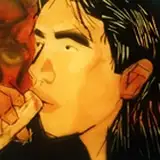
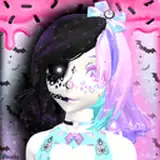
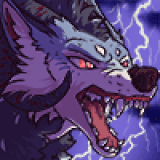
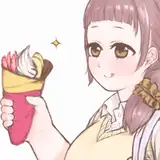
All Amazing Styles Of Fooocus For Automatic1111 SD Web UI and StableSwarmUI also necessary Scripts to generate them
Added 2024-06-13 00:52:00 +0000 UTCJoin discord and tell me your discord username to get a special rank : SECourses Discord
How To Use
Download and extract attached zip file into any folder
For Automatic1111
Then copy paste styles.csv into the root folder of Automatic1111 and restart it to use them
Below is optional for advanced users
convert_foocus_styles_to_automatic1111_style.py file converts all styles in Fooocus installation into styles.csv for Automatic1111 format. This is not mandatory but in case if you want to update
For StableSwarmUI
In the StableSwarmUI, go to the presets tab and click Import Presets
Select the StableSwarmUI_Presets.json file and import them
On StableSwarmUI, all presets have generated with SD3 thumbnail. Used prompt is a cat
Below is optional for advanced users
You can use convert_focus_csv_to_swarm_presets.py file to convert Automatic1111 style csv file into preset json format of StableSwarmUI
To use py files, first edit them and set folder and file paths accurately
Then open a cmd and type python full_file_name.py
If you ever want to update all of your preset images with a new prompt, use Tools > Grid Generator and generate a Grid of all styles with your new prompt
Then put generated image files into a folder
Then edit generate_preset_thumbnails_swarmUI.py file and set new generated images folder path and also existing StableSwarmUI_Presets.json presets file
And execute the script as usual python generate_preset_thumbnails_swarmUI.py


Comments
Yes just upload into folder.
Furkan Gözükara
2024-01-29 13:03:07 +0000 UTCCan I use it on Runpod?
Pallavi Chauhan
2024-01-29 12:00:46 +0000 UTCsampling methods explained here : https://stable-diffusion-art.com/samplers/
Furkan Gözükara
2024-01-05 22:25:45 +0000 UTCCould you clear a quick question? What are sampling methods?
AI Squad
2024-01-05 22:24:41 +0000 UTC