PIXART-α : First Open Source Rival to Midjourney - Better Than Stable Diffusion SDXL - Full Tutorial
Added 2023-12-03 14:01:56 +0000 UTCTutorial Link > https://youtu.be/ZiUXf_idIR4
Please also upvote this reddit thread if possible
Join discord and tell me your discord username to get a special rank : SECourses Discord
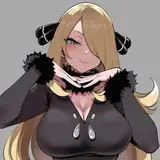
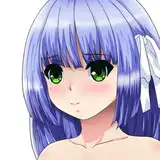
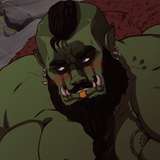
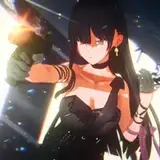
Introduction to the new PixArt-α (PixArt Alpha) text to image model which is for real better than Stable Diffusion models even from SDXL. PixArt-α is close to the Midjourney level meanwhile being open source and supporting full fine tuning and DreamBooth training. In this tutorial I show how to install and use PixArt-α both locally and on a cloud service RunPod with automatic installers and step by step guidance.
The link to download resources ⤵️
https://www.patreon.com/posts/pixart-alpha-for-93614549
Stable Diffusion GitHub repository ⤵️
https://github.com/FurkanGozukara/Stable-Diffusion
SECourses Discord To Get Full Support ⤵️
https://discord.com/servers/software-engineering-courses-secourses-772774097734074388
#PixArt #StableDiffusion #SDXL
0:00 Introduction to PixArt-α: Fast Training of Diffusion Transformer for Photorealistic Text-to-Image Synthesis and the tutorial content
2:38 What are the requirements to follow this tutorial and install PixArt Alpha
3:05 How to install PixArt Alpha on your machine and start using it
3:59 Where Hugging Face models are downloaded by default and how to change this default cache folder
5:44 How to return back to using default Hugging Face cache folder
6:08 How to fix corrupted files error during installation
6:29 How to start PixArt Web APP after installation has been completed
7:24 How to use PixArt Web APP and its features
7:59 Comparing a dragon prompt with SDXL base version
8:14 How to use provided styles csv file
8:40 How to start Automatic1111 SD Web UI on your second GPU
8:50 Where the PixArt Web APP generated images are saved
9:30 How to set parameters in your Automatic1111 SD Web UI to generate high quality images
9:49 PixArt generated image vs SDXL generated image for same simple prompt
10:15 Anime style same prompt comparison
10:55 One another strong aspect of the PixArt Alpha model
11:29 Fantasy art style comparison of SDXL vs PixArt-α
11:52 3D style comparison of SDXL vs PixArt-α
12:16 Manga style image generation comparison between SDXL vs PixArt-α
12:44 Comparing PixArt vs SDXL vs Midjourney with same prompt
13:41 How to use LLaVA for captioning and obtaining prompt ideas and generating more amazing images
16:12 Comparison of PixArt vs SDXL prompt following in details
17:29 Getting prompt idea from ChatGPT and comparing SDXL and PixArt prompt following
19:46 PixArt owns hard the SDXL with this new detailed prompt
22:00 How to install PixArt on a RunPod pod / machine
23:54 How to set default Hugging Face cache folder on RunPod / Linux machines
25:05 How to understand RunPod machine / pod is not working correctly and fix it
26:00 How to properly delete files / folders on RunPod machines / pods
26:51 How to connect and use PixArt web UI on a RunPod machine after it was started
28:20 How to download all of the generated images on RunPod with runpodctl very fast
The paper introduces PIXART-α, a Transformer-based text-to-image (T2I) diffusion model designed to significantly lower training costs while maintaining high image generation quality, competitive with leading models like Imagen and Midjourney. It achieves high-resolution synthesis up to 1024x1024 pixels at reduced training costs.
Key Innovations:
Training Strategy Decomposition: The process is divided into three steps focusing on pixel dependency, text-image alignment, and image aesthetic quality. This approach reduces learning costs by starting with a low-cost class-condition model and then pretraining and fine-tuning on data rich in information density and aesthetic quality.
Efficient T2I Transformer: Built on the Diffusion Transformer (DiT) framework, it includes cross-attention modules for text conditions and streamlines computation. A reparameterization technique enables loading parameters from class-condition models, leveraging prior knowledge from ImageNet, thus accelerating training.
High-informative Data: To overcome deficiencies in existing text-image datasets, the paper introduces an auto-labeling pipeline using a vision-language model (LLaVA) to generate captions on the SAM dataset. This dataset is selected for its diverse collection of objects, aiding in creating high-information-density text-image pairs for efficient alignment learning.
Image Quality: The model excels in image quality, artistry, and semantic control, surpassing existing models in user studies and benchmarks.
Broader Implications: The paper suggests that PIXART-α's approach allows individual researchers and startups to develop high-quality T2I models at lower costs, potentially democratizing access to advanced AI-generated content.
The paper concludes with the hope that PIXART-α will inspire the AIGC community and enable more entities to build their own generative models efficiently and affordably.

Comments
hello. i just added v5. please use it. also as an option use 8 bit loading. this will use the new model cogVLM so you can delete older downloaded cache. older version not supporting 8 bit therefore I changed the model
Furkan Gözükara
2024-02-04 18:13:59 +0000 UTCWhat option should I choose with cogVLM v4, if I have an RTX 4090?
daniel mendoza
2024-02-04 18:08:12 +0000 UTCoh? I was about to try it but now I lost all motivation. pointless
Marco van der Merwe
2023-12-26 18:47:32 +0000 UTCnsfw filter is ridiculous
Kevin O'Malley
2023-12-05 17:38:04 +0000 UTCYes video shows that too
Furkan Gözükara
2023-12-04 21:03:20 +0000 UTCDoes this show how to install it on a RunPod instance?
JCS
2023-12-04 20:55:51 +0000 UTC