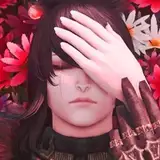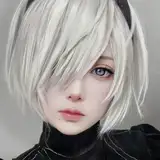
I was able to draw something fairly simple on the new tablet, hope it looks alright. For the most part, it works okay, but there are some things which are extremely buggy... I'm really hoping I can find a way to fix the problems. I'm not sure if they're from the tablet or from me upgrading to the new Mac OS (since I haven't used my art programs since doing that) or a mix of the two...
Here's a list of issues I'm having. I'm gonna try Googling some stuff tomorrow, but if you're familiar with any of these problems and you have a solution, please let me know:
Brush lag. This seems worse in Photoshop than in Illustrator but it happens in both programs. The cursor seems unable to keep up with my strokes no matter how slow I'm going. It causes that little spinning ring to pop up constantly and makes it hard to see what I'm drawing/coloring underneath it.
Shift click doesn't work with the Wacom pen. If I want to select multiple layers or resize something while maintaining proportions, usually holding shift will do that, but it's not working with the pen. It works fine if I use my laptop's track pad, but that's a huge pain when I should just be able to do it with the pen on the tablet.
Excessive line wiggle. Again, this is worse in PS than in AI but I haven't changed any settings in PS since the last time I used it so I don't know why the lines are coming out so wiggly. I tried fiddling with every setting on the tablet/pen that I thought might affect this but it looked the same no matter what I did.
Jagged lines when using the lasso tool. This may be related to the wiggle problem, but I use the lasso tool to select areas to fill with color, the edge is coming out jagged.
Adobe Illustrator window won't stay open on laptop. I didn't test this out much on PS, but with Illustrator, even when I set the window to open on "Desktop 2" which is my laptop, it will either open momentarily or not at all. Even when the tablet is disconnected from the laptop. I do occasionally work on just the laptop without the tablet so this is a bit irritating.
PS won't "save as" anything but .PSD. If I select .PNG or .JPEG from the Save As menu, it still just tries to save the file as a .PSD. If I delete the .PSD part from the file name and manually type in .PNG it works, but I don't know why it's doing that.
Illustrator save pop up box. Every time I try to save the file I'm working on in Illustrator I get a pop up box that says "The file has been changed outside of Illustrator, do you still want to proceed?". Not the end of the world but annoying to have to click this box every time I save.
I have restarted the programs/restarted my laptop and the problems persist. Any help y'all might have, I'd be grateful for, thanks!