こんにちは、うるしはらと申します。自分がAIイラストについて身につけている知識も制作環境も最先端ではありませんが、少なくとも趣味が合う人が面白いと思ってくれると嬉しいです。
レタッチといえば、私個人の場合は「いろんなツール(画像加工·お絵描きソフト、AI自身)を使って、自分が納得できるまで加筆修正する」ことです。
Hello, my name is Urushihara. My research on AI illustrations is still shallow, and my production environment are not so well, but at least I would be happy if people with similar interests find this post interesting.
Speaking of retouching, I personally understand it as "use various tools (software and AI itself) to modify or redraw to my satisfaction."
こういう言い方は開発者に大変失礼ですが、現在(2023年3月)私が使っているAIサービスはそれほど高性能ではない。なので今までPixivに投稿したAIイラストには「無加工の元画像」がほとんどありません。
元画像の内容によると、加筆修正には数十分から数時間かかる。また自分のフェチはあまりにもマニア向けなのて(ボディペイント、WAM、たまにはASFRなど)、AI生成だけでは表現が難しいため、自分の脳内妄想を十分に再現するのにはもっと加工時間がかかります。そこで今回は、私のAI画像加工・修正方法を少し解説します。
It's very rude to say this to developers, but the AI service I'm currently using (March 2023) isn't that high performance. So far, there are almost no "unedited raw images" in AI illustrations I posted on Pixiv.
Depending on the contents of the original image, it takes from several tens of minutes to several hours to correct the image. Also, my fetish is too maniac (body paint, WAM, sometimes ASFR, etc.), it's difficult to express with AI generation alone, so it takes more processing time to fully reproduce my desires. So this time, I will explain a little about my AI image processing and correction methods.
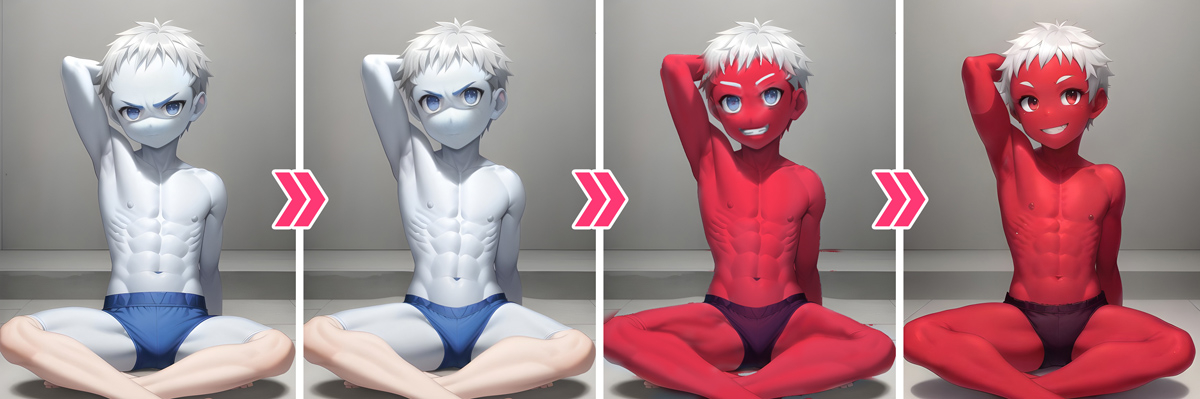
まずは「最もよく使われる加工方法」。私の場合は、やはりPhotoshopの「ゆがみツール」です。このPixiv投稿画像を例に:
First of all, "The most frequently used correction method". In my case, it's "Liquify tool" in Photoshop. Take this Pixiv post for example:
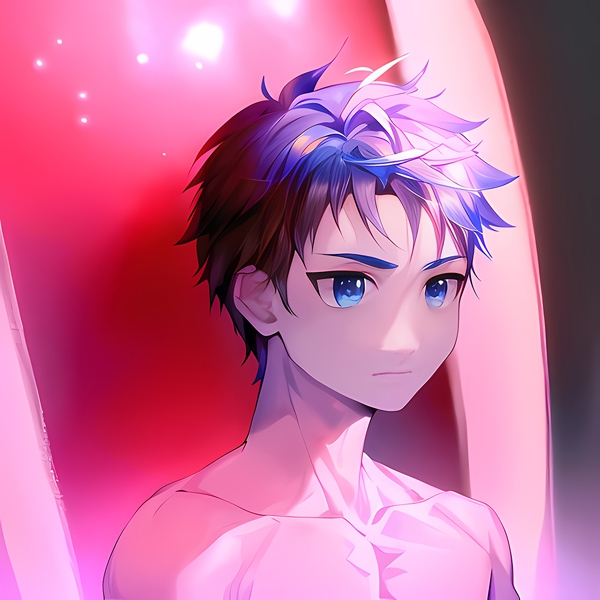
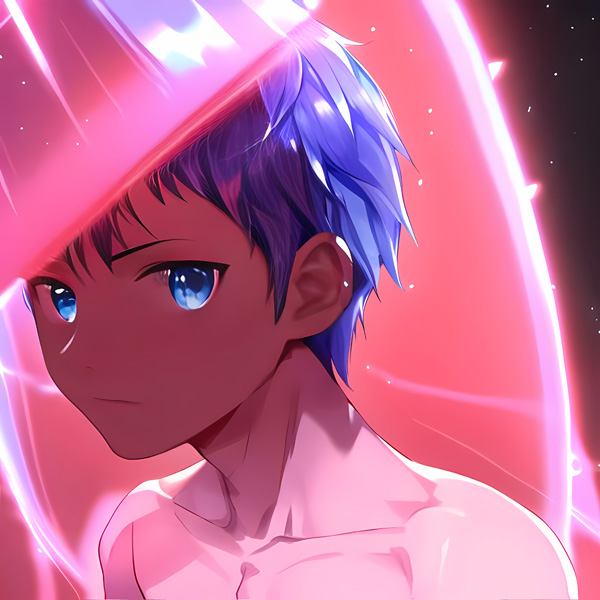
一見普通のショタイラストですが、無加工のAI生成元画像はこちら:
Just looks like a normal shota, but here is the unedited AI-generated raw image:
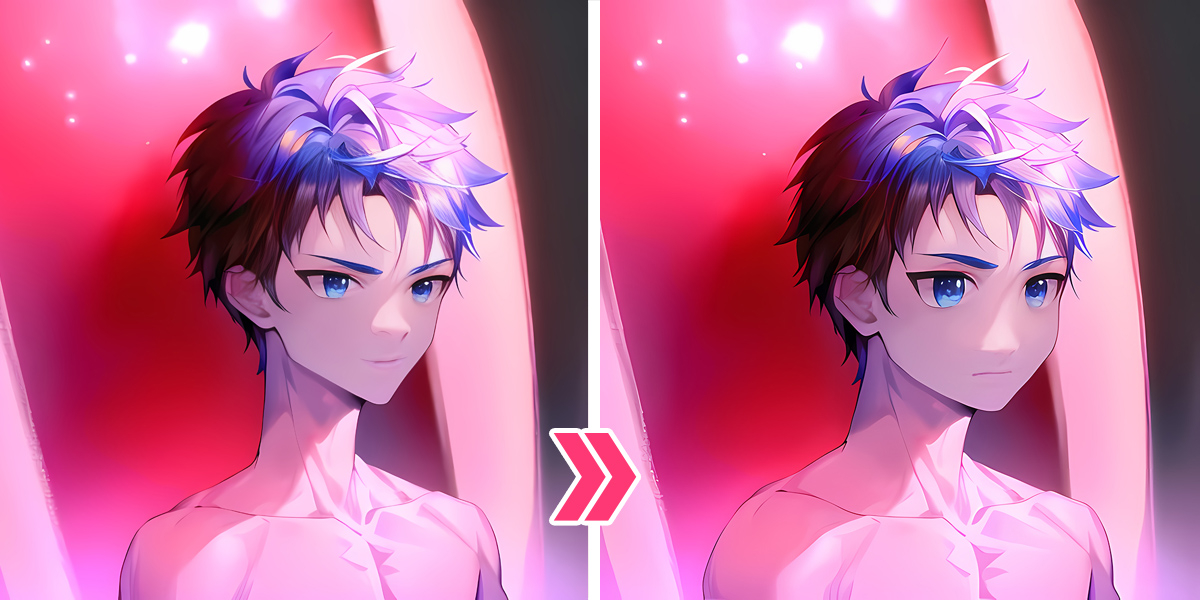
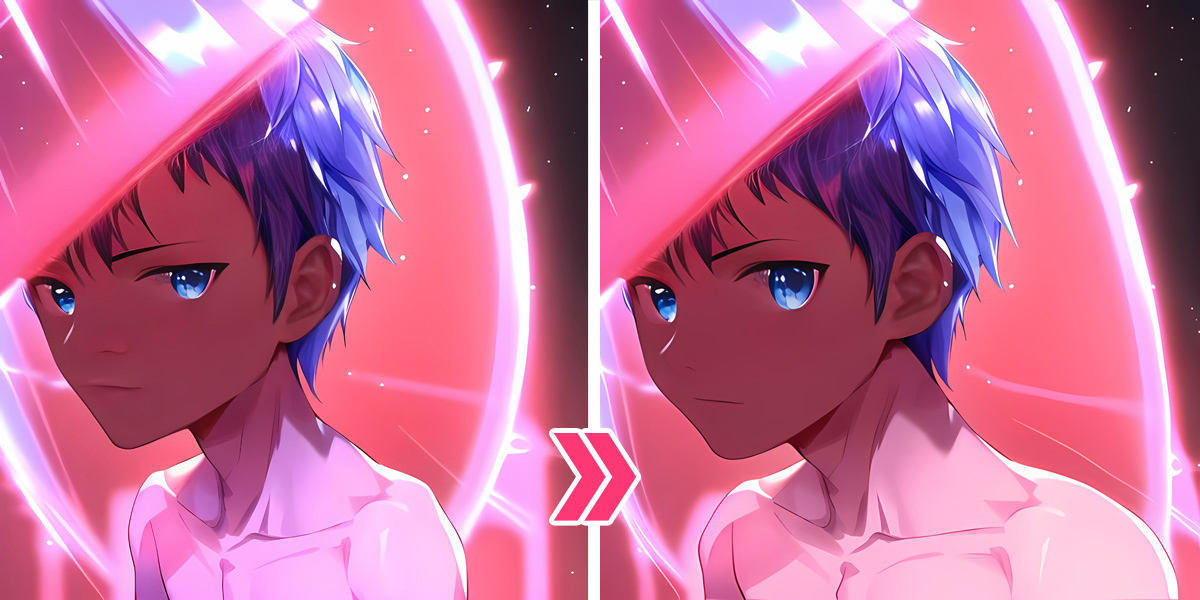
初見で「うーん」と思ったが、髪型は気に入っていて(もともと私は短髪ショタが好き)、一応ゆがみツールで修正してみます:
At first glance I thought "hmm...", but I like the hairstyle (I originally like short hair shota), so I tried to fix it with the Liquify tool:
目を大きくし、顔の輪郭を丸くし、首と肩の割合を修正した結果はこんな感じでした。
After enlarging the eyes, rounding the face, and correcting the proportions of the neck and shoulders, this is the result.
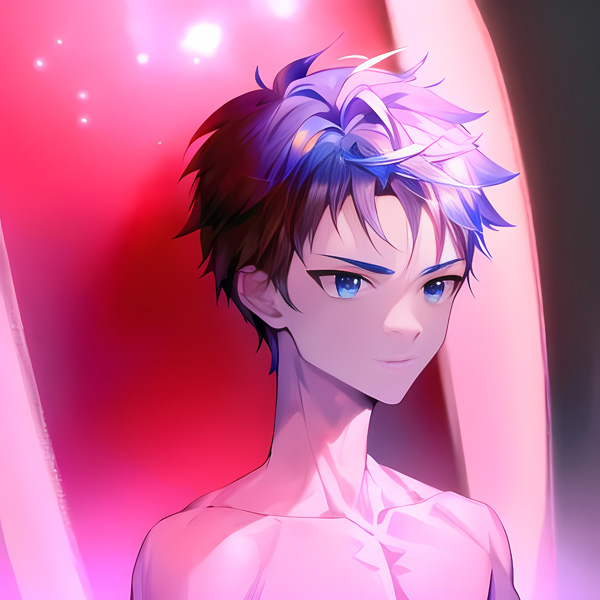
ちなみに同時期にもう1枚の元画像はこちら:
By the way, here is another raw image from the same batch:
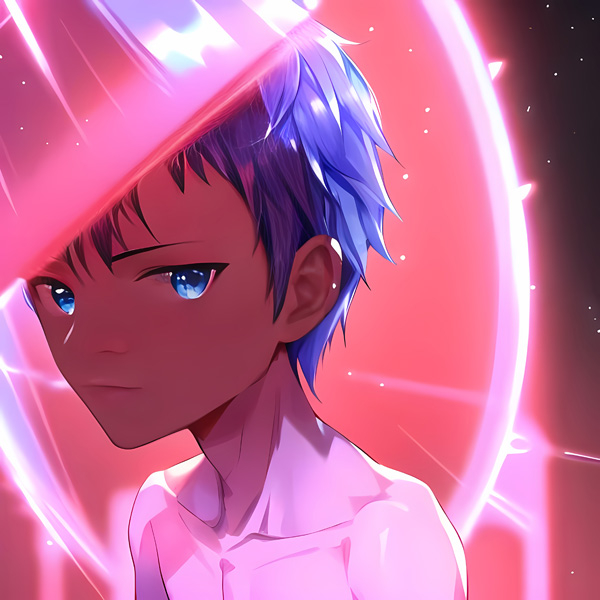
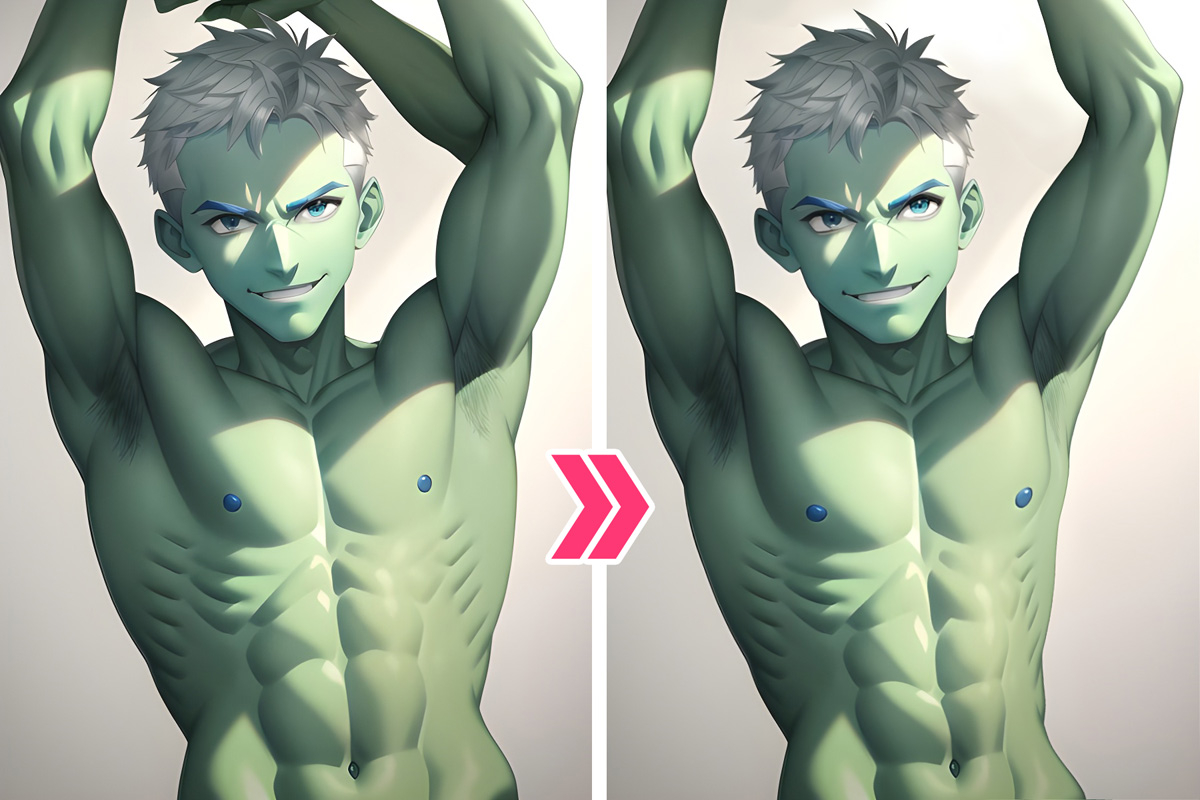
初見ですぐに「ボツだ!」と思ったが、構図やカッコいい逆光感がとても印象的(それと肝心の短髪)なので、こちらもチャレンジとして修正してみます:
At first glance I want to discard it immediately, but the composition and backlighting are very impressive (and the important short hair), so I tried to fix it as a challenge:
思ったよりいい感じですね。これもPixiv投稿バージョン。でも……実は胸鎖乳突筋は少し歪んでいる。なのでここに最終修正版を追加します:
It feels better than I expected. This is also the version I posted on Pixiv. But... the sternocleidomastoid muscle is actually a little distorted. So I'll add the final fix here:
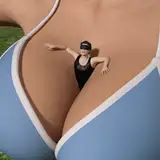
また顔だけでなく、ほかの部分の修正にもよく使われています。例えは:
Not only to the face, it's often used for retouching other parts as well. For example:
余分な腕はマスクで除去され、ほかの部分はゆがみツールだけが使用されています。
The extra arms were removed with Mask tool, and only the Liquify tool was used for the rest.
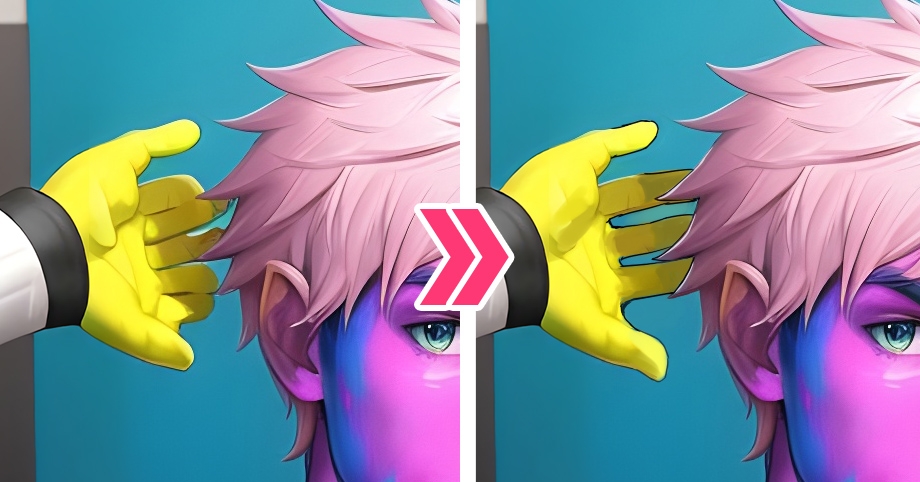
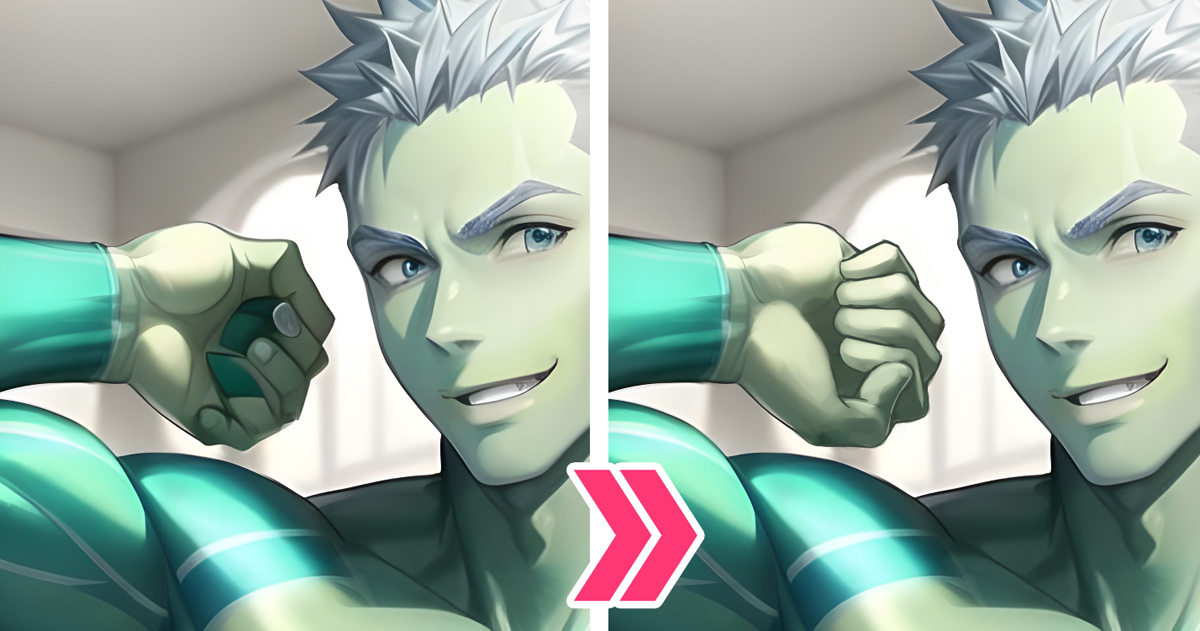
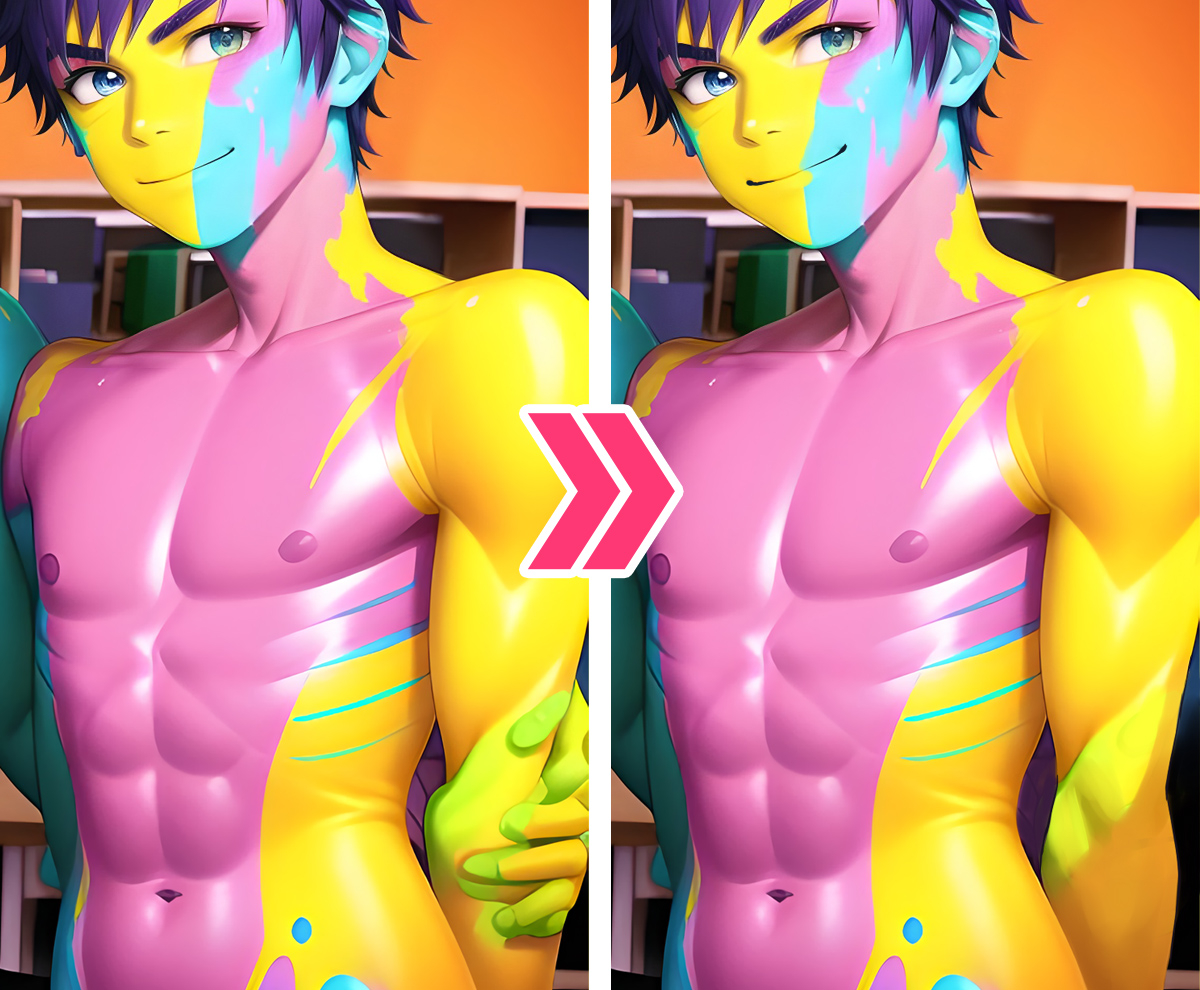
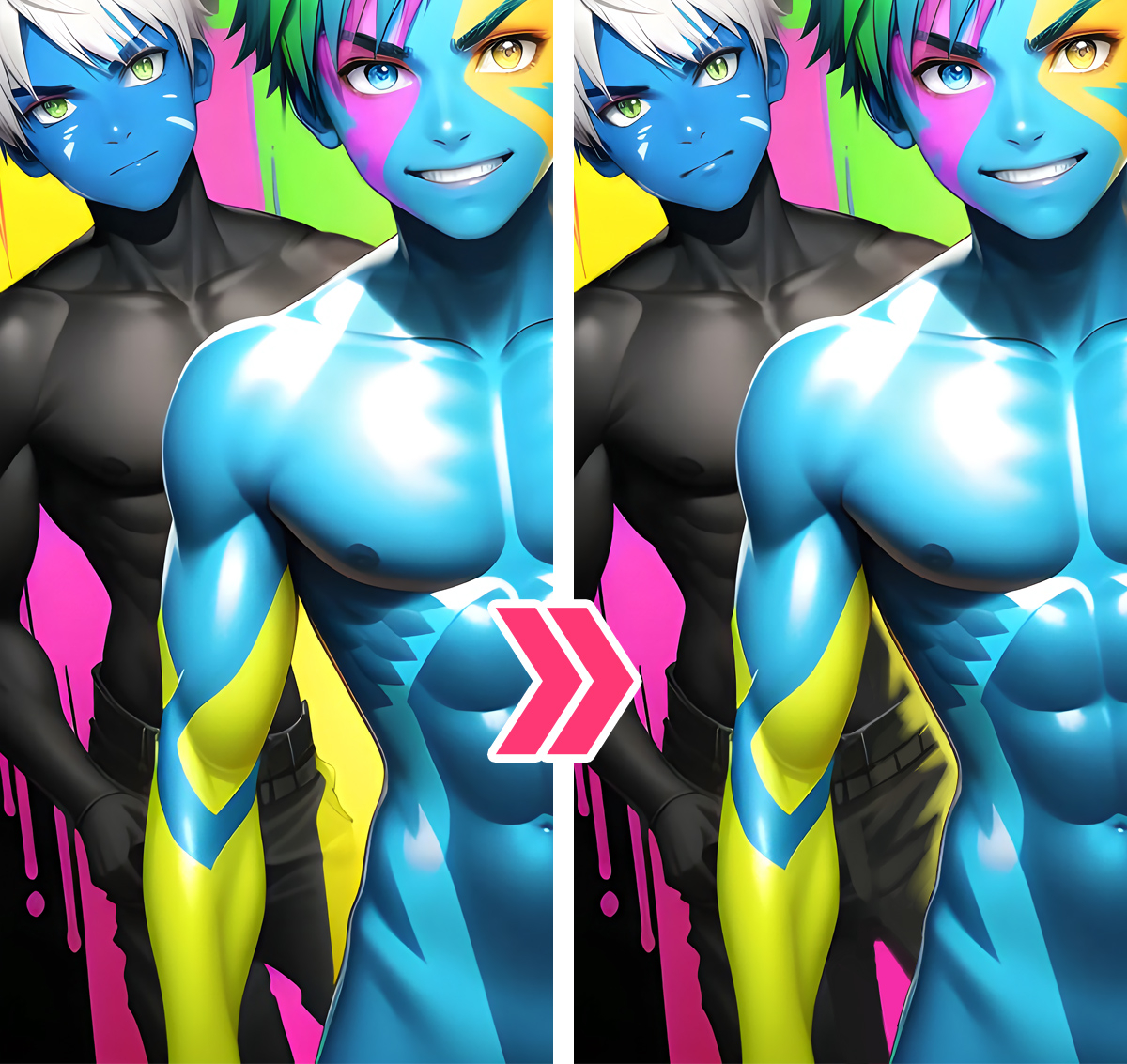
そこで次の問題はミス修正(手、足、胴体など)。皆さんにはそれぞれの対処法がありますが、私の場合はゆがみツール、お絵描きソフトとAIのi2i機能を併用します。例えば:
So the next problem is to fix mistakes (hands, feet, body, etc.). Everyone has their own way of dealing with it, for me, I use a combination of Liquify tool, drawing software and i2i function. for example:
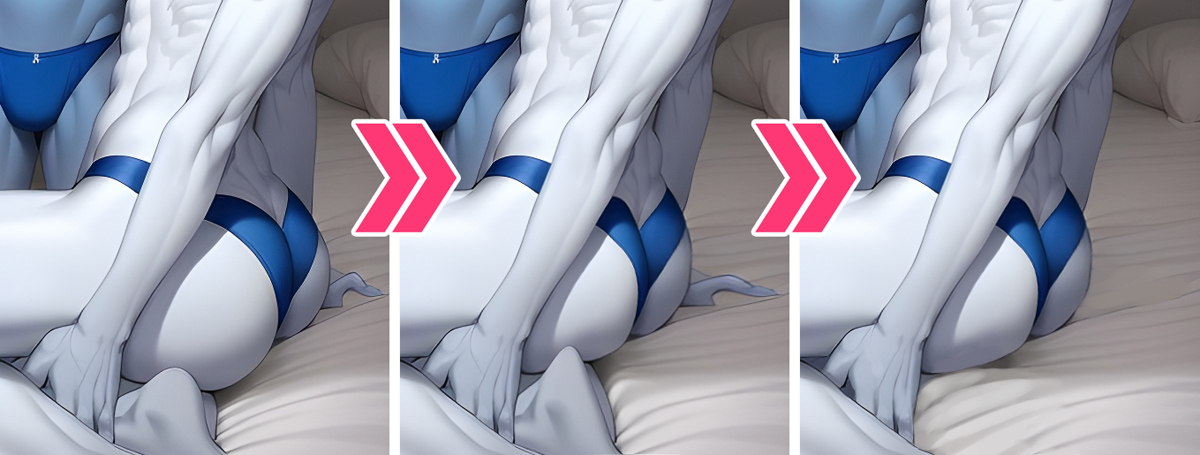
元画像→ゆがみツールでお尻を修正する→手、足とシーツを描き直す
Raw image → Correct the butt with liquify tool → Redraw the hands, feet and sheets
元画像→指をお絵描きソフトで修正する
Raw image → fix fingers with drawing software
元画像→指を最初から描き直す
Raw image → redraw the whole hand
元画像→余分な指を覆い、腕を描き直す
Raw image → Cover extra fingers and redraw the arm
元画像→腕と体の隙間にある胴体を描き直す
Raw image → Redraw the lower body between the arm and body
元画像→腕と肩をざっくり描きます→i2iで画像を再生成する
Raw image → Roughly draw the arms and shoulders → Generate again with i2i
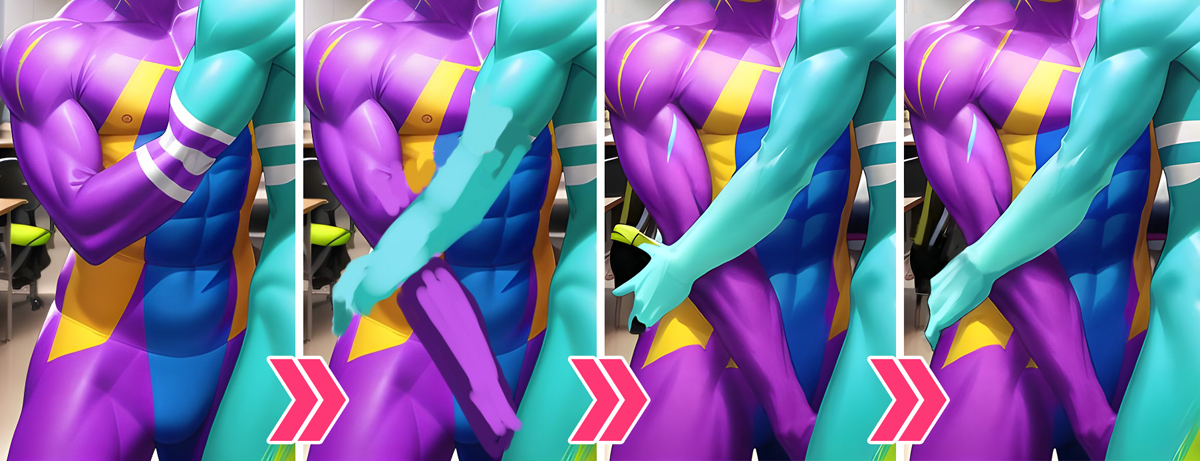
元画像→腕をざっくり描きます→i2iで再生成→手を描き直す
Raw image → Roughly draw the arms → i2i → Redraw the hand
最後に紹介したいのは、特殊効果の加工……前述の通り、自分のフェチ(ボディペイント、WAM、たまにはASFRなど)がAI生成だけでは表現が難しいため、画像加工ソフト(主にPhotoshop)の様々な機能を利用する場合が多い。例えは:
Lastly, I‘d like to introduce is the processing of special effects...As mentioned above, it is difficult to express my fetishes (body paint, WAM, sometimes ASFR, etc.) with AI generation alone, so I often use various image software (mainly Photoshop). For example:
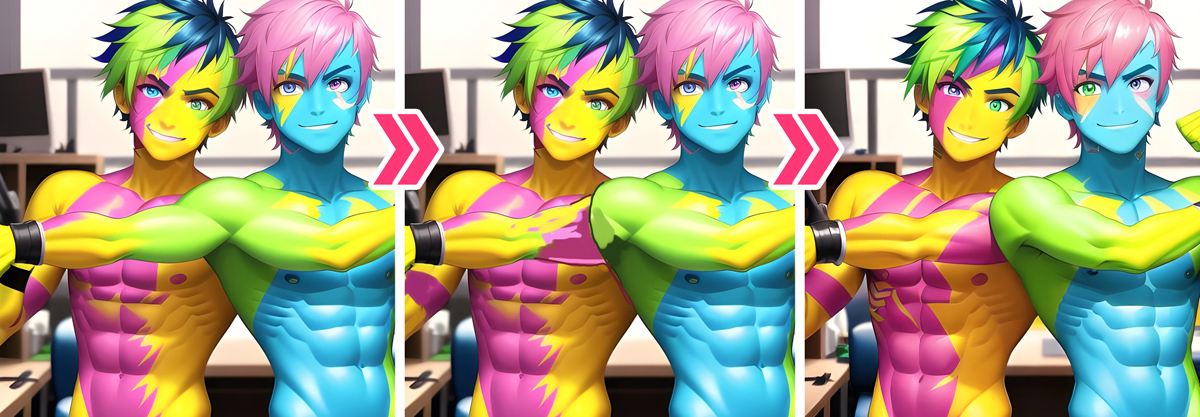
元画像→ゆがみツールで修正する→ボディペイント効果と表情をざっくり描きます→i2iで再生成
Raw image → Edit with the liquify tool → Roughly draw the body paint effect and facial expression → Generate again with i2i
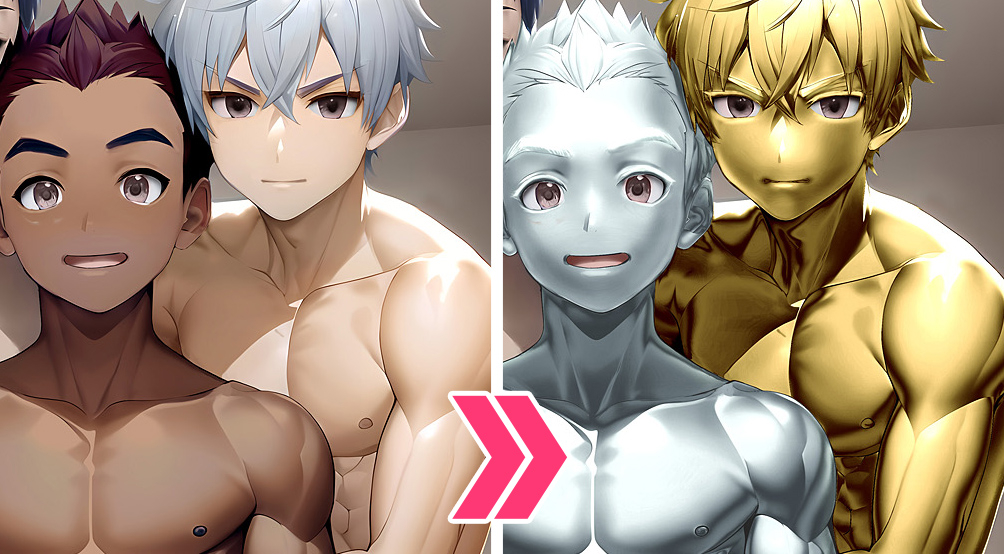
金粉銀粉効果。悔しいですが、これも今の私がまだt2iのプロンプトでは十分な実現できない効果です。なのでPhotoshopのマスクとトーンカーブなどの機能でしか実現できません。 細かく言うとPhotoshop講座になるのでここは割愛します。
Gold & silver paint effect. Depressingly, I still can't achieve this effect with t2i prompt. So I can only use software functions such as Photoshop's mask and tone curve. If too detailed it will become a Photoshop tutorial, so I will omit it here.
嬉しいことに、試行錯誤を繰り返した結果、最近ついにプロンプトだけでボディペイント効果を実現しました……が、画像修正に要する時間と労力、AIサービス利用料も倍増しています。これも私がFanboxを開設した理由の一つ。内容はマニア向けかもしれませんが、興味のある方に支援していただけると幸いです。
Fortunately, after repeated trial and error, I finally achieved a body paint effect with just prompts... but the time and effort required for image edit, and the AI service usage fee have also increased significantly. This is one of the reasons why I opened Fanbox. The contents may be too maniacs, but if you are interested and willing to support me, I would appreciate it very much, thank you.