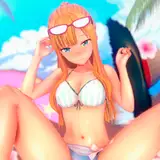
Doujinshi "TOBIKOME NUMA" cover art. production process03
Added 2019-06-07 01:49:26 +0000 UTCpass "fbab"
00:00:00 Working with iMac + Cintiq 24HD + CLIP STUDIO. I cut the background and made it into another layer.
00:00:14 Color painting start.
00:01:52 Create a layer of overlay, create a light circular color surface, and give it a feeling of light coming from behind.
00:03:00 It is work in Photoshop from here. Duplicate the image, paste all the layers into a new layer, create a hue / saturation layer, lighten the color greenish, group the two layers and combine them with soft light. It is a method I always do. For the sake of clarity, it is only slowing down to double speed here. I try the color taste quite variously.
00:03:23 Use Gaussian blur to blur and blend images that are blended with soft light.
Usually, there is work to put the texture after this, but this picture is the end here.