Hello,
Last Dev log I told you guys about the Workstation I ordered.
I managed to build it and everything went well.
I still lost around 3 days of developing due to all the setups I had to do, and boy... was this a headache.
I had connected all my PCs through my home network. This way, I have access to all assets from both games.
I tried everything to establish the connection but I still couldn't get it to work.
At the moment, PC 1 can't access PC2 and PC3 but they can access PC1. PC2 and PC3 also can't access each other.
I spent easily 12-14h on this issue, trying everything from changes to the IP, changing tons of ms.service thingies but I just couldn't access the other PCs and so I gave up and had to look for an alternative.
I now have a second Cloud that is connected to all three PC's and it allowed me to build an entirely new "Work-Network".
The good thing is, I can now work on for example WiAB, on all three PCs.
Before, I couldn't work on WiAB on the SG PC. It would through a huge amount of missing files.
The current PC setup looks like this:
- SG is now on the Workstation and works with 2x3090 & 128GB Ram
- WiAB moved to the old SG PC and now has a 3090 + 2080Ti on 96GB Ram
- The third and oldest PC is only being used to render animations and currently only features a 2080Ti and 64GB Ram.
After I resolved the Network issue, I encountered the next headache.
One reason why I got a third 3090, was to make use of the NvLink.
Hooking it up to get ~40GB of VRam.
But as you can already imagine, NOTHING made it work.
I spent 1-2 days on this issue, constantly re-attaching the Bridge, switching cards, reading manuals, changing and deleting drivers, flashing the bios, updating drivers, etc.
The only thing I didn't do was to reinstall Windows. (It would've rendered all my previous work of setting up the work environment useless.) and I just gave up on it.
I ordered two different bridges to rule out a defect and yeah, I assume the issue is that I'm using mixed cards. (EVGA FTW3 Ultra + Asus TUF OC)
I was in contact with people that know a lot more about this than I do (Thanks Stoya and Hank Rockwell.) but even they didn't know what was wrong.
I kept one of the Bridges and I'll see that I can get a matching 3090 in the future. The other one would then go into the animation PC. (Which renders so fucking slow on a 2080Ti.) 120 Frame animation in 13h.
After I gave up on this, I encountered a new problem. I was locked out of the hard drives. (I switched my drives from the SG PC to the Workstation and gave the now WIAB PC a new 8TB drive.)
Took me a while to find the solution but gladly, I did.
One thing that is really grinding my gears is that Daz abandoned the ability to save materials for animation frames.
Short explanation: For every frame, the software needs to load in all the materials. Which isn't a big problem in small environments. (Still annoying.)
But now imagine the new WiAB House of the MC. (Or the basketball environment in Chapter 3,5. That's actually a reason I aborted one planned cinematic for Chapter 3.5.)
A TEST RENDER with 90 frames and just 75 iterations on 2x3090s took over an hour.
The actual render process of 75 iterations takes 5-10 seconds. Loading in the materials about a 45sec-1:15min.
Back in the day, you could save the materials by keeping the Iray preview on but these morons removed it for whatever reason and it's putting a huge dent into my render times that I just can't influence.
The example above is just for a test render. Trial and Error.
(Blender offers an option to keep all materials loaded.)
Alright, enough ranting.
Now that the dust is settling, productivity will reach 110% again.
I actually don't have any previews for today.
I arrived at the second cinematic for the Tabletop session and I'm going to preview a bit of it when I'm done with it.
WiAB is releasing very soon and this is also going to lift some pressure off my shoulders.
I'm making much better progress with Chapter 4 than I did with Chapter 3 or 3.5.
Actually, I feel weird not showing at least a single preview.
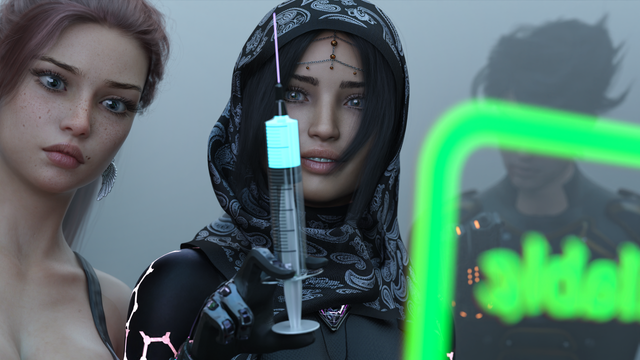
4k version attached.
I'll keep you guys updated.
- Ocean
Nercio Nercioatual
2021-12-14 16:57:42 +0000 UTCOceanlab
2021-10-27 17:13:12 +0000 UTCNiklas Nosber
2021-10-27 00:37:57 +0000 UTCJayjino
2021-10-22 10:33:06 +0000 UTCOceanlab
2021-10-22 08:54:09 +0000 UTCPax
2021-10-22 01:41:24 +0000 UTCJoseph
2021-10-22 00:13:16 +0000 UTCFelix.J.Fry
2021-10-21 21:21:01 +0000 UTCbgray9054
2021-10-21 20:18:16 +0000 UTCJill Valentine
2021-10-21 20:02:53 +0000 UTCCrowangel Gaming
2021-10-21 20:01:41 +0000 UTC