Naked Ambition Art Process
Added 2020-01-22 23:25:26 +0000 UTCNaked Ambition is a game with a lot of art in it. But as you have probably noticed from my previous games, I'm not exactly a great artist. So how did I get all of it made? Let me show you.
All art starts out the same way I make the 3D renders for my other games.

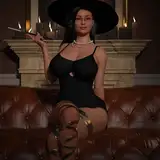
Here's a character from Naked Ambition. All well and good, but it certainly looks nothing like the pixel art style the game uses. The first big difference in how these are rendered differently from my normal work is all about the shaders.

This is the first render needed for the process. It uses flat shaders with no shadows. This serves to try and reduce the number of colors in the render. The finest project will have very few colors, so the less shades we start with the better.

This is the second render. It's essentially the opposite of the first one as it measures only shadows and not color. The next step is to composite these two together.

By doing this we get a sort of cell shaded look. In the final image shadows will only be one color, so this is ideal for downscaling. The red background is to make it easier to cut out once downscaled.

Here is the base image the final version will be built off of. I use a special program to both reduce the resolution and to adjust it to the final color palate. Since the art style of the game is trying to emulate mid 90's PC games, it's important that the colors used in each piece is carefully controlled.

This is what it looks like after I've cleaned it up by hand. It looks okay, but not very good. Unfortunately we've reached as far as my artistic skills can take us. Time to call in the big guns. An actual artist.

That's looking better! From here, I have the base image that will be used for the character in game. Things like adding eye blinks and eventually animation can be done from here.
And that's the how I get from a 3D model to a 150x250 sprite.