Behind the scenes: Daz3D
Added 2019-01-20 02:24:51 +0000 UTCHere's the first in a new series of posts for you $10 Patrons, behind the scenes content. If you enjoy this post let me know, if you'd rather see something else for the $10 level, let me know as well.
For TF Card Battle and Calibration Error, I create a large quantity of 3D renders. These are made using a program called DAZ 3D. Here's an example of what a shot looks like as I'm creating it.
In this scene is the model, lighting and props. I use the Gensis 3 series for the models and Nvidia IRAY as the lighting engine. To create the shot, first I have to alter the model to look how I desire. For this I have a series of plugins that allow me to easily change proportions via various sliders. For this shot, as it's for the Futa TF, I've added a seperate cock genetalia package and done my best to make it match the tone of the texture I'm using for the models skin.
For TF Card Battle render sequences, I use a female base all the way through, changing out the cock for a vagina part of the way through anf gradually returing the body to more womanly porportions. I do this to make the transition more seamless as it can be hard to match a jump from a male to a female character model base.
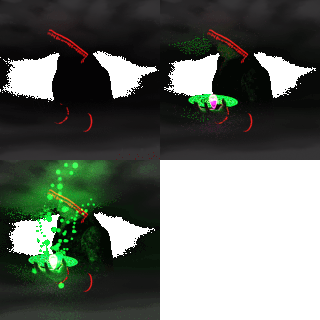
This picture is an example of my generic lighting setup. I use a three point lighting system. One key light from the right side, a fill light from the left side, and one head on behind the camera to soften shadows. If I use using backgrounds, I would also use a fourth light from behind the figure to help the model pop. Not using backgrounds was originally a practiacal deciaion because my computer was so slow. It could take an hour to render a simple shot with just one model. Now with my upgraded rig, the same computation takes about 2 minutes! But I've kept the same restrictions to make the renders consistant. 
This image is the 4 stages of the player avatar in Calibration Error. From start to finish, the same basic model is used, just with different hair. Like in the TF Card Battle render sequences, the body porportions are adjusted as the transformation progresses, the most obvious changes being to the genetalia and breasts.
I hope you enjoyed this behind the scenes look at how the renders in my games are made.