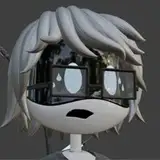
(Model by Jama Jurabaev)
Hey guys, so I finally got around to getting back into the VR space which is something I've been wanting to do for a while. A friend of mine shared with me some Gravity Sketch videos and that got me wondering about it.
So, I ordered a Quest 2 and set it up and running. Played with grav6ity SKETCH for 5 hours straight. So far, so good. Couple first impressions:
1. Very fun!
2. Definitely need to learn muscle memory. Takes awhile to figure out how to move around, select tools, etc..
3. The interface could definitely use some work. Lots (and I mean LOTS) of hidden features which you should just be able to figure out or find reference (tooltips, videos) for. Be nice if they had better help and tutorials as many are not there-- like how to rotate an object, how to copy an object, etc..
4. Seems like there are lots of missing features or some just not well implemented. How often do you want to place a cube at some random rotation value in 3D space? Well, that's the default and unless you go digging and figure out you need to change different grid settings, or creator settings and combine them with a finger-breaking combination of button presses while twisting the controllers in every direction-- ugh. I did figure it out, but it's way harder than it should be. Just click the cube and have it drop in.
5. They have a "catch all" for all the tools they either forgot, or couldn't figure out how to implement-- called the "toolbelt" and it's a "beta" feature. There's a banana, a magnifying glass, some random dice thing and an eyedropper/paint brush. Plus there's something on the far left I couldn't figure out-- no tooltips or help on it either. The problem with it is each "tool" is modal, and they go away once you figure out how to use it. For instance, the gizmo tool, with it's 73 different key press combo functions, disappears as soon as you adjust something and then try to move something else in a direction using the controllers stacked interface. Couldn't figure out how to make the gizmo stay on screen. They really do need to incorporate the gizmo tool into the primary workflow-- because who doesn't want to move things in accurate ways? Currently you grab an object and then they just move anywhere you want with any rotation you want-- very inaccurate. You can of course use the align controller thing, but that's extremely tedious when just trying to move something around on the floor plane (that's what gizmo is for).
6. I understand their main customer base is car designers, but truth be told, the SubD tools are far from complete-- they're not even that good. Most can do this stuff 100X faster in your modeler of choice. That said, I can see how valuable it is for creating continuity surfaces for car designers though. Working in 3D space is really helpful when evaluating complex surfaces. That's huge.
7. Creating wires, pipes and cables is WAY faster than anything on the 2D computer. And, by a lot.
8. They don't have booleans yet, and I suppose that has a lot to do with a) hardware limitations and b) b/c it's a hybrid modeler, I suspect they would have a hard time figuring out how to boolean basic shapes vs nurbs vs SubD. Currently it's really hard to create accurate holes (those who use SubD already know this).
9. Overall, they should definitely create some better in-app documentation in the form of "How do I"? Currently, you need to watch 30 or 40 videos they and others have made on YouTube to be able to figure things out.
10. I really like the Collab concept, but while I have a Collab room, I can't figure out how to invite anybody to it. Again, needs some better documentation.
I believe the sweet spot for me and this program is as a conceptual sketching drawing tool and it's ability to design to room scale objects. I saw where Jama had a dino model in the Gallery and it's clear he's figured out how to maximize the positives and ignore the negatives by using the fast drawing tools. That's my plan moving forward. I also like the fact you can import OBJs into here, which, combined with Collab, makes for great design review software.
Also, it appears kit bashing is a thing, so exporting KPACKS with BATCH as objs should be a thing, assuming there are no cutters (no Booleans).
There is certainly lots of potential. For me, they've gone a bit off track trying to make it a full-on subd modeler. I watched the labored videos for creating e-bikes and Bobba Fett helmets-- both which take only a fraction of the time in Blender. Still, I suspect most of their revenue comes from car design interests, so SubD may be the only way to make that work.
Of course, these are all first impressions and should be taken as such. But, sometimes first impressions are important.
Jake Carvey
2021-11-07 15:04:31 +0000 UTCChipp Walters
2021-11-05 10:50:09 +0000 UTCMatt Van Gorkom
2021-11-05 02:09:33 +0000 UTCChipp Walters
2021-11-04 22:02:41 +0000 UTCJon White
2021-11-04 21:37:12 +0000 UTC