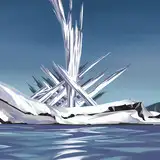
Here's a quick drag/drop volumetric spotlight you can use in EEVEE for some night scenes or whatever. It's fairly simple to adjust color and intensity. It's VERY low overhead as it uses emission shaders to create the effect-- so you can add tons of these to a scene if you want to.
And because it's total emission, it does not create shadows, so if you want shadows, parent a spotlight to the top and you're good to go.
You do not need to add any volumetric shader to your scene when adding this light (though you can if you like). Hope you like it!
IMPORTANT! When you unzip this file, you will find a single KPACK (folder) called "EEVEE-spotlight." Just put this folder in with any other KPACKS you already have. Do not use the prefs pane to add it because the folder IS NOT a MasterFolder. Just add it to an existing MasterFolder (next to other KPACKS) and you should be good to go.
OR..alternatively, just take out the .blend and .png file and put them in an existing KPACK folder. Don't forget to refresh your MasterFolders list (or just quit/restart Blender).
Enjoy!
Danny Bouchard (Butch6414)
2021-02-18 18:16:32 +0000 UTCXx_alpha_omega_xX
2021-01-19 15:27:36 +0000 UTCTilman Sommer
2021-01-18 15:51:05 +0000 UTCDrzigzag
2021-01-18 15:46:30 +0000 UTCSpaceCrawler
2021-01-18 11:53:38 +0000 UTCThiccarrdo
2021-01-18 05:01:16 +0000 UTC