NokiMo
chippwalters
chippwalters

patreon


2X playback with commentary of Comm Device Build

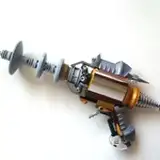
Here I'm showing how I designed and built this Comm Device model in less than an hour, INCLUDING converting a great HUD decal pack to KIT OPS using BATCH.

The file is included below. 

Some interesting bits, including the compositing settings and the EEVEE lighting. I need to do a tutorial on why I use EEVEE renders more than Cycles-- they are in many cases actually better. I've already converted some hardline Cycles users to EEVEE only and should document some of that!

2X playback with commentary of Comm Device Build

Comments

Hi Chipp. Maybe I missed something, but I can't find the BATCH install file. I purchased Kit OPS 2 PRO from Blendermarket, but the download for BATCH is not there. Can you check to see if something happened to the download files to see if it wasn't accidentally deleted?

Scott Holden

Please check out the 14:38 time on this video: https://youtu.be/ZmjmyTb1SiU

Chipp Walters

I don't know how I managed to completely kludge this thing up, but I did. Just 2 examples - after carefully following your steps, my decals and thumbnails did not end up in their own folder, and second, the "Flat screen 01" insert does not have any materials attached. Can you send me a link for step by step instructions on how to convert the HUD decals to KitOp inserts? Thx.

Michael Lynch

You install BATCH just like you install any other addon, just go to prefs, locate the zip file you downloaded, and install it. You can find the addon in the N panel, right below KIT OPS 2 PRO. Please make sure and have KIT OPS 2 PRO installed before BATCH. Also, please see the manual for more information.

Chipp Walters

Is there a video that explains how to install KitOps Batch? How to get the UI to show up in Blender for example. I'm missing a step even after having consulted your regular videos on the topic.

Mark Pratt

Im all about EEVE since Ive meet you, LOL. I think its cleaner for products and making cool looking boxes

GREEZYBEAR

Well done CW. Lot's of tricks in a minimum timing

Gilax

Hi Chipp, i can´t add the hud decals to my decal mashine Lib. Are their compatible to Decal 2.0?` How do you added them? cheers

Marco

Awesome design Chipp!!!

Jim Hinkle

I got them from https://www.artstation.com/artwork/e0XwKZ

Chipp Walters

Hi Chipp... Where can I get the HUD Decals?

Marco

Thanks for that, Chipp!

Ricardo Guimaraes

Awesome!

Phillip Park

ah yes

masterxeon1001

oops, still uploading... give it a few minutes.

Chipp Walters


Related Creators