Crybaby Axel process
Added 2019-05-04 13:00:26 +0000 UTC
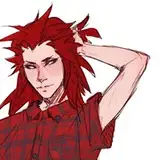
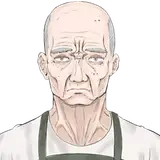
Another older piece, if only to give you some content x) I chose this one because it's fairly simple so you can see the changes easily and making it included some messing about.
- 1. initial sketch, originally drawn really small (thumbnail) so I can make sure the important bits are clearly defined
- 2. actual sketch! Changed him from looking down to glancing up
- 3. inks! Blacked out more than in the sketch, but I still feel I should've added more. Also decided to do the tear separately, because I couldn't decide how to make it look
- 4. Flat colors!
- 5. Basically the same as #4, just with some subtle variety added to his skin. This has become one of my fav steps because it's a simple way to make it all more three-dimensional and alive. I keep the original flats as a separate layer to make color selection easy.
- 6. Shadows! No layer effects here, I just copied the previous layer and adjusted the colors with Curves and Color Balance tools to fit, then used a layer mask to "paint" that layer only where I wanted it.
- 7. Color holds! Ie I locked the pixels on the ink layer and painted some of the lines different colors. This way I can make my lines work as "shading" too.
- 8. Highlights! Blue highlights on a Screen layer. Tears are on a separate layer above the inks.
- 9. On to adjustments! I wanted this pic to have a cold and misty feel, so I added a blue gradient layer on Screen and 50% opacity, masked to cover only the line art.
- 10. I love messing around and trying out different textures for possibly surprising effects. This one was a random experiment and I loved the texture it gave his skin and how it brought out the previous blue gradient. Layer is on Divide and 23% opacity with this image.
- 11. While I loved the first texture, it made the colors less blue than I wanted. So I added another texture image that was also a blue gradient. On Soft Light and 40% opacity, this image.
- 12. Added the tear!
Looking back I kinda wish I had cropped the image like this

But I wanted to keep the misty shadows as much as possible. So :B