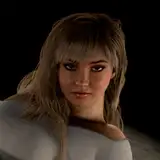
Just add all 3 VAR files to your AddonPackages folder. The second image shown is a screenshot of what you'll see when you open the VAR. All assets included (on the second image).
Hair credit: NoStage3 He's awesome. Check him out here:
Tim
2020-04-27 02:32:11 +0000 UTCSkua0169
2020-04-27 00:18:22 +0000 UTC