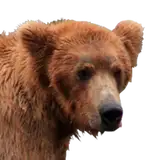
Version 0.26f (Update f)
Added 2025-06-15 00:14:42 +0000 UTCHello friends, this is the newest Update 0.26f. So, What's new?
The main focus here is the second sub test, in the gym, against Duke. It will be a hard fight, needed to see the true ending on the Sub route of Ursus. This fight is exclusive for the sub route.
Also, Duke has been added to the VR section on the Home PC. Again, his 3 scenes must be viewed again for them to show on the menu.
The next update will feature the test but on the dom's perspective. Expect it real soon, I'm already working on it. Thanks for all your support, guys.
The cheat password is the same as 0.26.
Download links
Install instructions:
For Windows/MacOS/Linux:
Just unzip the Grizzly Grove folder and double click Index.html. It will open your browser of choice and start the game.
For Android:
Method 1 (File Manager Plus)
Download File Manager Plus and Rar Apps. Both of them are free on the Play Store.
Using your browser of choice, download the latest version of the game off this post (I used Chrome)
Once you download the game, Open the Rar app and open the downloaded .zip file. Extract and take note of the folder you extracted to. I usually have something like Download/Grizzly Grove but you can put it wherever you like.
Open File Manager Plus. Navigate to the folder where is the game, and locate the Index.html file. When you open it on file manager plus, it will ask you to select the app to open it, I used Chrome.
It will open up the game in Chrome. Now you can play normally.
Method 2 (Joiplay)
Download Joiplay from their Patreon page (It's not on the Play Store anymore. It's still free on Patreon) and Rar (to open .rar and .zip files on Android) from the Play Store. They are free.
Using your browser of choice, download the latest version of the game off this post (I used Chrome)
Once you download the game, Open the Rar app and open the downloaded .zip file. Extract and take note of the folder you extracted to.
Return to joiplay, and click on the "+" icon on the corner of the screen. Give a name to the game and tell it where the HTML file is (is in the folder you extracted in the prior step).
Optional: you can find an icon for the game on the media/general folder.
Optional: In case the game is not saving or loading savefiles, go to Configuration->HTML. Enable all options. Save changes. Now you can save and load savefiles as always.
The full details of the Update can be found under the changelog section on the main screen.




























![Dianus [nonhumans]](https://nokimo.com/istorage/33201.jpg)