Hunyuan Video Lora In ComfyUI - Generate AI Video With Specific Character Style
Added 2025-01-07 13:00:11 +0000 UTC
Video Tutorial: https://youtu.be/i0AhvXihF74
Advance Content For Patreon Supporters: https://www.patreon.com/posts/119485278
Unlock the full potential of Hunyuan Video by integrating Lora Models without installing any additional custom nodes in ComfyUI! In this tutorial, we show you how to seamlessly incorporate Lora models into your Hunyuan Video workflows, enhancing your AI-generated videos with custom styles and characters.
What You'll Learn:
Step-by-Step Setup: How to load and use Lora models in ComfyUI's Load Diffusion node for Hunyuan Video.
Model Management: Organize your Lora models in the ComfyUI models folder for easy access and use.
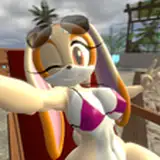
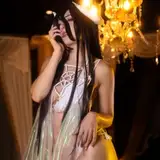
Practical Examples: See how different Lora models can transform your video outputs, from anime styles to character-specific training.
Performance Tips:
Learn about using fast videos Lora to optimize generation times while maintaining quality.
Comparison:
Understand the difference between using fast videos Lora and standard sampling steps for video quality.
Why This Matters:
Enhanced Creativity: Add unique styles and characters to your AI videos without complex setups.
Efficiency: Save time by using Lora models directly in ComfyUI without additional custom nodes.
Flexibility: Apply various Lora models to achieve the desired look and feel in your videos.
Perfect For:
AI video creators looking to add custom styles to their projects.
ComfyUI users interested in expanding their AI video capabilities.
AI enthusiasts eager to explore new techniques in video generation.
Don't forget to like, comment, and subscribe for more AI video tutorials and tips!