MimicMotion_workflow_img2img-RestyleFrame-v1 (For Patreon Supporters)
Added 2024-07-05 15:43:02 +0000 UTC
This is a tutorial and workflow for Patreon Supporter and Above membership level.
Based on the Youtube video on the public : ComfyUI Create AI Influencers Dance Video Wtih Minic Motion. https://youtu.be/oQT5AwReRgM
We have talked about how to use the basic workflow from MimicMotion.
This Tutorial , we are going to more advance and customizable features, by using MimicMotion to create a character motion video.

So the workflow are divided in 5 groups.
Reference loader - Load in your reference video, it can be a normal video or a DWPose stick man video.

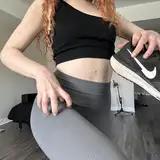
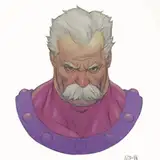
img2img Restyle - This group are using for create an image for MimicMotion Ref_Img.
It is based on an image frame of the Reference loader group output. For example, if you have a complete face-front, full body shot of a dancer from the reference video, you can set the Load Video frame cap and skip frames targeting to the timing of the reference video to capture the frame. (This group only take the first image from the image list.)
Then the rest of this group is just img2img features, you can configurate the Text Prompt, Sampler to create image that you prefer. Of course, if you have good reference image already then you can skip this part.

But one thing to do before you create an reference image for Mimic Motion. Is to ONLY enable Reference loader and img2img Restyle group in the Group Bypasser node. Until you get a good image you want, then we can move on to the next step.

Next step , Disable the img2img Restyle and Enable all other groups
Copy the generated image from img2img group, Copy to Clipspace

Then right click and choose Paste (Clipspace) , on the Load Image node in MinicMotion Output group.

In the MinicMotion Output group, we are ready to rock and roll.
You shouldn't have much setting need in this group, the only thing to be pay attention to is, Load Image for reference image, and Pose Images from Load Video.

For the reference pose image (the reference video), here is something you have to be aware of.
As I have a Note in the workflow "Use Img_ref_video_resized if you don't need SEG group
Otherwise , use Mask_Img_SEG_Obj"
So in what scenario do we need to use Mask_Img_SEG_Obj?
Answer is when there's multiple people on the screen in reference video.
As I try it, running this framework with multiple people on the screen. In some cases, a dancer as the main character on the front, and some people walking on the background.
It will also affect the DWPose to automatically get pose of those people into the stick man pose.


This kind of background will cause MimicMotion Pose node getting wrong stack of Pose array.
Therefore, we need a Segmentation group to take in before pass the reference video - image frames into the MimicMotion group.

I have tutorial and many of my AnimateDiff workflows have this group. You guys should be familiar with this one :)
So once we have segmented and get the only character we want. It will be safe.

Because MimicMotion are only take the DWPose stick man from the reference video image frames as the output motion guideline.
So the look and style of the reference video, it doesn't matter anymore, not like AnimateDiff V2V.
Lastly the MimicMotion group pass data to Faceswap Upscaler group , then the whole process is done.

I find out this framework take a lot less memory consuming than AnimateDiff.
I am able to generate a 18 second video, 1 take without setting frame cap. (And I am using GTX 4090) It can consumed over a thousand image frames without lagging or freeze my PC.
And next, what I might do for this workflow.
Detail Enhancement
Format it for server runnable version.
Attached file on this workflow "MimicMotion_workflow_img2img-RestyleFrame-v1"
Feel free to ask question in the comment section if you catch into issue running this workflow.
Enjoy!
Resources:
https://tencent.github.io/MimicMotion/
https://github.com/tencent/MimicMotion
https://github.com/kijai/ComfyUI-MimicMotionWrapper
Comments
here the answer: 1 - check out how to build your own face model using your character face images : https://www.patreon.com/posts/better-way-to-ai-108662611 2 - Upscale model can be download in here : https://openmodeldb.info/ put it in Comfyui/models/upscale/
Benjamin Law
2024-08-28 09:08:51 +0000 UTC1. face_modle in load face model is "none"; 2. upscale_modle in cr upscale image is "undefined". Where to download the relevant files and put them in that directory
hao wang
2024-08-28 04:28:08 +0000 UTCError occurred when executing GroundingDinoSAMSegment (segment anything): 'Sam' object has no attribute 'image_size' File "/scr/lab_data/yash/ComfyUI/execution.py", line 152, in recursive_execute output_data, output_ui = get_output_data(obj, input_data_all) File "/scr/lab_data/yash/ComfyUI/execution.py", line 82, in get_output_data return_values = map_node_over_list(obj, input_data_all, obj.FUNCTION, allow_interrupt=True) File "/scr/lab_data/yash/ComfyUI/execution.py", line 75, in map_node_over_list results.append(getattr(obj, func)(**slice_dict(input_data_all, i))) File "/scr/lab_data/yash/ComfyUI/custom_nodes/ComfyUI-SAM2/node.py", line 311, in main (images, masks) = sam_segment( File "/scr/lab_data/yash/ComfyUI/custom_nodes/ComfyUI-SAM2/node.py", line 224, in sam_segment predictor = SAM2ImagePredictor(sam_model) File "/scr/lab_data/yash/ComfyUI/custom_nodes/ComfyUI-SAM2/sam2/sam2_image_predictor.py", line 42, in __init__ resolution=self.model.image_size, File "/home/yash/.local/lib/python3.9/site-packages/torch/nn/modules/module.py", line 1729, in __getattr__ raise AttributeError(f"'{type(self).__name__}' object has no attribute '{name}'") hey i am getting this error any idea
Yash Tomar
2024-08-08 01:59:14 +0000 UTCShould try on difference setting. Each image cam be different
Benjamin Law
2024-07-15 05:23:48 +0000 UTCHello. I made withbthis workflow but i think video is blurry. Should I change any setting? I used same as you but different models.
Jonathan Oh
2024-07-14 23:35:41 +0000 UTCYup, just pong me there or yell Benji, I will be like AI genie pop up
Benjamin Law
2024-07-09 10:04:21 +0000 UTCOk, later i come on Discord, thank you...
Luisa Pugliese
2024-07-09 10:01:24 +0000 UTCHi, what is your input, and setting? Me and some others can generate video with it. It should be just some setting that need to adjust.
Benjamin Law
2024-07-09 09:38:50 +0000 UTCHi, it seem the workflow don't work anymore, any suggestion? Always same error...
Luisa Pugliese
2024-07-09 09:36:23 +0000 UTCin some situation if there's multiple people from source video. it will cause such error, I am not sure do your video have multiple people. Therefore, I have create the Segmentation group for this.
Benjamin Law
2024-07-08 18:26:46 +0000 UTCwhen you set 360*640, have you do the setting in resize image ?
Benjamin Law
2024-07-08 18:23:11 +0000 UTCI seem to be getting this error. Can you help? Error occurred when executing MimicMotionGetPoses: object of type 'NoneType' has no len()
Sejal Sonigra
2024-07-08 18:18:54 +0000 UTCI try another thing, I uploaded the video and the image of old video, both 576*1024 and it worked. Then I uploaded again the new project with new video and new photo both 360*640 and again the error: Error occurred when executing MimicMotionGetPoses: ref_image and pose_images must have the same resolution". Any suggestion?
Luisa Pugliese
2024-07-08 18:04:00 +0000 UTCI thought I solved connecting image Upload video with get_image_size of Resize image node but now I have this error: Error occurred when executing MimicMotionSampler: Sizes of tensors must match except in dimension 1. Expected size 24 but got size 23 for tensor number 1 in the list. It's so strange, the other video I made was perfect without any problem...
Luisa Pugliese
2024-07-08 17:15:54 +0000 UTCHi, I'm triyng to do another video, I had no problem with the other ma now I have always the following error: "Error occurred when executing MimicMotionGetPoses: ref_image and pose_images must have the same resolution". What does it mean? I have an image 360x640 exactly as the video...
Luisa Pugliese
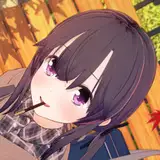
2024-07-08 16:49:50 +0000 UTCYup can be use anime or 3D characters. Preforming similar. We did some samples in Discord and its fun 😄
Benjamin Law
2024-07-07 12:55:12 +0000 UTCIs it like the effect of VIGGLE?
Yuxxi L
2024-07-07 12:26:24 +0000 UTC