![[BTS] A rabbit hole looking for a small parameter.](https://img5.nokimo.com/storage/10/wk/an/fb3178-019e8f8c-0619-7d51-b5d6-ec6b32e35b65.png)
![[BTS] A rabbit hole looking for a small parameter.](https://img5.nokimo.com/storage/1/tu/vl/fb3178-019e8f8c-061d-7dfa-aa55-8d60746dac0e.png)
![[BTS] A rabbit hole looking for a small parameter.](https://img5.nokimo.com/storage/9/rg/rl/fb3178-019e8f8c-061f-78c4-aa30-325d0c6618de.png)
![[BTS] A rabbit hole looking for a small parameter.](https://img5.nokimo.com/storage/10/ts/on/fb3178-019e8f8c-0622-7560-8f46-f1358442542c.png)
Hi hi ✨
I want to share something with you guys. Last week, I was experimenting with some new tools and whatnot. I'm always on the hunt for the latest models, techniques, and prompts to create the best images for you.
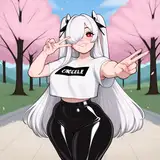
During one of these experimenting sessions, I tweaked some settings and parameters, and suddenly my images started looking a bit... off. They weren't in my usual style, especially the faces - they were looking less good. I tried to revert to my normal settings, but the images still looked worse. I was so scared because I didn't know what was causing it or how to fix it.
This process of reviewing every single setting took me like 3 days of searching until I finally found the culprit. It was a small parameter in a detail enhancer I use (ADetailer) after creating the image that was causing all the mess.
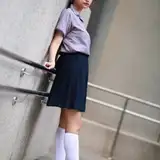
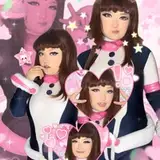
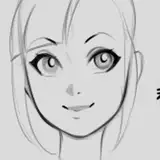
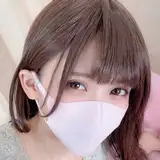
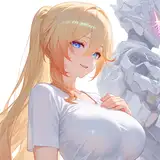
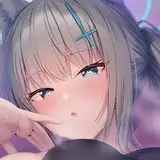
It was a frustrating experience, but I learned a lot. Like how this detailer works and how it creates sharper, better faces. You can see an example in one of the provided references. It takes a smaller, also AI-created image of a generic face, and starts to adapt it to the created image, like a face morph. That's why most of my faces look "similar" or have the same features.
I've been wanting to change this, but this detailer is the best I've found. I could create more diverse-looking faces, but they'd be less realistic.
Anyway, I hope you enjoyed this little ramble and behind-the-scenes look at how even a small parameter can make all the difference.
Please find attached inside your folders a zip file with all the images and references.