![[Beta Access] Femmeware 0.2 | Brainwashing](https://img5.nokimo.com/storage/12/mq/js/fb3178-019e8fb3-d69f-7a94-95e4-e958f18c424e.png)

You can’t even imagine how excited I am to present to you the first in this year update for Femmeware: 0.2 Brainwashing!
First of all, I want to apologize for the delays and thank all the subscribers who support the development. A lot of effort and time went into this update. Most of the work was done under the hood. Features have been implemented that unlock new possibilities for the app both now and in the future. New features have been added, along with bug fixes and process optimization.
The update was originally planned as a simple UI addition and bug fixes. But instead of UI I put in some extra effort for you and introduced new features! Now the program can truly influence you.
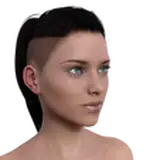
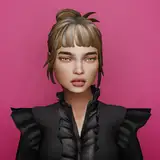
Replaced the old Femmeware image with a new one (now and forever, this is the new face of Femmeware)
Due to a decline in income, I had to terminate the contract with the design studio. However, the artist who created the new face of Femmeware has agreed to work with me directly in the future (which will be much cheaper). I really love her work—I hope you do too.
Implemented User Agreement before startup
Implemented Text Popup functionality
Femmeware can now display text overlays of various sizes, styles, and durations.
Implemented Text Flash functionality
A new feature that flashes text on the screen, embedding it into your subconscious.
!! This is a real psychological technique !!
Implemented Blocking systems
blocking Task Manager, console, registry access and other tools that a bimbo doesn’t need, right? However, this functionality is disabled in the current version for certain reasons (I'll talk about it in the next dev. blog)
Fixed Application startup – now it works
The application is now guaranteed to launch at system startup.
Fixed Events startup
The application now triggers events immediately upon launch, without delays. Subsequent events will run with their configured delays.
Fixed Wallpaper Engine should no longer interfere with the application
A background process now prevents Wallpaper Engine from running simultaneously with Femmeware.
Optimized Spiral overlay - no longer blinks, but still lags
Still working on it. The component responsible for rendering the video spiral is a bit outdated and tricky. However, it’s currently the only one I’ve found that can achieve this effect. In the future, it will be reworked to use DirectX rendering.
Optimized Event Manager – fully reworked and significantly improved
The Event Manager is the core of the application, like the engine of a car. It is now more functional, flexible, and automatically adjusts to event timing.
Added a new wallpaper for the Desktop
Fixes and code optimization
Spiral Event lagging a bit
Windows Defender may flag it as a trojan, but this is a false alarm. The application does not steal or transmit your personal data and does not have internet access (except for downloading the necessary components for launch)
Yurii_Iva
2025-03-08 07:57:24 +0000 UTCLaura Sub
2025-03-08 07:44:45 +0000 UTCElena
2025-03-07 21:20:49 +0000 UTC