Files to get:
Model:
I am using the model from this site: https://huggingface.co/WarriorMama777/OrangeMixs (mainly AbyssOrangeMix2). There are 3 versions: hard version is like gaping and massive penetrations. nsfw version is more tame. sfw creates only sfw pictures. This model is a merge between an Instagram model (I think) and the NovelAi model. You find it under files and versions. Also download the vae orangemix.vae.pt
----------------------------------------------------------------------------------------
1. Download and install Stable Diffusion https://github.com/AUTOMATIC1111/stable-diffusion-webui Scroll down and you will find a tutorial on how to install the software (just follow the steps) or watch a youtube guide.
If you have an nvidia graphics card, I recommend to enable xformers. If you don't have an nvidia card, I recommend you to use online services (It's also listed under that site) Edit the file and type the following:
-----------------------------------------------------------------------------------------
2. Put the downloaded model or whichever you prefer into this folder
Also put the vae into the VAE folder. It's also under models.
----------------------------------------------------------------------------------------
3. Start the software by double clicking the webui-user (the one thats marked under step 1). It's going to install and download some things, if it is your first time starting the software. After it is done you will get a local url. Just paste it into any browser you are using.
----------------------------------------------------------------------------------------
4. Some settings (under settings):
Pick your VAE and change Clip Skip 2
------------------------------------------------------------------------------------------
4. Install the extension https://github.com/kohya-ss/sd-webui-additional-networks
There is an installation guide, if you scroll down. This is where you will put the LoRa models (characters or concepts).
-------------------------------------------------------------------------------------------
5. Get some LoRa models from huggingface or CivitAI.
https://huggingface.co/YoungMasterFromSect/Trauter_LoRAs This guys has all the genshin character LoRas (the ones the people are posting on pixiv)
I will also upload my character models here https://mega.nz/folder/bMdmRCoJ#xlMcsItLhBRH3PdA6rzvuw
Put them here (only LoRa models)
-------------------------------------------------------------------------------------------
6. Start prompting:
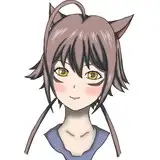
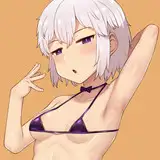
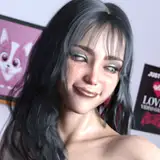
There is a dropdown menu for additional networks (enable it and pick your LoRa also set the strengths). You can png info my picture (I think it has all the metadata - in my mega folder). The seed is different (I have Eta noise seed delta set on 31337 but it won't really matter) so you won't get the same image. My activation token is saosinon or saoasuna (filename). You can also add in addition tags like blue hair or brown hair to generate them for sure.
Extra Info:
The number behind my LoRa is just the number of epochs I trained it for.
I will edit this page to answer new questions.