NokiMo
henrikomagnifico
henrikomagnifico

patreon


Zelda: Twilight Princess 4K Texture Pack 1.1.0 Update Patreon Release

Merry Christmas, All Patrons! 🎄

This is the long awaited major update to the Zelda: Twilight Princess 4K texture pack! This version includes many new and improved 4K textures in several key areas of the game, permanently fixes the "some textures are not loading properly" glitch, a new standard / post processing edition selection (with greatly increased compatibility), highly improved performance in several areas, shader updates, crash fixes, general bug fixes and more!

There are now two versions of the texture pack you get to select once you've downloaded it. One is the "Post Processing Edition", which includes all the post processing effects showcased in the trailer like ambient occlusion, tone mapping, bloom and more. The other version is the "Standard Edition" which doesn't include these features but has some other benefits instead.

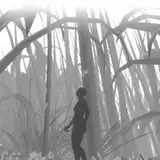
The Post Processing Edition utilizes Ishiiruka Dolphin to achieve these features, and has some graphical features implemented not available in regular Dolphin at all. It also requires Windows 7 or higher (not compatible with MacOS or Linux) and a dedicated graphics card. Both editions include a controller preset for common gamepads like the Xbox One controller! The standard edition version alleviates some minor Dolphin bugs present in Ishiiruka Dolphin (increased stability, for example) and supports MacOS & Linux, too! But does not support any of the additional graphical features listed above, like material maps or ambient occlusion. Both versions look stunning so if you're uncertain I recommend you play the standard version- or try out both and see which one you prefer! The screenshots above are taken using the post-processing edition, a comparison might be coming shortly! *wink*

Enjoy!

Oh, and there's a new trailer out as well. Check it out! 

This update, 1.1.0, is available to all you Patrons here, with a public release in two weeks from when this post was published (in 1080p)!

There is also a 4K version available, if your computer can handle it! Please feel free to try it out!

Notice: The 4K version will always look better than the 1080p version, even if you don't have a 4K display. This is because the textures are physically larger and contain more detail!

(Only available for the Ishiiruka Dolphin Emulator on PC or mobile (Android/iOS), the texture pack does not work on real Wii or Wii U consoles).
You can find more information about my HD texture pack here.

Read more information about the texture pack on my website! 

Updating from an older version is super simple:

Just copy & paste the "GC" and "Wii" folders inside the "User" folder in the texture pack directory over to the new version's User folder and it should work straight away! 

Download it here! 

Android version here!  

I am only able to make things like this thanks to your support, so from the bottom of my heart, thank you for helping me do what I love!

❤️

Zelda: Twilight Princess 4K Texture Pack 1.1.0 Update Patreon Release Zelda: Twilight Princess 4K Texture Pack 1.1.0 Update Patreon Release Zelda: Twilight Princess 4K Texture Pack 1.1.0 Update Patreon Release Zelda: Twilight Princess 4K Texture Pack 1.1.0 Update Patreon Release Zelda: Twilight Princess 4K Texture Pack 1.1.0 Update Patreon Release Zelda: Twilight Princess 4K Texture Pack 1.1.0 Update Patreon Release Zelda: Twilight Princess 4K Texture Pack 1.1.0 Update Patreon Release Zelda: Twilight Princess 4K Texture Pack 1.1.0 Update Patreon Release Zelda: Twilight Princess 4K Texture Pack 1.1.0 Update Patreon Release

Comments

The widescreen hack you mentioned above didn’t work for me. Does it need to be entered in a certain way?

Glad you're enjoying the texture pack! I'm aware of the stuttering issue and I've created a fix for it which is included by default in the next update, which should be available to download here on Patreon tomorrow :)

Henriko Magnifico

I'm loving this texture pack. I previously had the version 1.0.5 1080p version and just became a patron so I could get the 4K 1.1.0 version. The only issue with 1.1.0 is that I am now getting minor hitching every 15 seconds or so, even though the game runs buttery smooth. This is persistent regardless of which area I am in, and the hitching lasts roughly .75 seconds. Do you have any pointers for fixing this? I already tried changing the Ubershader settings, and that pushed the hitching out from roughly every 10 seconds to roughly every 15. I've tried everything else I can think of in Graphics settings as well. I am running on Win 10 x64 with a Vega 64, Ryzen 5 2600x, and 32GB of DDR4 3200 if that info helps. Thanks in advance. You've done an excellent job on this!

Steven Taylor

Is this occuring on the Post-Processing Edition or the Standard Edition of the texture pack?

Henriko Magnifico

Oh! I'm so sorry, I must have uploaded the wrong version by mistake. I'll upload the correct version immediately!

Henriko Magnifico

How come the Android compatible download is only 94mb, but the .dds downloads are 6 gb each?

The Barbiter

Is it normal that I cannot start the European Gamecube version in German? Because I keep getting an error code (Invalid read from 0x00000000, PC = 0x801fe31c) The American version works by the way;)

Available above now!

Henriko Magnifico

My bad, it appears Dolphin MMJR does not support DDS after all. I've uploaded a compressed PNG version above, which should look good and also shouldn't crush performance!

Henriko Magnifico

There is a PNG version linked above now, which works on all forks of Dolphin Android as well!

Henriko Magnifico

Sorry I don't know what I'm doing wrong. Installed MMJR, put the textures into the dolphin-mmjr/Load/Textures/GZ2E01 folder, enabled high res textures in the cheat settings but it's still not loading.

Happens from time to time when traffic is really high, it usually works again in a couple hours!

Henriko Magnifico

This doesn't work with Android. Is there a png version?

Too many downloads, can't download it anymore. Please reupload it. Thanks for your great work!

Please add android version

It's really simple! Just copy the "GC" folder inside the User folder from the old version of the texture pack to the same location in the new version and your saves should transfer just fine! :)

Henriko Magnifico

How am I able to use my saved data from the last version and apply these changes to it? I don't want to keep starting over.

Hyped up! Nice work :)

Ethan Yang


Related Creators