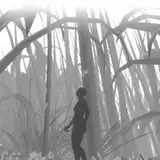
This update focuses on Q.O.L improvements. This includes tons of configuration changes, improved multi language support, a streamlined user experience, Switch Pro Controller support by default, new textures, bug fixes and more!
This was posted in the last update's post as well, but as a reminder (or if this is your first time using Zelda: Ocarina of Time 3D HD), Here are the default key bindings for using the bottom screen with your controller;
This should make the game much more playable and enjoyable, especially if you're playing on a TV where you definitely don't want to be switching around between different controllers mid-action.
For now this covers German, Spanish and French! Prior to this patch, if you were using a different language than English, custom textures would not display at all in the UI. This has now been properly fixed- and also includes the glorious 4K UI sprite elements from the English version! The game will automatically load the correct textures depending on your selected language. Awesome!
All you need to do now, if you're using the European version of Ocarina of Time 3D, click the "Run this if you're using the PAL (European) version of the game.bat" file inside the texture pack folder. Done! It'll now work great with your version of the game. Easy, right?
This includes walls, ground textures, buildings and more!
This means you can now experience glorious self shadowing around objects, which looks really great with OOT's fantasy art style. Try it out by doing the following:
* Set your game view to "Single" in Citra.
* Set your resolution to 9x in the Graphics Settings in Citra.
* Press the "HOME" button on your keyboard, this will bring up the ReShade UI.
* Check the "MXAO" box in the list of effects.
* Go to the "Advanced" tab in ReShade and check the box next to the depth buffer in the list with the highest value (it should be a very high number while all others are 0).
* Enjoy!
This update also includes minor improvements to the visuals as well as many bug fixes.
The Update is available to all you Patrons here, with a public release in two weeks from when this post was published!
There is a 4K version available, if your computer can handle it. It's a large file, over 7GB so beware of that before you download it! The 1080p version is smaller in file size, but doesn't look quite as nice. You can download both and test which one works best for you, if you want! :)
Please feel free to try it out!
(Only available for the Citra 3DS emulator, the texture pack does not work on real 3DS consoles).
You can find more information about my HD texture pack here.
I am only able to make things like this thanks to your support, so from the bottom of my heart, thank you for helping me do what I love!
Dorian Caedmon
2021-02-27 12:09:13 +0000 UTCHenriko Magnifico
2021-02-21 00:14:26 +0000 UTCHenriko Magnifico
2021-01-13 12:33:50 +0000 UTCHenriko Magnifico
2020-12-31 12:57:17 +0000 UTCHenriko Magnifico
2020-11-25 11:17:54 +0000 UTCP0pcorn Z
2020-11-25 03:37:49 +0000 UTCFernando766
2020-11-24 22:36:42 +0000 UTC