This month's tutorial is finally here ✨it's on 6 simple tricks for stylizing your studies, and runs you through some techniques that you can use to make your studies more exciting and eye-catching! It's especially helpful for those of you who feel like your studies end up just looking like a boring copy of the reference image. These techniques can be applied to an already finished study, so if you have any artwork lying around that could use a revamp, this is the video for you!
 The main brushes I use in this process are:
The MaCaLabs HB pencil brush for the initial sketch (there's also a Procreate version)
The hard round brush from my own brush set for blending and painting
Yuming Li's brush set for the smudge and mixer brushes

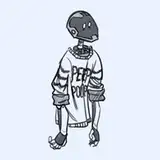
Here's the artwork I made in the demo:

 You can easily supplement this tutorial with the following ones, because they touch on topics of stylization and diverting from realism.
Sculpting with color: This tutorial shows you how you can pick totally random colors and sculpt the details from there. It’s a great technique for breaking free from realism.
Making interesting reference studies: This tutorial talks about similar topics as this one, but focuses primarily on portraits and choosing an area of focus before getting started on your study.
Stylizing trees & plants: This tutorial shows you how you can divert from realism with subjects that aren’t characters - something that can be difficult for artists who are accustomed to copying reference closely.


 I hope you enjoy this video and that it gives you some inspiration for zazzing up your studies! Feel free to share any future tutorial suggestions in the #tutorial-suggestions channel in the discord server (If you don't know how to join, just follow the steps outlined here) or leave them in a comment below ❤
jue.no.yume
2025-08-10 08:06:24 +0000 UTCLoish
2025-04-29 07:18:26 +0000 UTCRosy
2025-04-29 00:37:18 +0000 UTCLoish
2025-02-21 14:03:38 +0000 UTCLoish
2025-02-21 14:02:19 +0000 UTCLoish
2025-02-21 13:52:47 +0000 UTCLucienna Caffie
2025-02-19 18:13:36 +0000 UTCUte
2025-02-18 12:37:43 +0000 UTCnazgul
2025-02-17 15:54:50 +0000 UTCLana
2025-02-16 08:32:12 +0000 UTCNasty Ewest
2025-02-15 16:16:00 +0000 UTCLoish
2025-02-14 10:03:54 +0000 UTCLoish
2025-02-14 10:01:31 +0000 UTCLoish
2025-02-14 09:59:53 +0000 UTCRi Beltran
2025-02-13 22:29:24 +0000 UTCLone Jensen
2025-02-12 22:12:56 +0000 UTCTobi
2025-02-12 14:45:31 +0000 UTCJohan Postma
2025-02-12 13:33:51 +0000 UTCChantal
2025-02-11 21:06:26 +0000 UTCFaimano
2025-02-11 19:32:41 +0000 UTCLoish
2025-02-11 12:15:18 +0000 UTCLoish
2025-02-11 12:15:05 +0000 UTCLoish
2025-02-11 12:14:58 +0000 UTCJay Penn
2025-02-11 11:25:07 +0000 UTCAntonia Höfs
2025-02-11 10:18:13 +0000 UTCMizidora
2025-02-11 06:46:25 +0000 UTCVeronica Colin
2025-02-11 04:18:19 +0000 UTCArtful Harper Studios
2025-02-10 23:40:28 +0000 UTCLoish
2025-02-10 22:31:30 +0000 UTCLoish
2025-02-10 22:19:13 +0000 UTCLoish
2025-02-10 22:19:02 +0000 UTCDevyn
2025-02-10 21:42:40 +0000 UTCInês Garcia
2025-02-10 20:01:28 +0000 UTCSergio Flores
2025-02-10 19:55:28 +0000 UTC_alexiaalexiaalexia
2025-02-10 19:45:27 +0000 UTC