PROCESS VIDEO // grapefruit girl
Added 2020-07-31 12:28:14 +0000 UTC
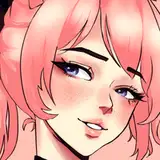
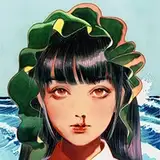
I found some time to put together the process of the grapefruit girl! Just in time for the end of the month. My starting point was the drawing I made for my color choices tutorial which you can watch here. I basically just took it from there and painted over it until I liked what I saw! I used procreate on the iPad to do that.
The brushes I used were mostly Maxpacks Gouache: https://gumroad.com/maxulichney#KRMeg
And Razum Pro II: http://cbr.sh/ai2y9?ref=loish
It’s not sped up, so you can watch it in real time or use the gear icon to speed it up to 2x the speed!
I hope you like it! Let me know if you have any questions about the process :)
i have a post about brushes here: https://www.patreon.com/posts/step-by-step-i-34615265
one main tip I can give is to always make sure you're working on a larger canvas! this keeps the brushes looking optimal! too small a canvas usually results in pixelly brushes.
Loish
2020-09-23 09:46:24 +0000 UTC
I loved seeing your process, very impressive. I am learning and I have problems with the brushes. problems seen with pixels. Besides that there are many and at the same time I do not like them. What do you recommend me? Which brushes do you recommend?.
Thank you so much <3
MWMaiwenn Mayela
2020-09-22 17:57:35 +0000 UTC
glad you enjoyed it! that's what i love about digital art, you can always change it as many times as you want. that's why it feels more like sculpting than drawing to me sometimes!
Loish
2020-08-25 09:08:54 +0000 UTC
I love this so much! Thank you for being so open to share this detailed process esp with procreate! I always work with a million layers by I’m scared of messing up details but it was cool to see how flexible you are to changing up entire facial expressions with the eye dropper tool!
kwarateen
2020-08-24 18:29:49 +0000 UTC
of course! please go ahead!
Loish
2020-08-20 08:36:27 +0000 UTC
Hi, could I try to redraw it for the learning purpose?
Victoria
2020-08-19 13:09:33 +0000 UTC
i will definitely do that!! want to make a few more 'foundational' videos first, so that people can go from sketch to details with the existing videos!
Loish
2020-08-04 09:15:55 +0000 UTC
glad you liked it! this is always a struggle for me to, but i like to challenge myself to 'go with the flow' because that keeps me moving forward, otherwise i'll get stuck!
Loish
2020-08-04 09:12:26 +0000 UTC
This is amaziiiiiiiin!....Love the final result, and btw this is not the first video I see of your painting process. And there is something that always impresses me (it was stressful at first): the number of times you change your character face or expression. Like, you always give to the painting a chance to change. Even though it already looks perfectly beautiful (for me it's like: "noooo you changed the eyes, they were perfect", but then I realize they are even more perfect now). But that teaches me that you are never totally satisfied, and you always want something better and better in your paintings. I'm always afraid of changing something of my painting and sometimes I leave them just as they are. Thank u so much! You always manage to make me wanna learn more and more!...(Loved the character so muuuch btw)
Bastian Esteban Cruzat Cortes
2020-08-03 05:17:41 +0000 UTC
You have an option in IPad to redord the screen. Also apps like Procreate have timelapse<3
Customizarte Tattoo
2020-08-02 17:32:27 +0000 UTC
Thank you :D I love seeing your process. Do you think you will make a video on how you render your art at some point ??
Zoe
2020-08-01 11:15:15 +0000 UTC
How did you record off your iPad?!
trowelandspade
2020-07-31 16:18:03 +0000 UTC
I really like how you were recording this with full UI included. Thanks for that!
Liese
2020-07-31 14:04:12 +0000 UTC