中型犬、大型犬プランにある未結合のPSDについて説明します。
中型犬以上のプランで支援いただいた方向けのお礼として、
その月差分ありのR18イラストが上がっていた場合、未結合PSDを共有いたします。
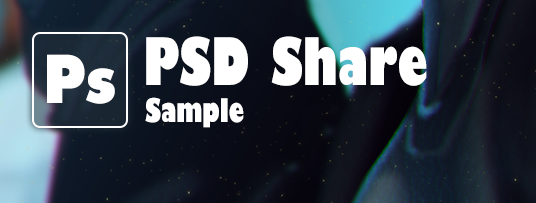
PSD共有の投稿は、カバー画像に上のようなアイコンがつきますので
参考にしてください。
◇例えばこんな使い方◇
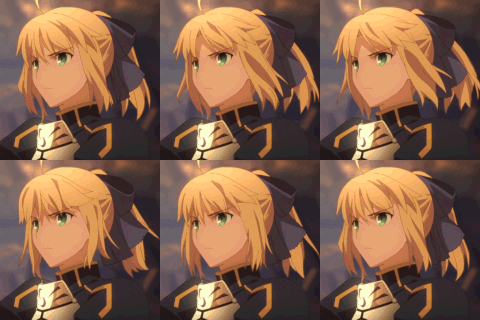
・差分を好き勝手切り替えて楽しみたい!
・データの作り方を見てみたい!
・自分好みに色々書き足してみたい!
(例えば石化、混乱などの状態異常にかけてみたり……
目隠しや猿轡を足してみたり……)
※注1※
PSDを開くには
・Adobe Photoshop
・SAI
・Clip Studio Paint
・Medibang
・Fire Alpaca
などのPSDを開けるソフトが必要になります。
※注2※
私は最終的にAdobe Photoshopで仕上げをしているため、効果レイヤーなどの
ソフトによって演算の異なるレイヤーは他のソフトで開くと意図していない表示になる場合があります。
※注3※
著作権は放棄していません。
あくまでご自身で楽しむためにご利用ください。
----
If you support me with a plan for the "Dog(Medium)" or larger
As a thank you for your support, I will share an uncombined PSD with you if an NSFW illustration is available that month.
PSD sharing posts will have an icon like the one above in the cover image.
Please refer to it.
For example:
・You want to enjoy switching the difference as I like.
・You want to see how the data is made.
・You want to add my own touches.
(Change condition, like stone(Fullbody overwrite) , Confusion(eye change)
Add Gag, Blindfold, and anything else.)
and so on.
Note 1)
If you to open PSD, you should get software like:
・Adobe Photoshop
・SAI
・Clip Studio Paint
・Medibang
・Fire Alpaca
and more.
Note 2)
I use Adobe Photoshop for the final touches.
So if you open the layer with other software, it may not look the way you intended.
Note 3)
The copyright is not waived.
Please use them only for your own enjoyment.
meowey
2021-03-09 19:52:11 +0000 UTC蓮鍵
2021-03-08 17:43:52 +0000 UTCmeowey
2021-03-08 12:27:18 +0000 UTC蓮鍵
2021-03-03 15:51:11 +0000 UTC蓮鍵
2021-03-03 15:50:12 +0000 UTCmeowey
2021-03-02 14:47:07 +0000 UTC孤弓弥日
2021-01-02 04:18:40 +0000 UTC